
Overview
Every strong sales strategy starts with one question: who exactly should you be selling to?
Sales Navigator answers it through two tools working together: Personas (your ideal buyer profiles) and Account Filters (your ideal company criteria). Define both, and Navigator continuously surfaces the right people at the right companies.
SalesMind AI takes it further. Once you know who fits your ICP, SalesMind AI helps you reach them with messaging that actually resonates.
Prerequisites
- Active Sales Navigator account (Advanced or Advanced Plus recommended for full filter access)
- A clear sense of your target roles, industries, and company sizes
Step 1: Create Your Personas
Personas are reusable definitions of your ideal buyers. Think of them as saved filters for people.
- Go to the top-right toolbar and click Personas.
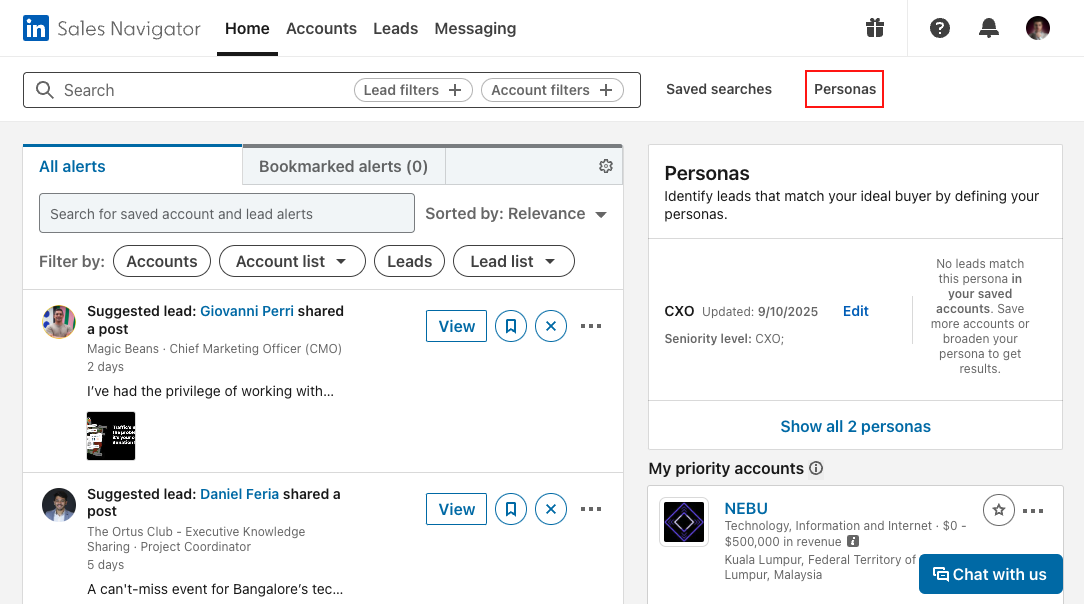
- Edit the default personas (CXO, Director+) or create new ones from scratch.
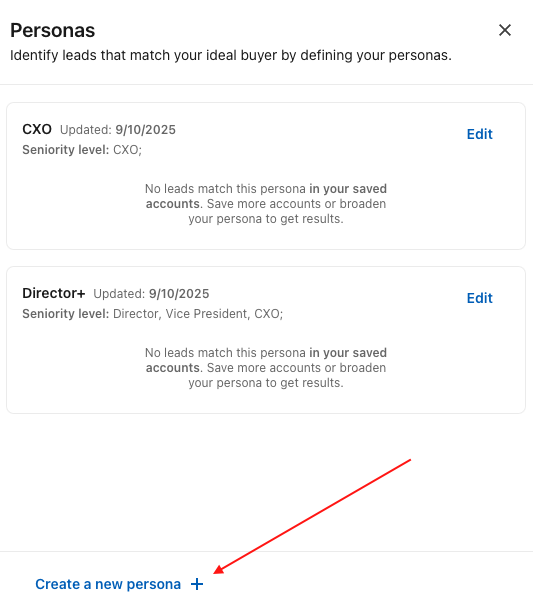
- Define each persona by:
- Function (e.g., Marketing, IT, Sales)
- Seniority (e.g., Director, VP, C-Level)
- Job titles
- Geography
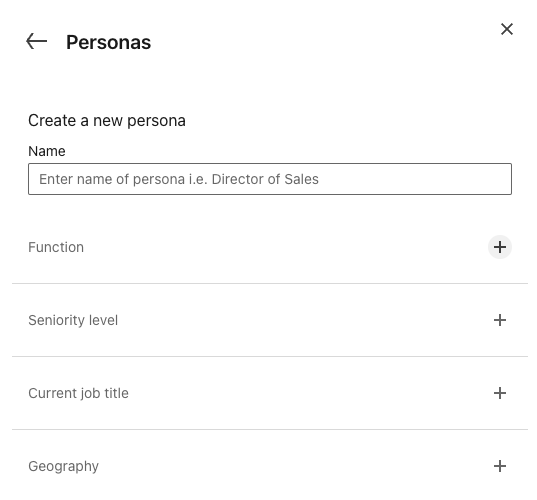
💡 Tip: Start broad, then tighten your criteria after reviewing the first batch of results. It's easier to narrow than to realize you've been too restrictive from the start.
Step 2: Find the Right Accounts
With Personas set, shift focus from people to companies.
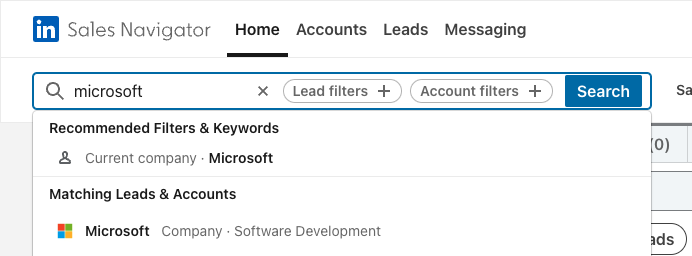
Option A — Search for a specific company:
Use the search bar at the top of Navigator to find a known target.
Option B — Use Account Filters for broad discovery:
- Industry & Geography — e.g., Electronics companies in Europe
- Headcount Growth — spot teams that are actively expanding
- Buyer Intent — see which companies are already researching your solution category


👉 Note: Save your searches. Navigator runs them in the background and notifies you when new accounts match your criteria — so your pipeline stays fresh without manual effort.
Step 3: Save Accounts to Lists
Once you've found good-fit companies, save them to an Account List. This lets you track signals over time and keeps your pipeline organized by segment or campaign.
Using Personas and Accounts with SalesMind AI
Once your Personas and Account Lists are set up in Navigator, bring them into SalesMind AI. You'll know exactly who to target and can generate personalized outreach sequences for each segment without starting from scratch every time.
What's Next
- Organize your accounts — use Account Lists and Account Hub to manage your pipeline
- Monitor Buyer Intent — prioritize accounts already showing interest
- Research accounts deeply — use Account Pages before reaching out