
Overview
Cold outreach fails when it's generic. The best way to personalize at scale is to actually know something about the company before you write a single word.
Sales Navigator's Account Pages give you a deep view of any company's structure, priorities, growth trajectory, and buying signals. Combined with Account IQ (an AI-powered summary), you can walk into every conversation as an informed partner rather than a stranger with a pitch.
Prerequisites
- The target company saved to an Account List in Sales Navigator
- Sales Navigator Advanced or Advanced Plus for full Account IQ access
Accessing an Account Page
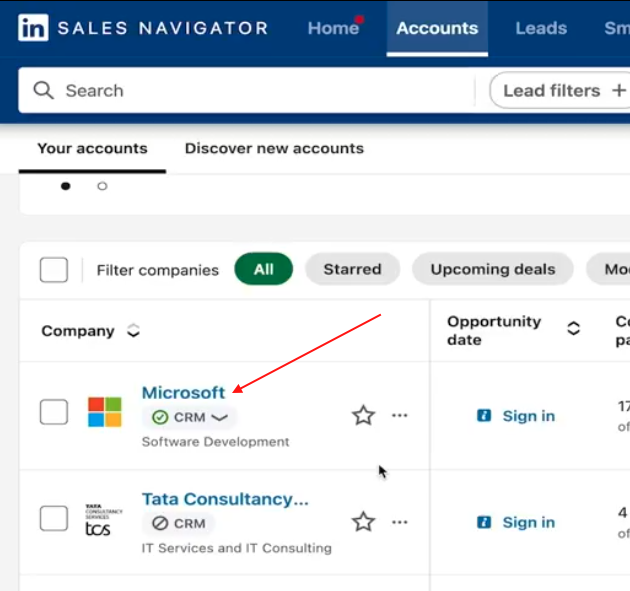
- Click Accounts in the top navigation bar
- Open Account Hub and select your list
- Click the company name you want to research
You'll land on the Account Page, which includes:
- Company overview and employee headcount
- Personas matching your target filters
- Buyer Intent score and recent activity
- AI-powered summaries and business insights
- Growth data and hiring trends


Using Account IQ
Account IQ is the AI summary at the top of every Account Page. It pulls together publicly available signals to give you a fast brief on:
- How the company generates revenue
- Strategic priorities and current business focus
- Challenges and pain points facing the organization
- Key executives and what they're discussing publicly
- Competitive landscape and market position
You can expand each section for more detail, and check the list of sources for transparency.
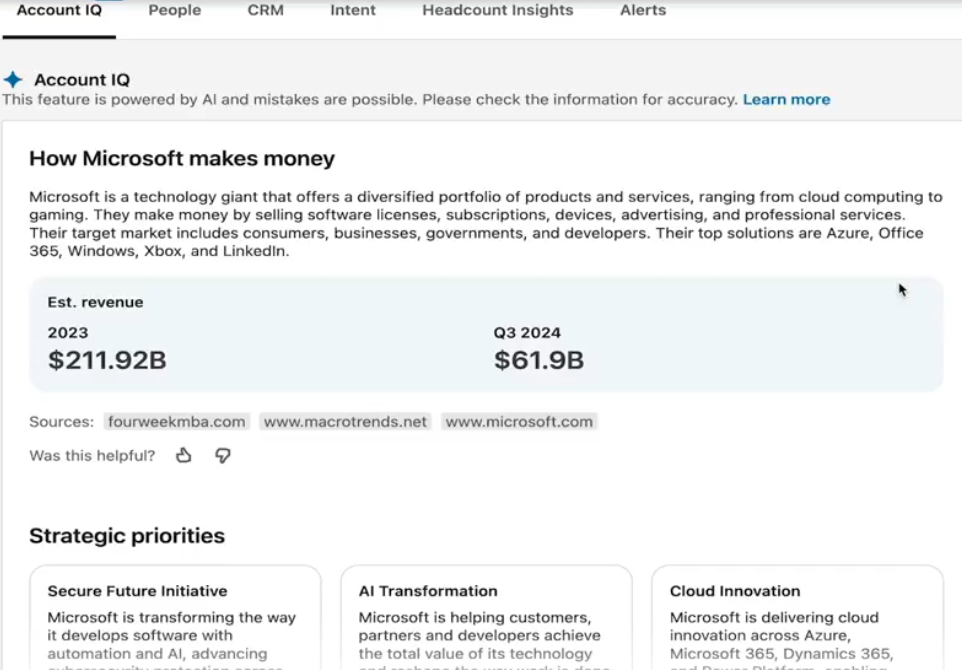
💡 Tip: Before writing any outreach, read the "Challenges" and "Strategic Priorities" sections. Referencing a real business challenge in your first message builds credibility instantly.
Analyzing Growth Insights
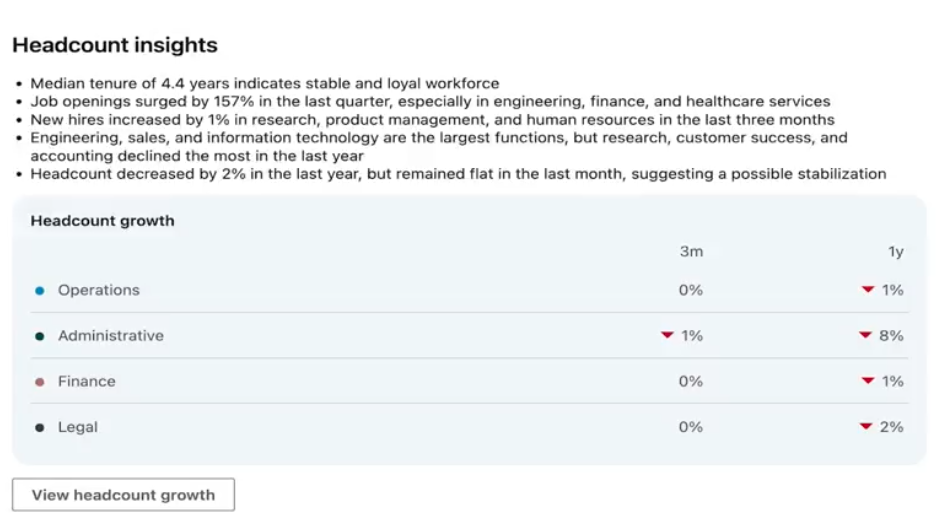
Scroll down the Account Page to find Growth Insights:
- Headcount distribution — which departments are expanding or shrinking
- New hires — which teams are adding leadership or new roles
- Job openings — track hiring trends to identify where they're investing
A company adding headcount in marketing often signals a new product launch or growth push. That's a natural opening for a relevant conversation.
Monitoring Buyer Intent and Activity
Below Growth Insights, you'll find two more signals:
Buyer Intent Score — how much interest the company is showing in your business overall.
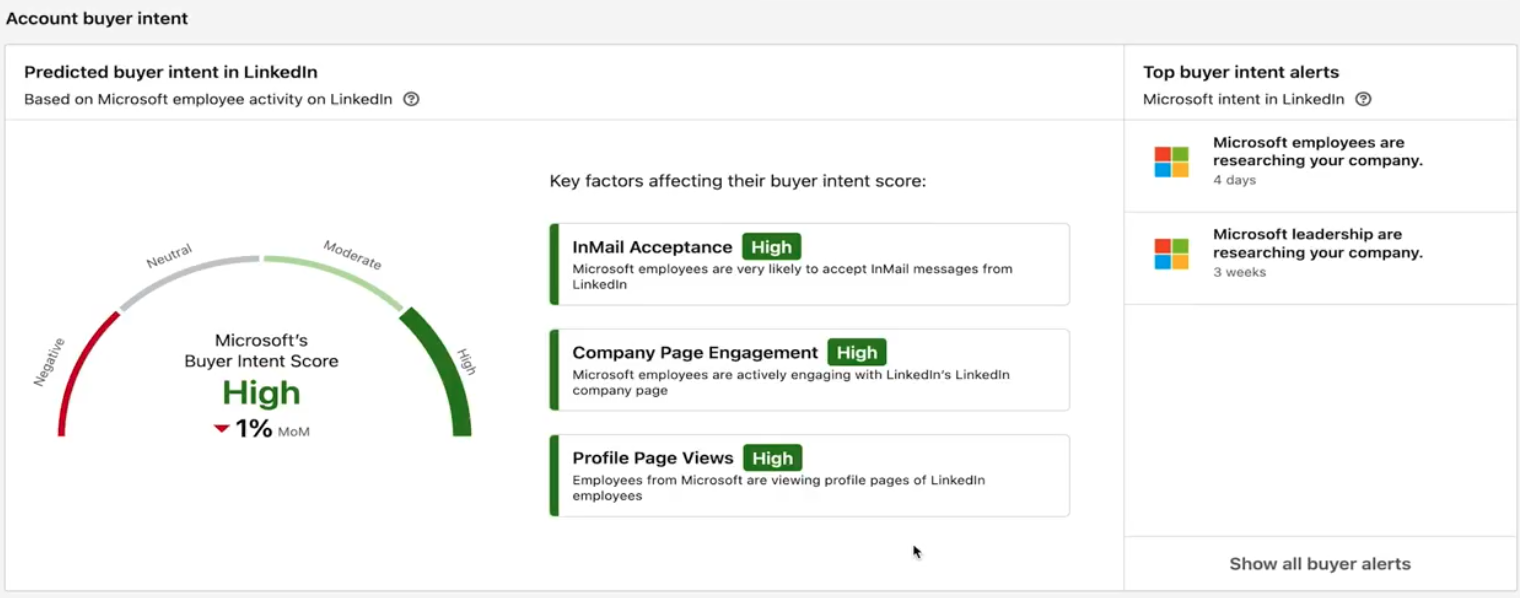
Buyer Activity — specific recent actions by employees, like viewing your company page or engaging with your content.
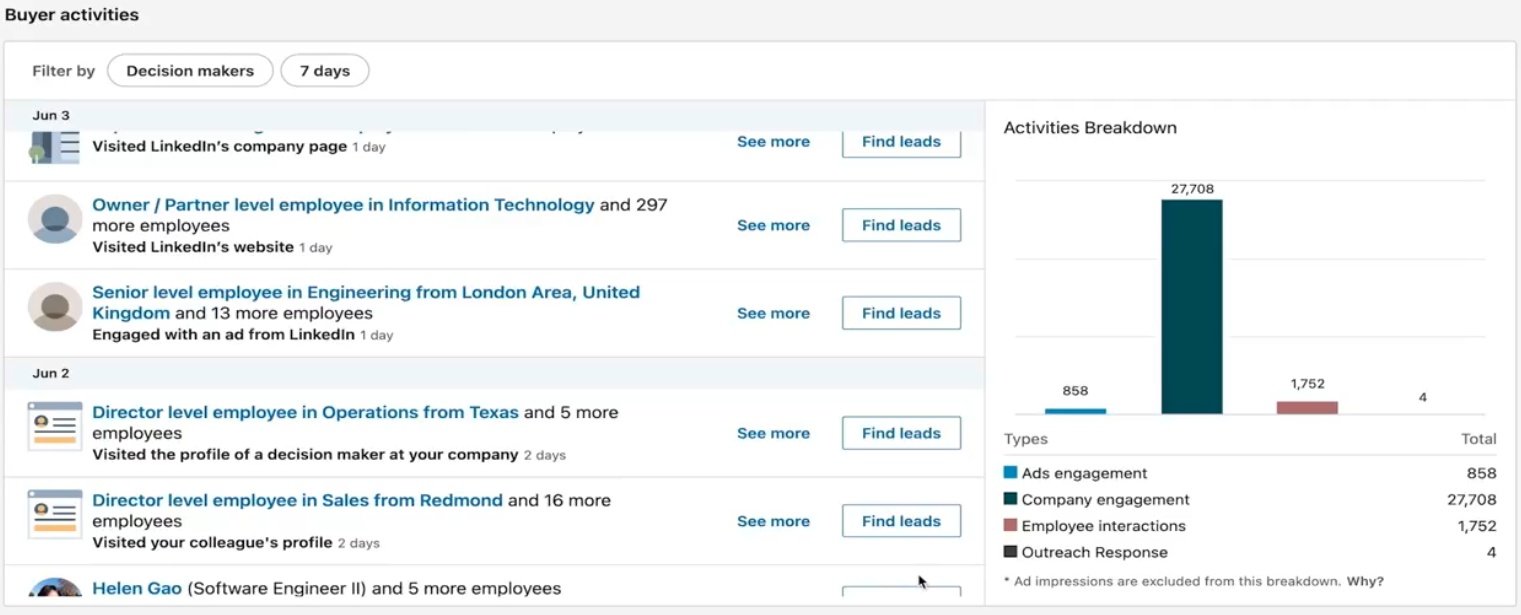
Use these to validate whether interest is recent, consistent, or growing before you invest time in outreach.
👉 Note: High intent + recent buyer activity = reach out today. Don't wait for a "better time."
What's Next
- Map the buying committee — use Relationship Explorer to find all key stakeholders
- Launch outreach — bring your research into SalesMind AI to generate personalized messages
- Track engagement — monitor how contacts respond as your campaign runs