
Your LinkedIn Profile Is a Sales Tool, Not a CV
When someone receives your connection request or message, the first thing they do is click your profile. What they see in the next 5 seconds determines whether they accept, reply, or ignore you entirely.
A weak profile kills your outreach before it starts. A strong one does the selling for you.
Here's how to build one that converts.
The Five Building Blocks
Your LinkedIn profile has five sections that matter for outreach:
- Headline (the text under your name)
- Banner (the background image)
- About (your summary section)
- Featured (pinned content)
- Header URL (the link in your header)
Each one has a specific job. Don't treat any of them as optional.
1. Headline
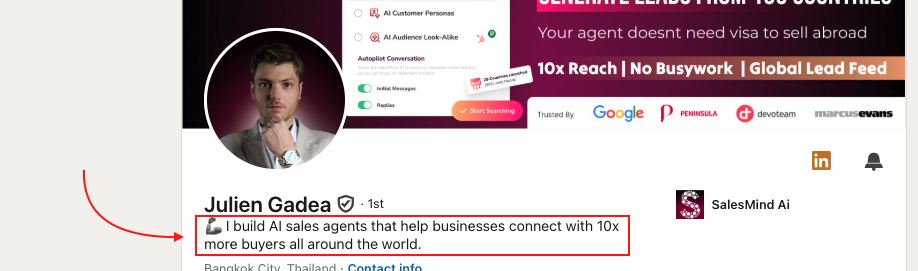
Your headline has two jobs: get people to click your profile, and leave one clear phrase in their memory.
What works:
- Speak directly to your target customer's pain or desire
- Be specific about what you do and for whom
- Avoid generic titles like "Sales Manager at Company X"
Example: "I help SaaS founders book 10+ qualified demos per month without cold calling."
💡 Tip: The best headlines feel personally relevant to the reader. If your ICP reads it and thinks "that's me," you've done it right.
2. Banner
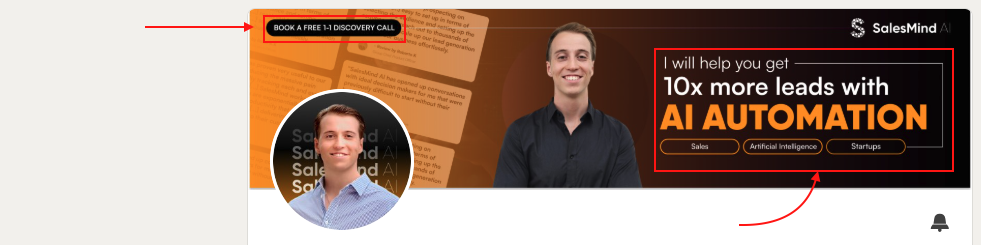
Your banner is prime visual real estate. Use it to reinforce your value proposition at a glance.
Include:
- Your unique selling point (USP)
- The pain you solve or the result you deliver
- A clear call to action (CTA)
Think of it as a billboard for your ideal customer.
3. About Section
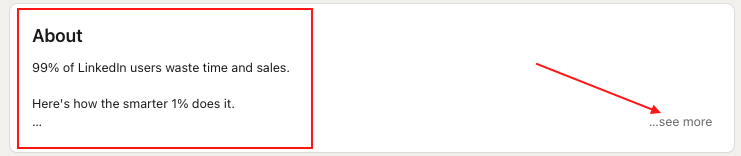
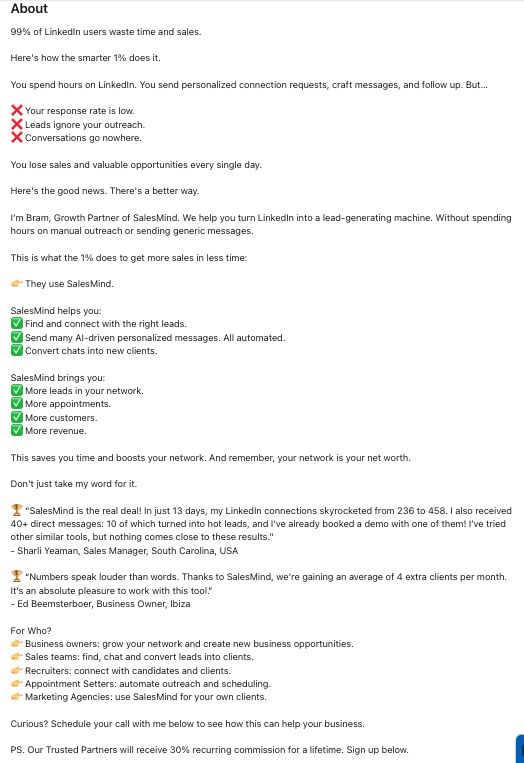
The About section is not about you. It's about your ideal customer and guiding them toward taking action.
Follow this 9-part structure:
- Attention — Open with something that grabs them immediately
- Problem — Name the pain your ICP is experiencing
- Consequences — Show what happens if they don't solve it
- Awareness — Demonstrate you understand their situation
- Proposal — Address them directly
- Solution — Explain your approach
- Result — Show the outcome they can expect
- Social Proof — Add a testimonial, case study, or metric
- CTA — Tell them exactly what to do next (book a call, reply, visit a link)
👉 Note: Most people write their About section like a resume. That's the wrong format. Write it like a sales page for your ICP.
4. Featured Section
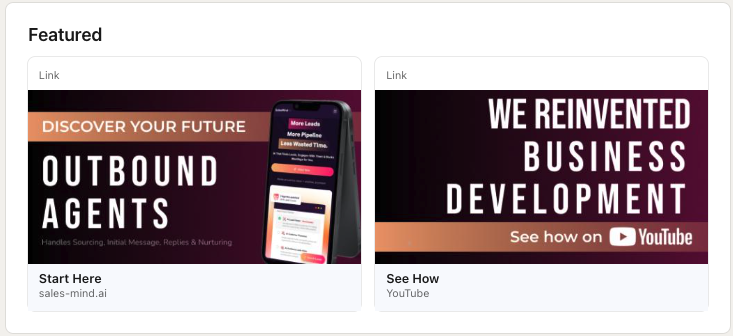
Use Featured to push profile visitors into your funnel. Pin content that drives action:
- A booking link for a discovery or demo call
- A lead magnet (ebook, guide, checklist)
- Social proof (case studies, testimonials, results)
- Your website or a key landing page
5. Header URL
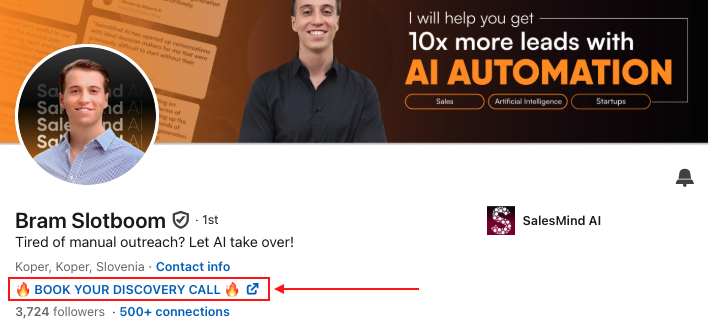
The link in your header should go to the fastest path to conversion: a booking page, demo link, or lead magnet. Don't waste it on your company homepage.
Key Takeaways
- Your profile is the first thing prospects see after receiving your outreach. It either builds trust or kills the conversation.
- Every section should speak to your ICP's pain, not your own achievements.
- Featured and Header URL turn passive profile views into active leads.
What's Next
- Learn how to set up your first outreach campaign in SalesMind AI
- See how to import your target leads in Import Leads from Your List