
SalesMind AI campaigns run a series of automated LinkedIn actions on a list of prospects. Each action is queued and executed sequentially. When a campaign has multiple consecutive steps, the system checks specific conditions and waits for delays before moving to the next action.
What Is a Condition?
A condition is a criterion that determines whether a prospect can enter, progress through, or exit a campaign.
Entry Conditions
These decide whether a prospect is eligible to be added to a campaign at all.
👉 Example: A prospect must have the status "not connected" to be included in an invitation campaign.
Progression Conditions
Once a prospect is in the campaign, these conditions control whether they move to the next step or get removed.
👉 Example: In an "Invitation + Message" campaign, the next message only sends after the prospect accepts your connection request.
⚠️ Warning: A prospect who is "not connected" cannot receive a direct message from SalesMind AI.
How to See a Prospect Waiting on a Condition
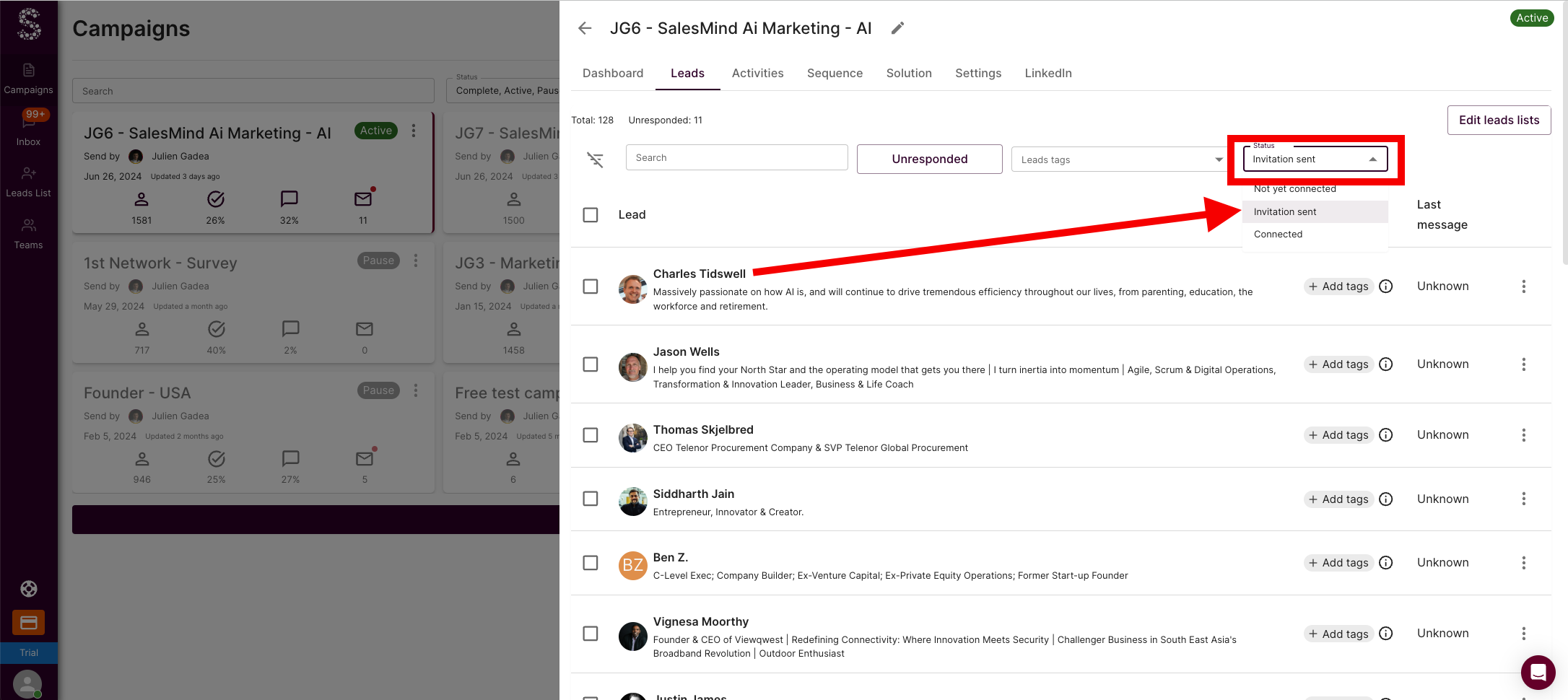
Go to the Leads sub-tab inside your campaign. Each prospect shows their current status, including whether they're waiting for a condition to be met.
What Is a Delay?
A delay is a waiting period inserted between two actions or before a condition is checked. For example: "Wait 3 days before sending the next message."
⚠️ Warning: You can't modify a delay for a campaign that's already running or paused.
💡 Tip: Delays can be set in minutes, hours, or days.
What Happens When a Prospect Replies?
When a prospect replies to any message in your sequence, they're automatically removed from the campaign and won't receive any further automated messages.
When a prospect exits, they're tagged with a status so you can filter and manage them easily.
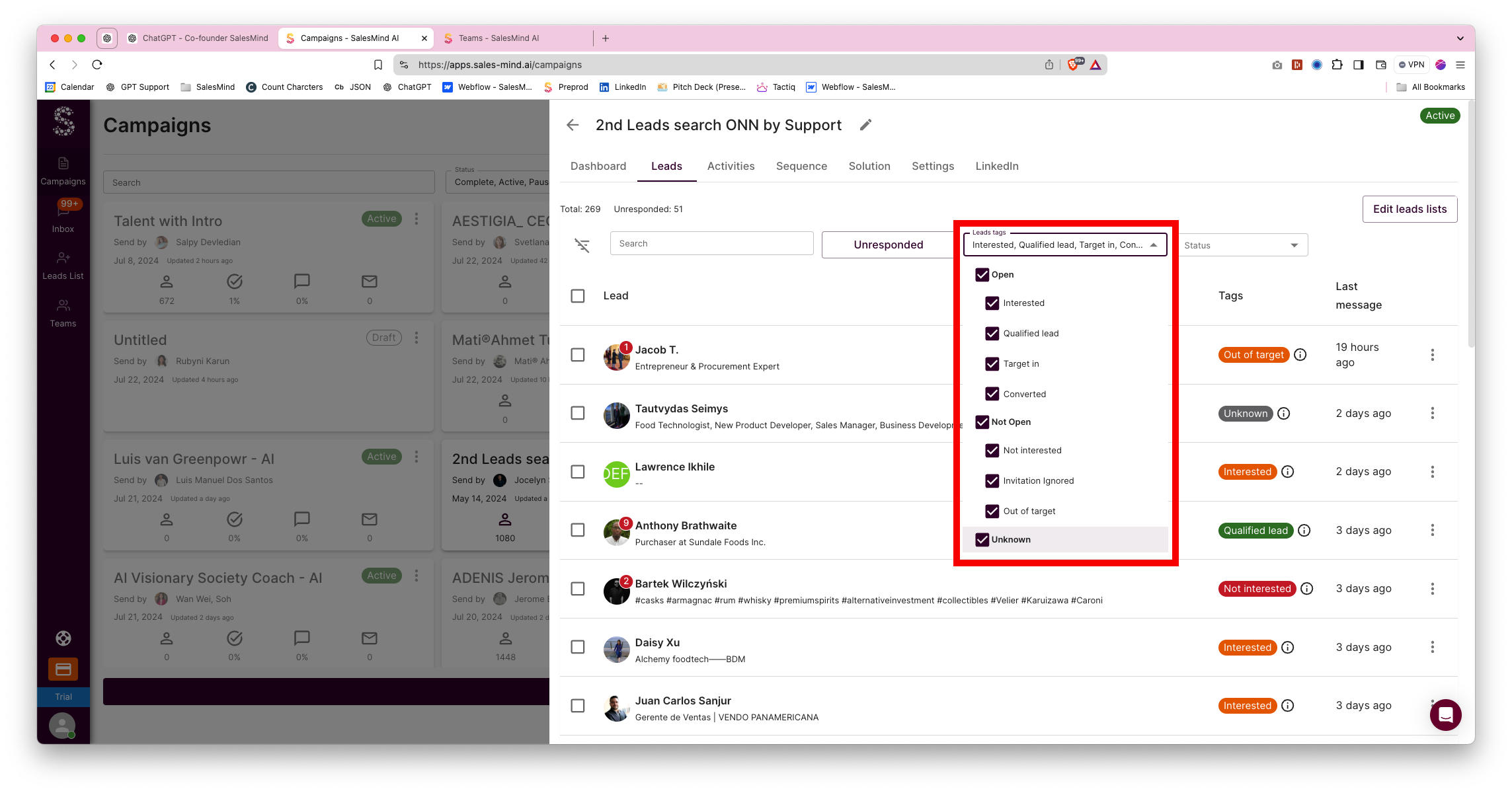
How to Filter Tagged Prospects
- Go to the Leads section.
- Open the Lead Tag filter.
- Select the tag(s) you want to view.
When Does a Prospect Exit as "Finished"?
Prospects are marked Finished in two situations:
- No reply to a pending invitation: If the prospect never accepts your connection request within the campaign's timeframe, any scheduled follow-up messages can't be sent.
- Reply to a connection note or message: If the prospect responds at any point, they exit the campaign immediately and receive no further automated actions.
What's Next
- Learn how to build your message sequence in Campaign Creation
- Understand Outreach Settings for timing and blacklists
- See how to filter and manage leads by tag