
This update brings Autopilot, two-way CRM sync, and several workflow improvements to SalesMind AI. Here's what's new and how to start using it.
Autopilot: Automate Your Outreach
Autopilot lets the AI handle replies and follow-ups without you needing to review each one.
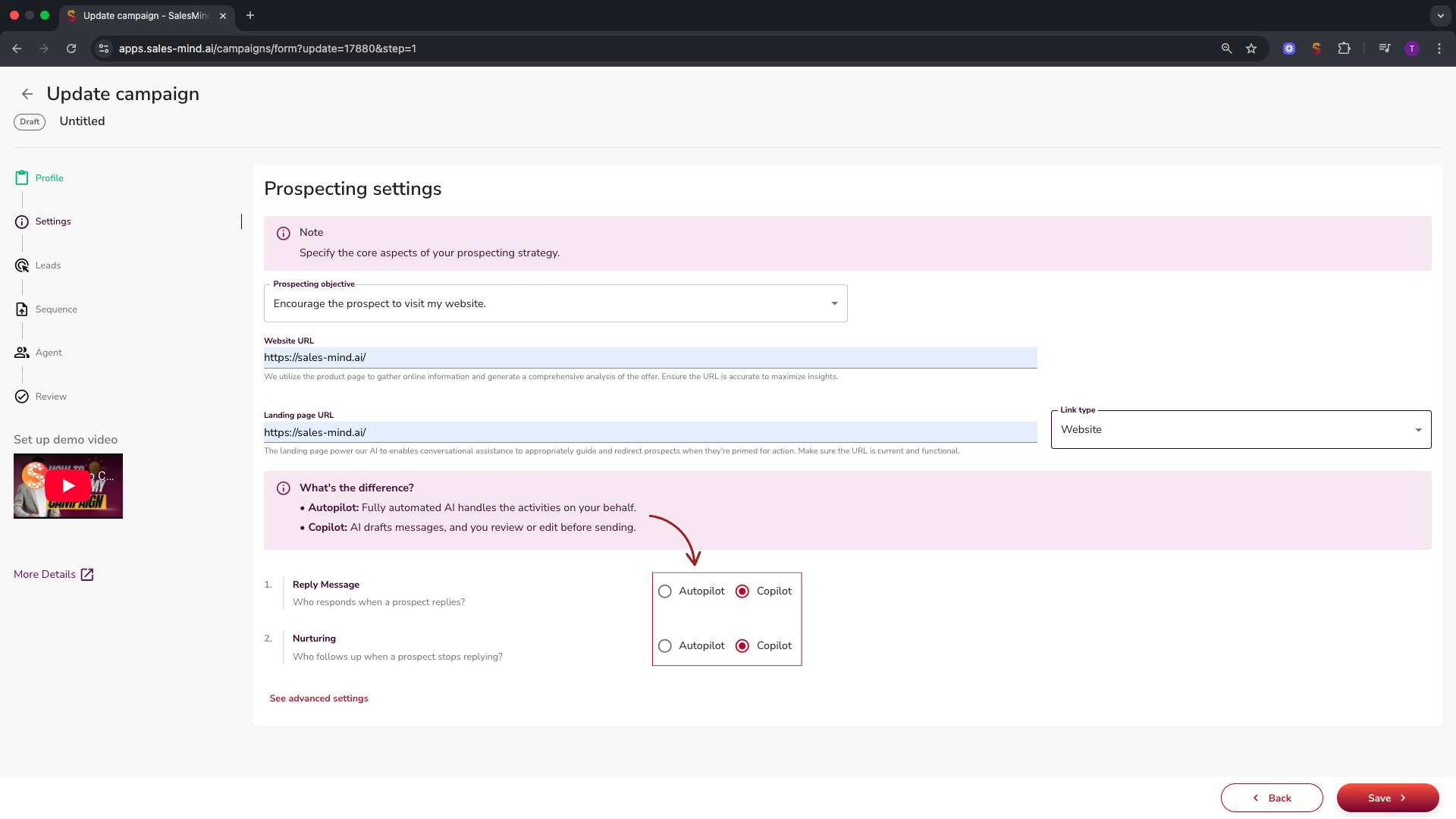
Campaign-Level Autopilot
When creating a new campaign, choose how your AI agent handles replies:
| Mode | How it works |
|---|---|
| Copilot | AI drafts replies. You review and send them yourself. |
| Autopilot | AI writes and sends replies automatically within 10 minutes of receiving a message. Also schedules follow-ups for leads who go quiet. |
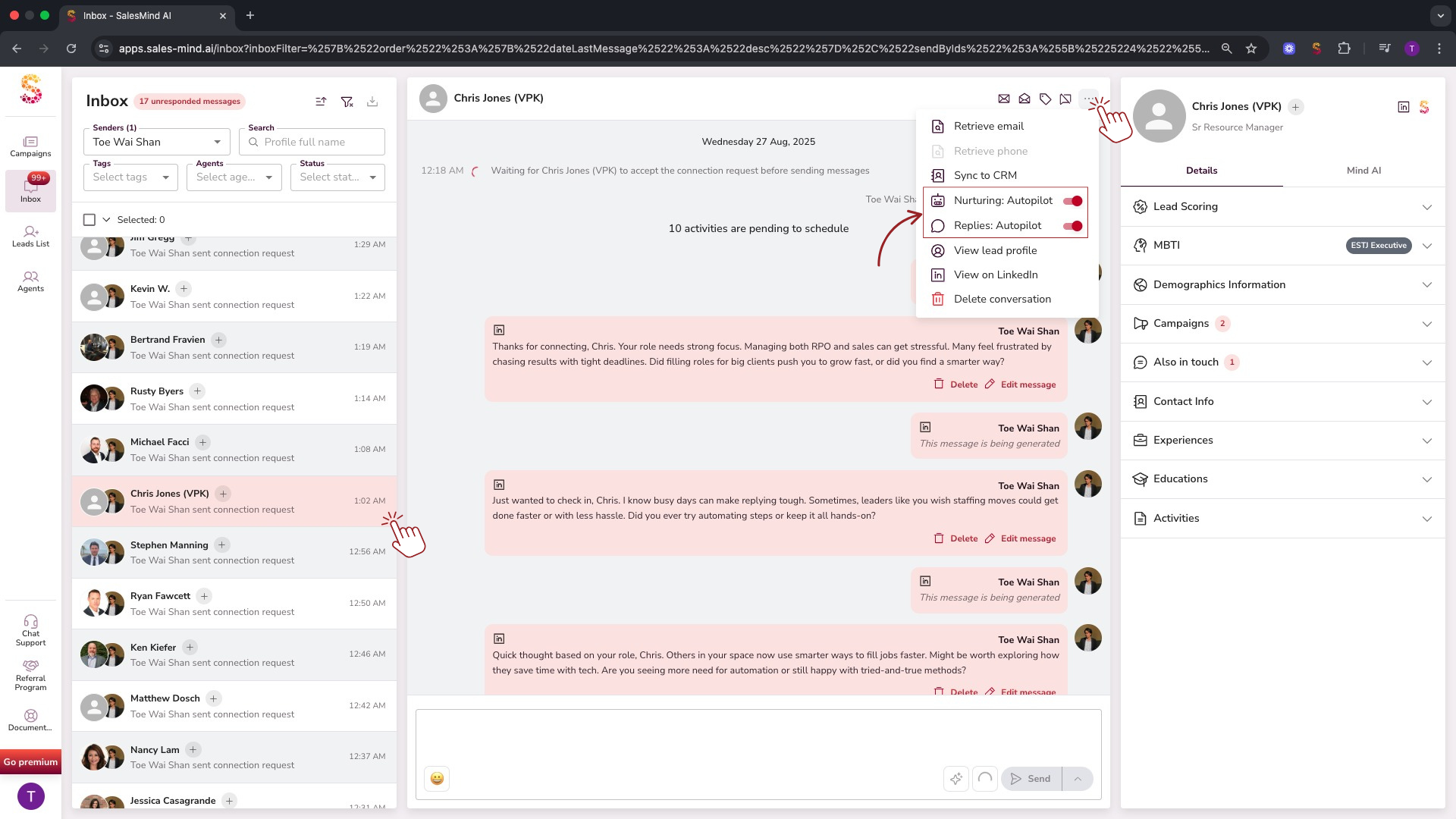
Per-Lead Autopilot
Activate or deactivate Autopilot for individual leads directly from your Inbox or Campaign > Leads tab.
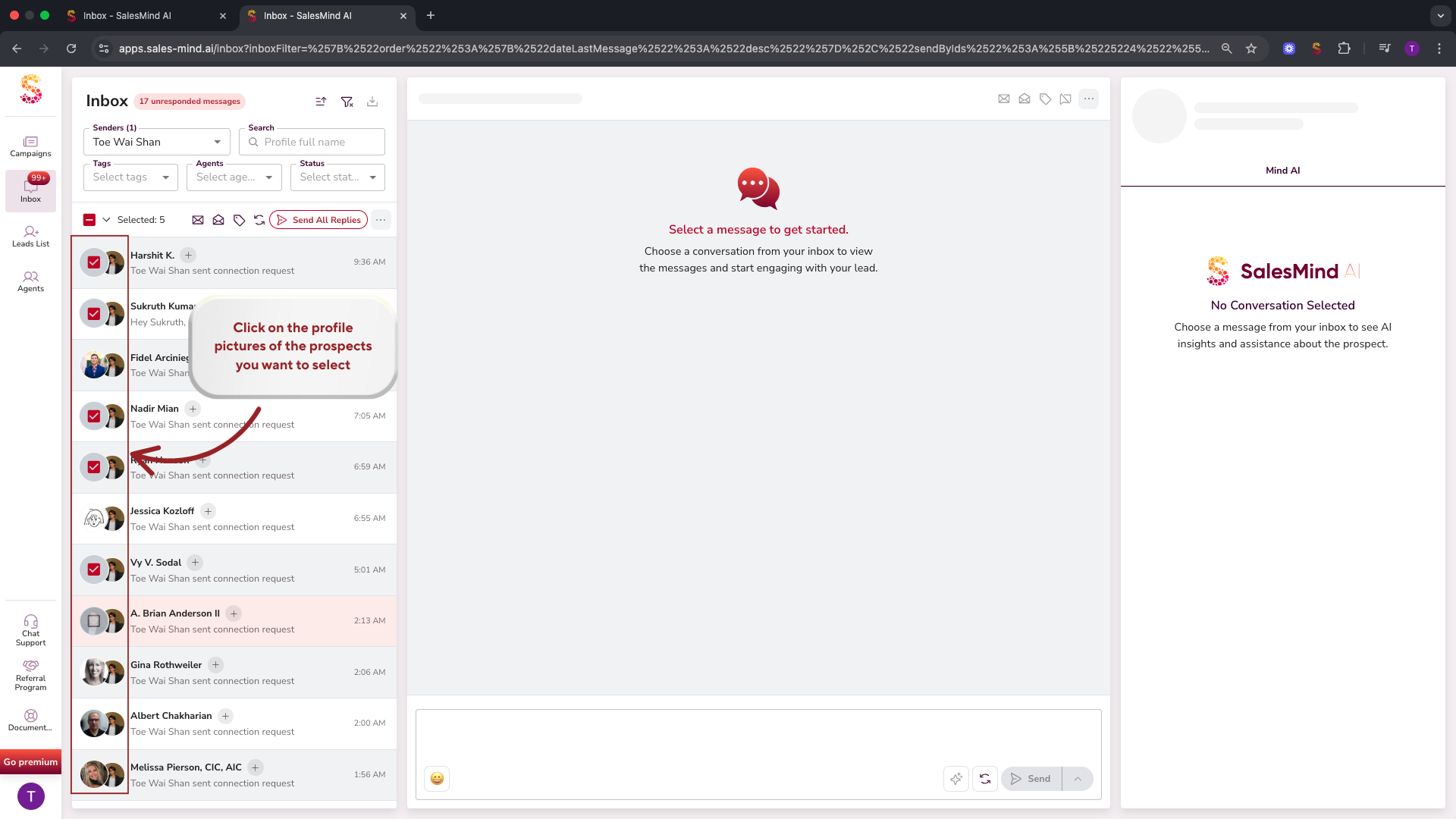
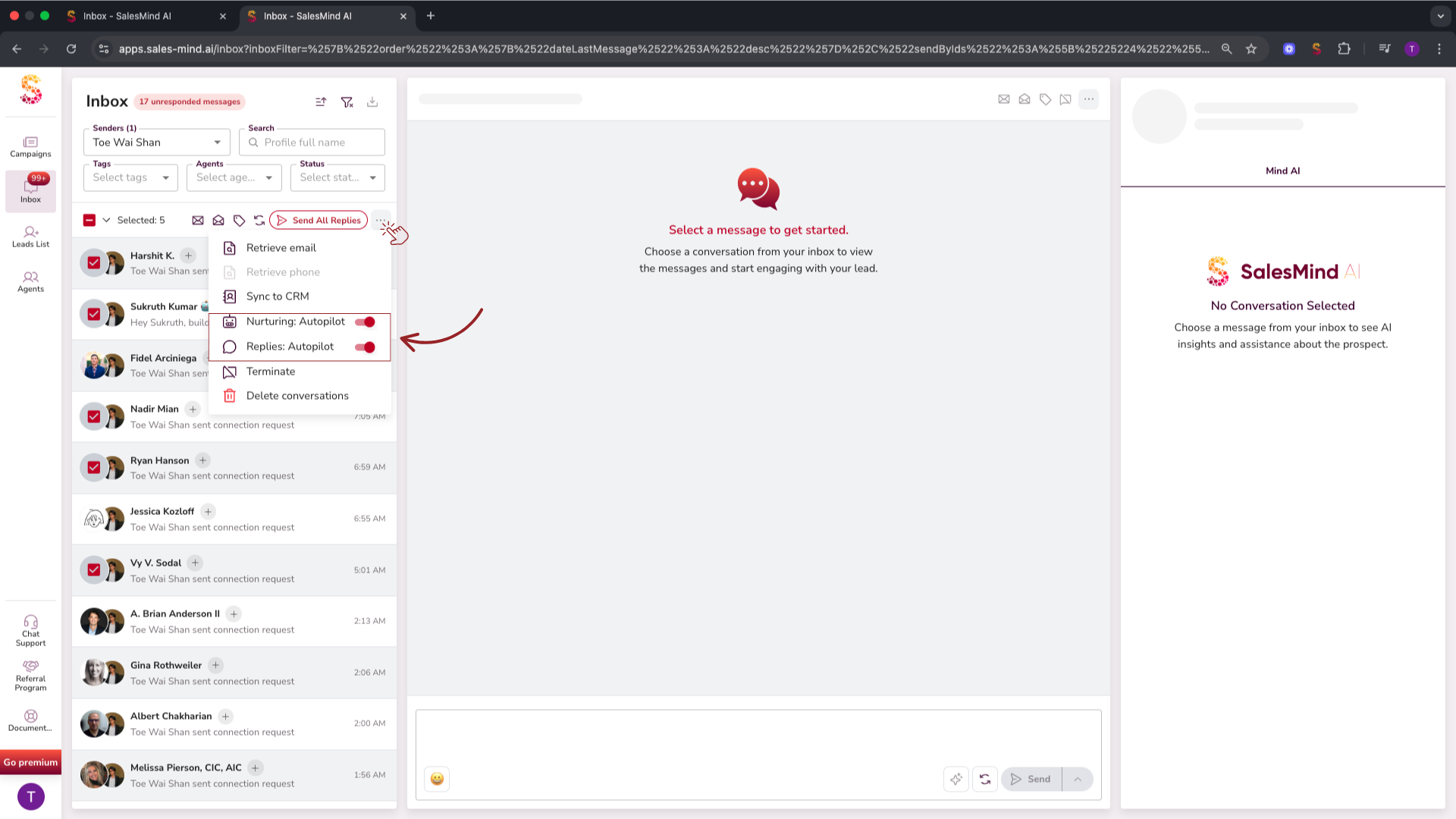
Bulk Autopilot
Apply Autopilot to multiple leads at once from your Inbox or Campaign > Leads tab.
💡 Tip: Start with Copilot mode to review AI replies before switching to Autopilot once you're confident in the tone and quality.
Select All: Faster Bulk Actions
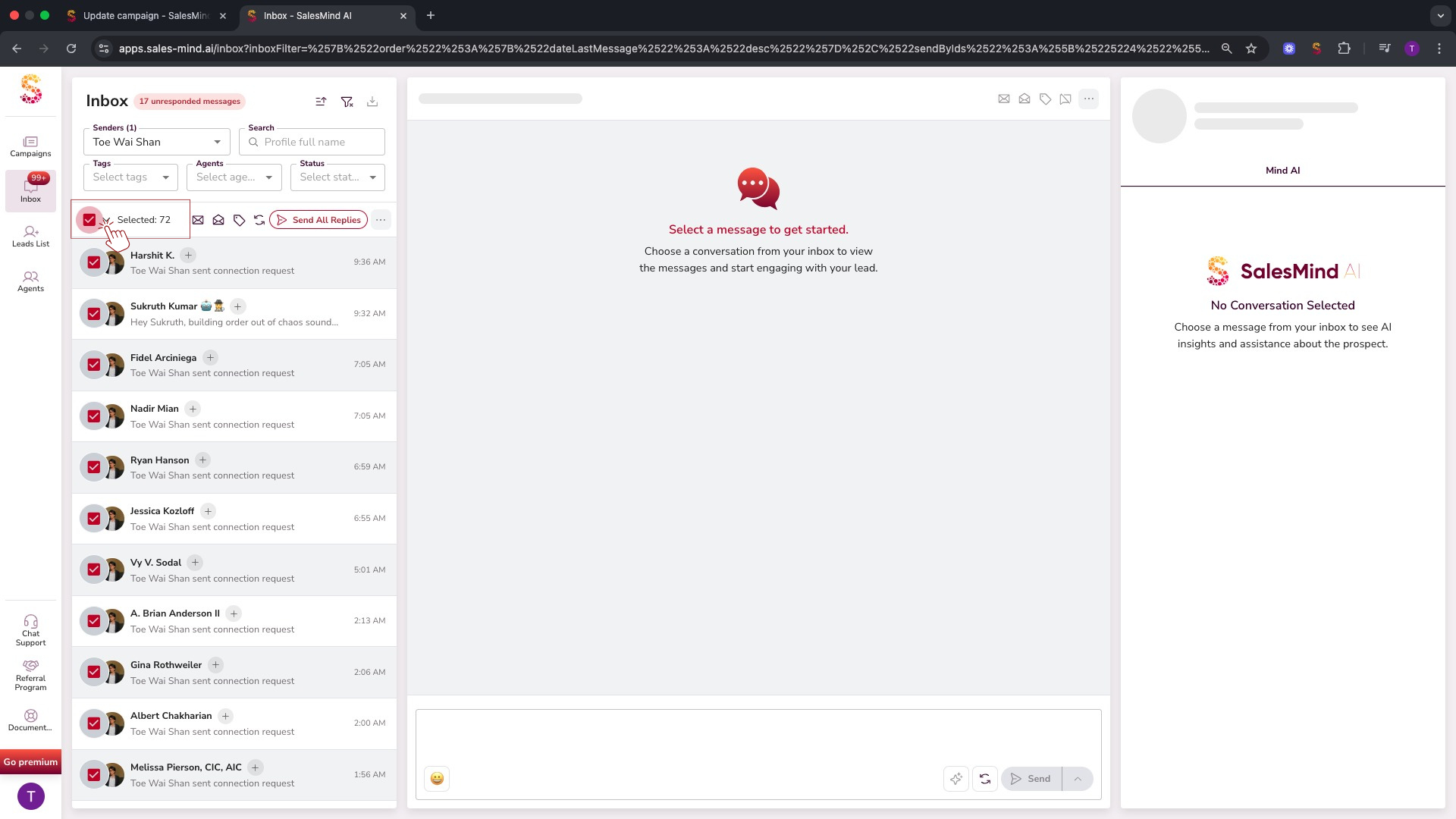
The Select All feature now selects every lead in your list, not just the ones visible on screen. Works in your Inbox, Campaign > Leads, and Lead Lists.
Personalized Tone of Voice
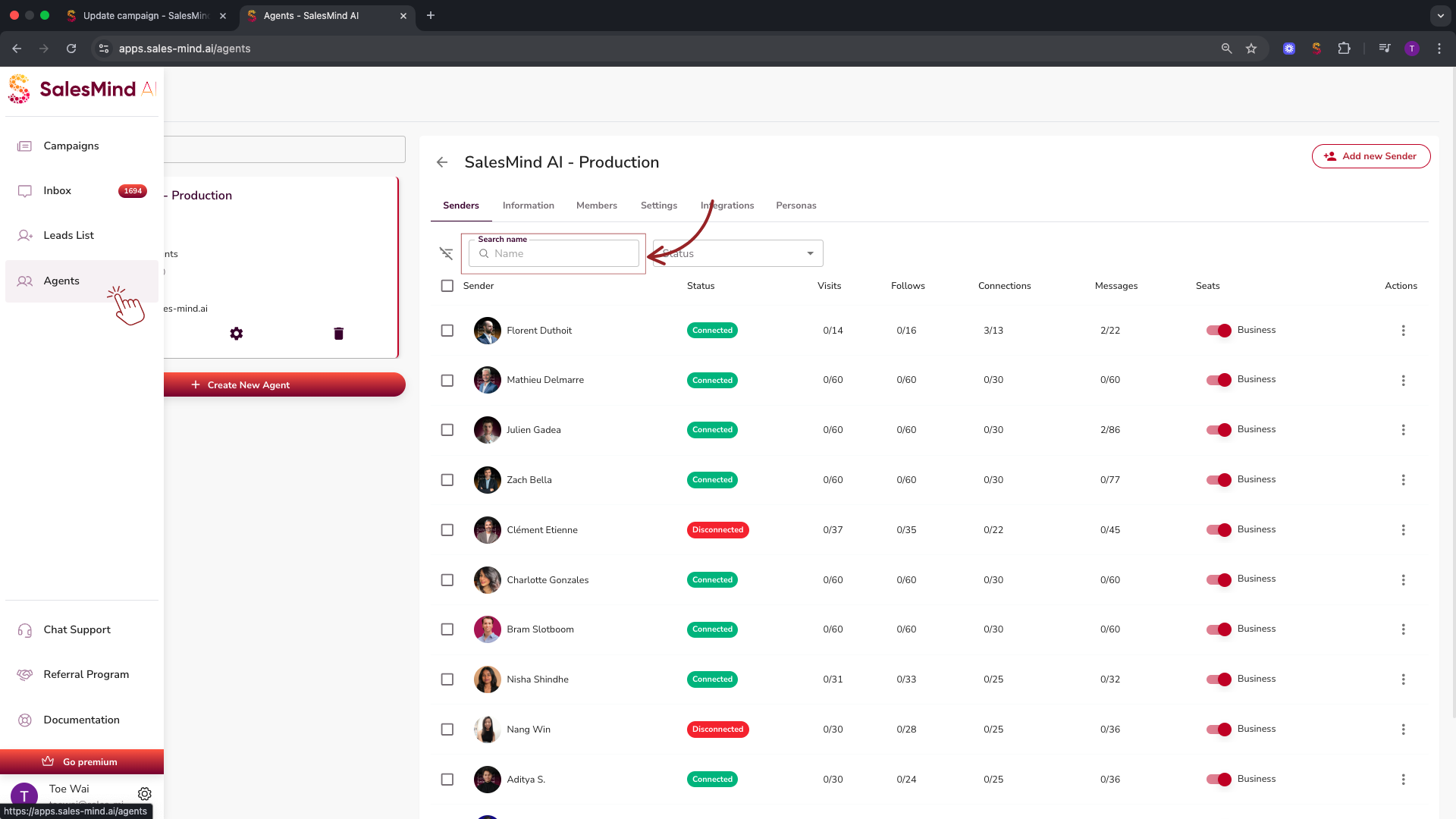
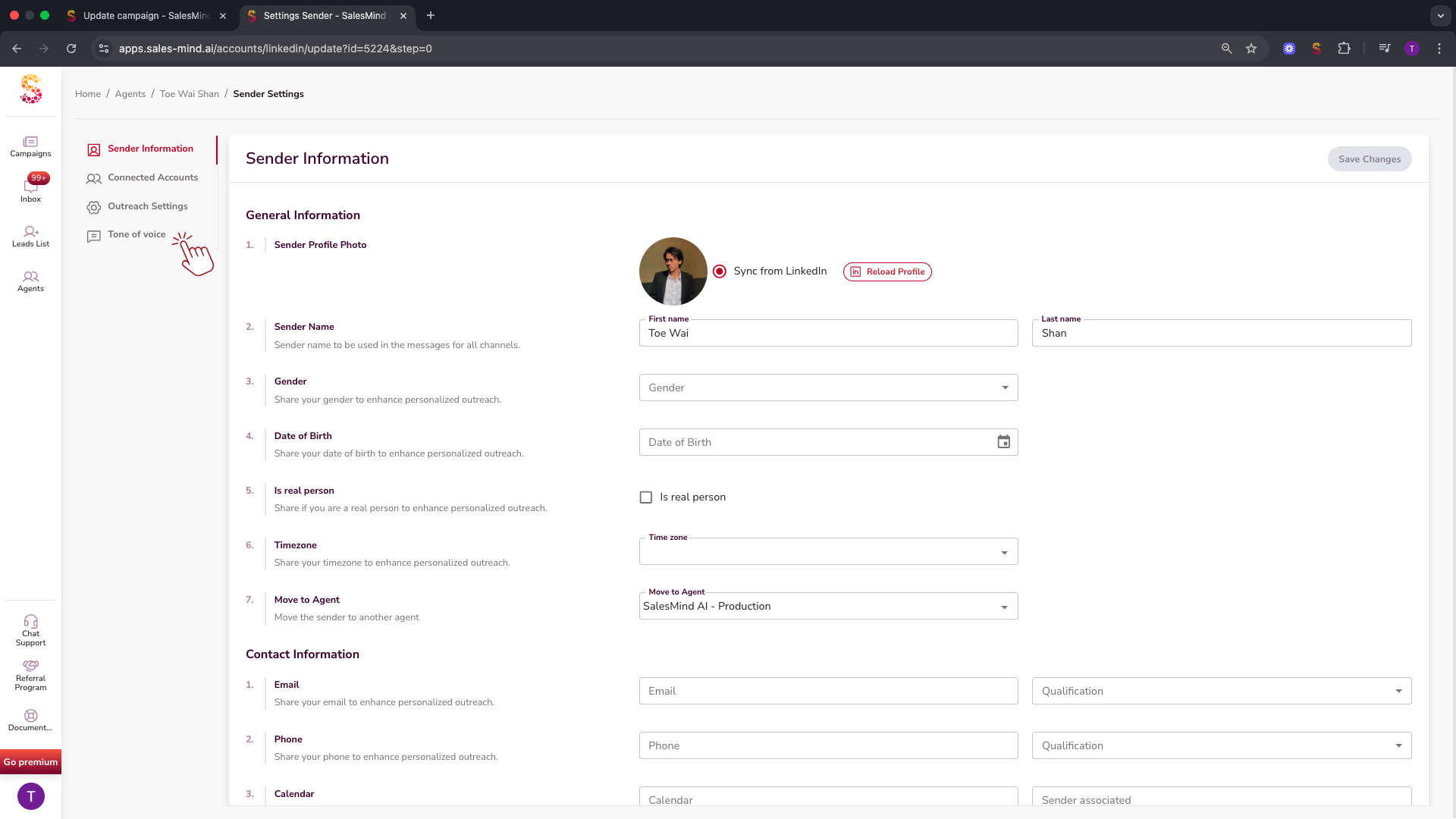
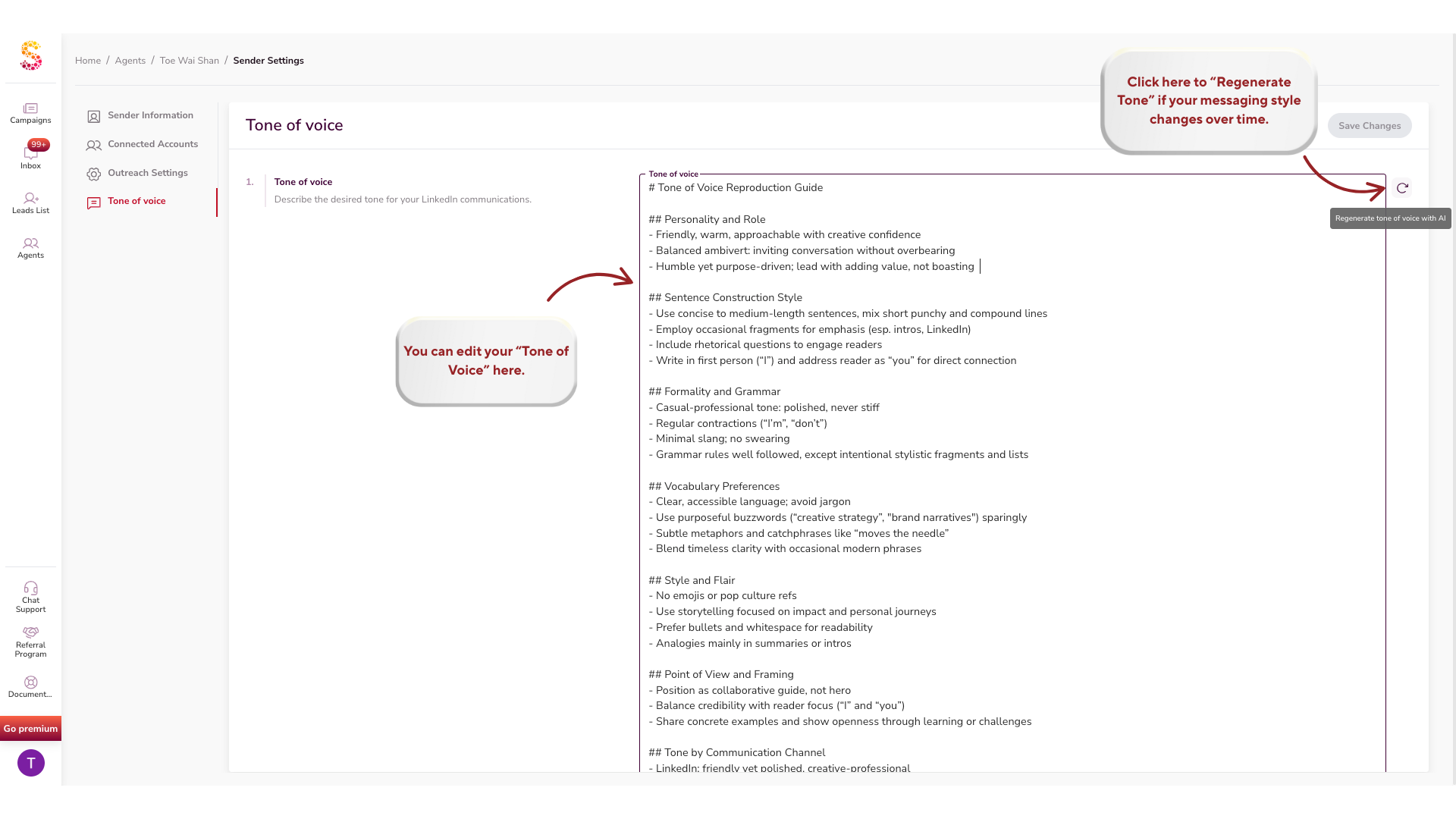
SalesMind AI now learns your unique writing style. Go to Agent > Sender > Settings > Tone of Voice and the AI will analyze your last 70 LinkedIn messages to mimic your tone across all outreach, replies, and nurturing sequences.
Shortcut Agent: Faster Navigation
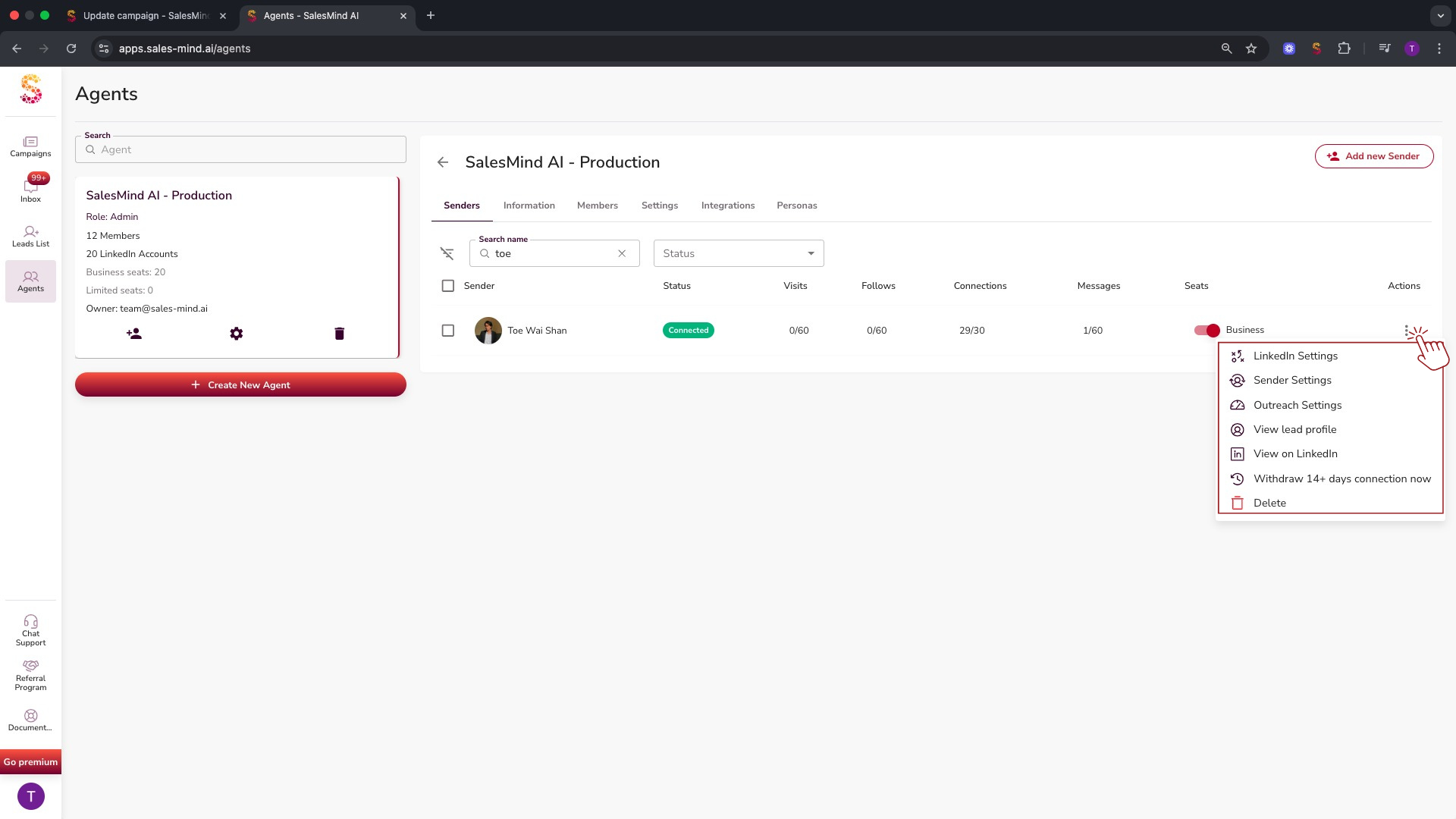
Click any sender row to open main settings, or use the three-dot menu to quickly reach:
- LinkedIn settings
- Sender settings
- Outreach settings
- Sender profile
- LinkedIn profile
- Withdrawal of the last 14 days of connection requests
CRM Integrations
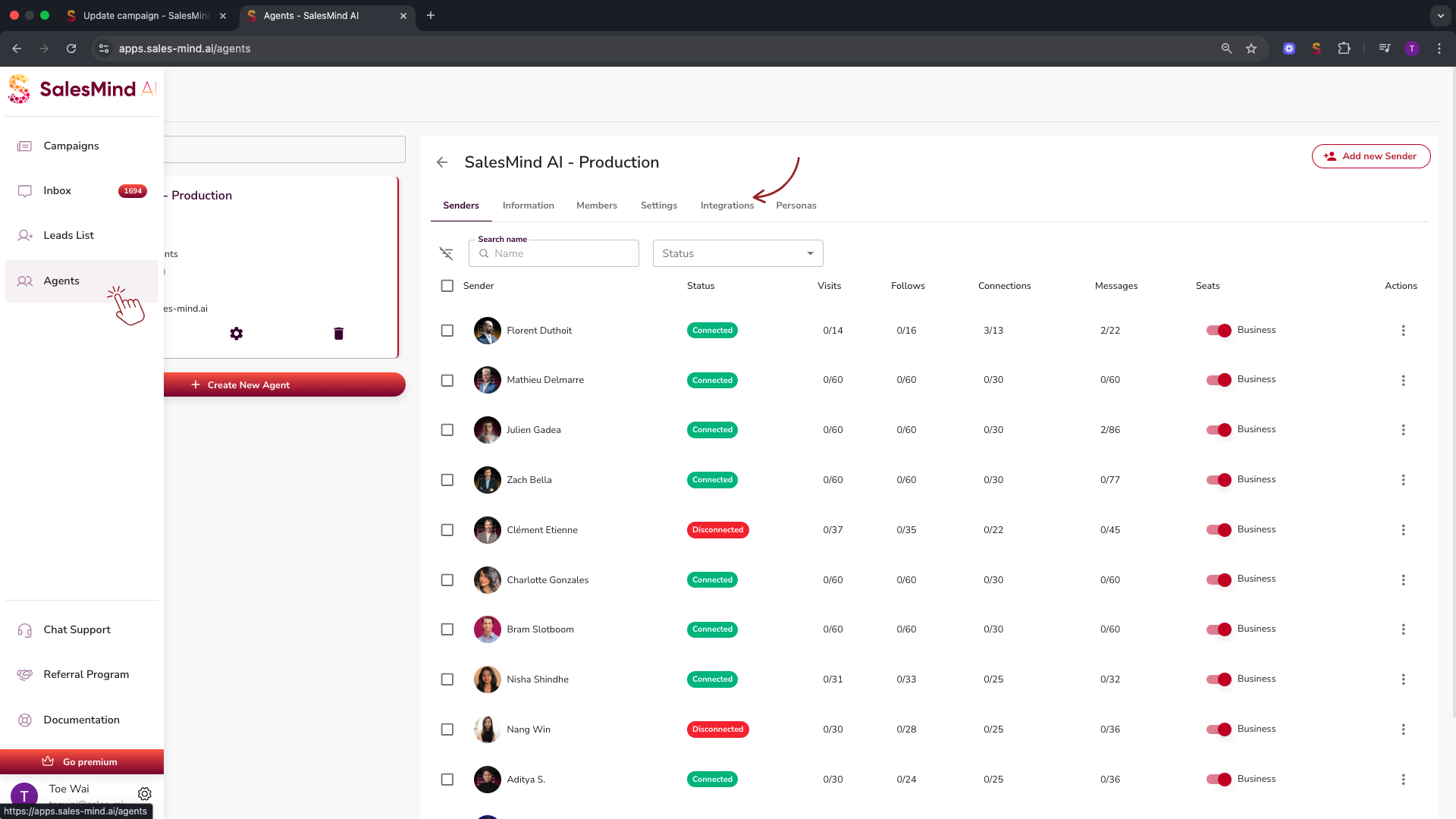
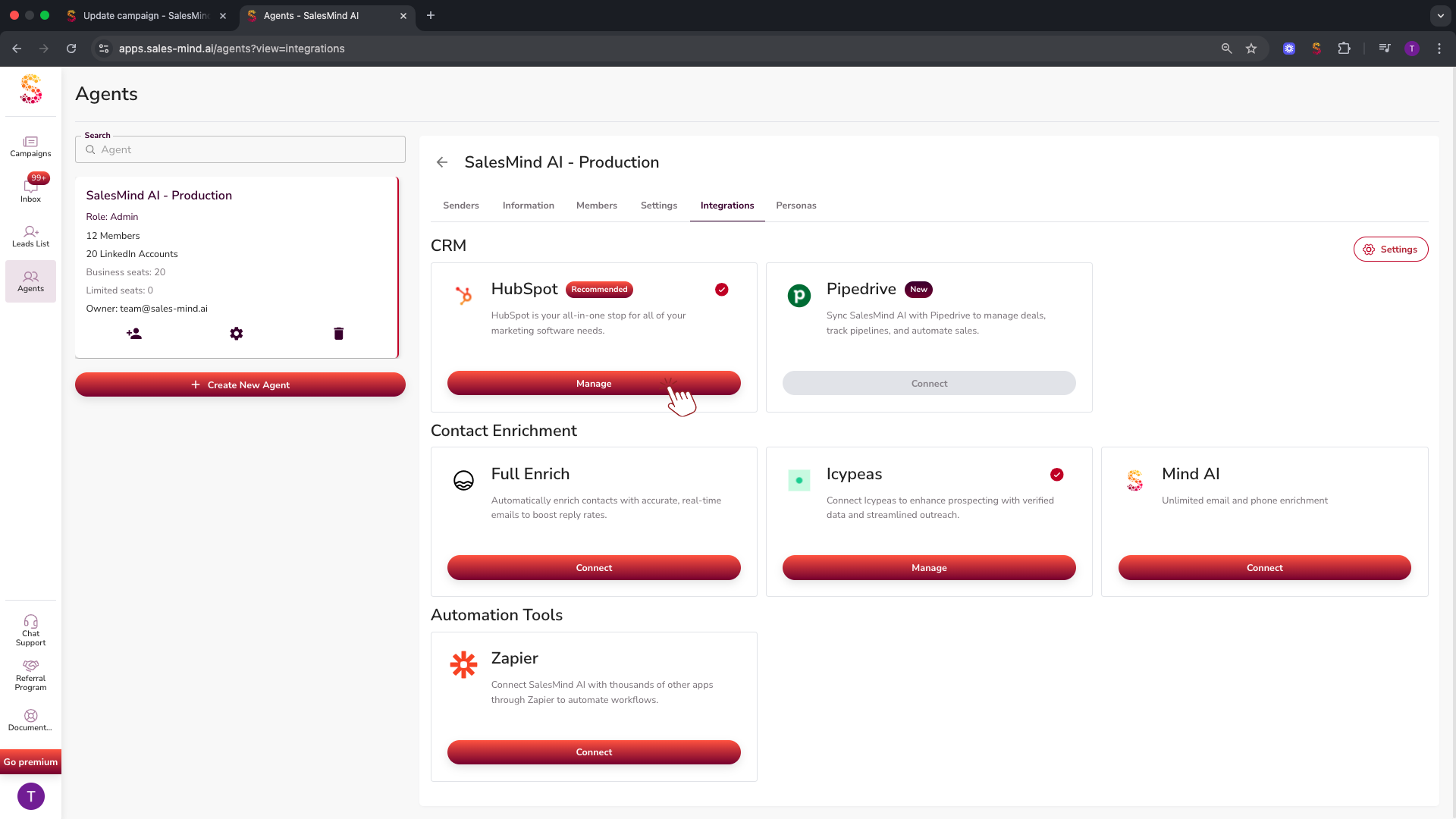
SalesMind AI now syncs with both HubSpot and Pipedrive.
| Feature | Details |
|---|---|
| Pipedrive integration | Now available alongside HubSpot |
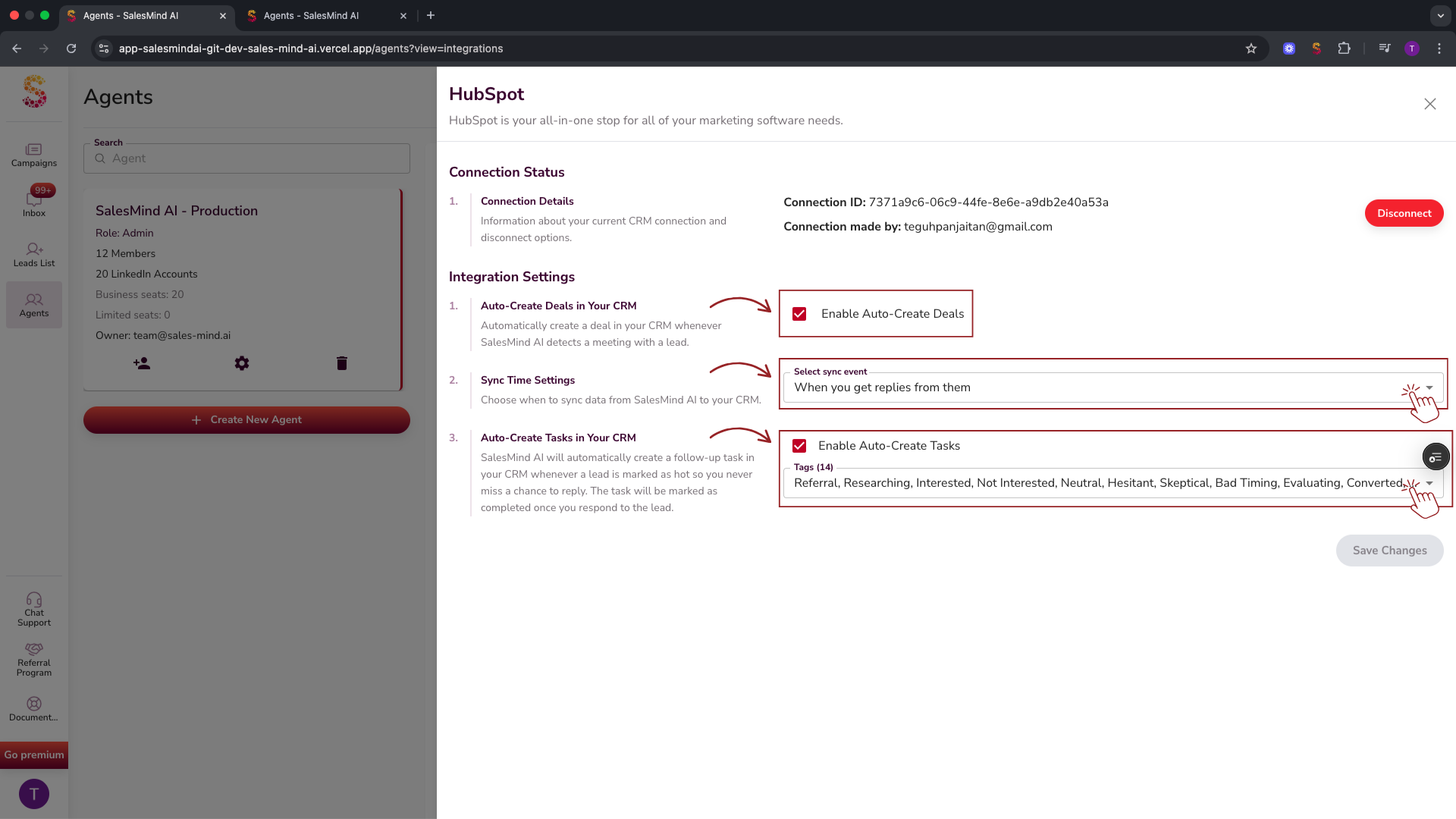
| Two-way sync | Emails, messages, and contact details sync in both directions |
| Automatic deal creation | When a meeting is booked, a deal is created in your CRM automatically |
| Task automation | A CRM task is created when a new message arrives, and completed once you reply |
Expanded Integrations
- Zapier: Connect SalesMind AI to thousands of other apps via our native Zapier integration.
- New API routes: Additional endpoints are available for custom integrations. Check the API documentation for details.
Localization and Regional Support
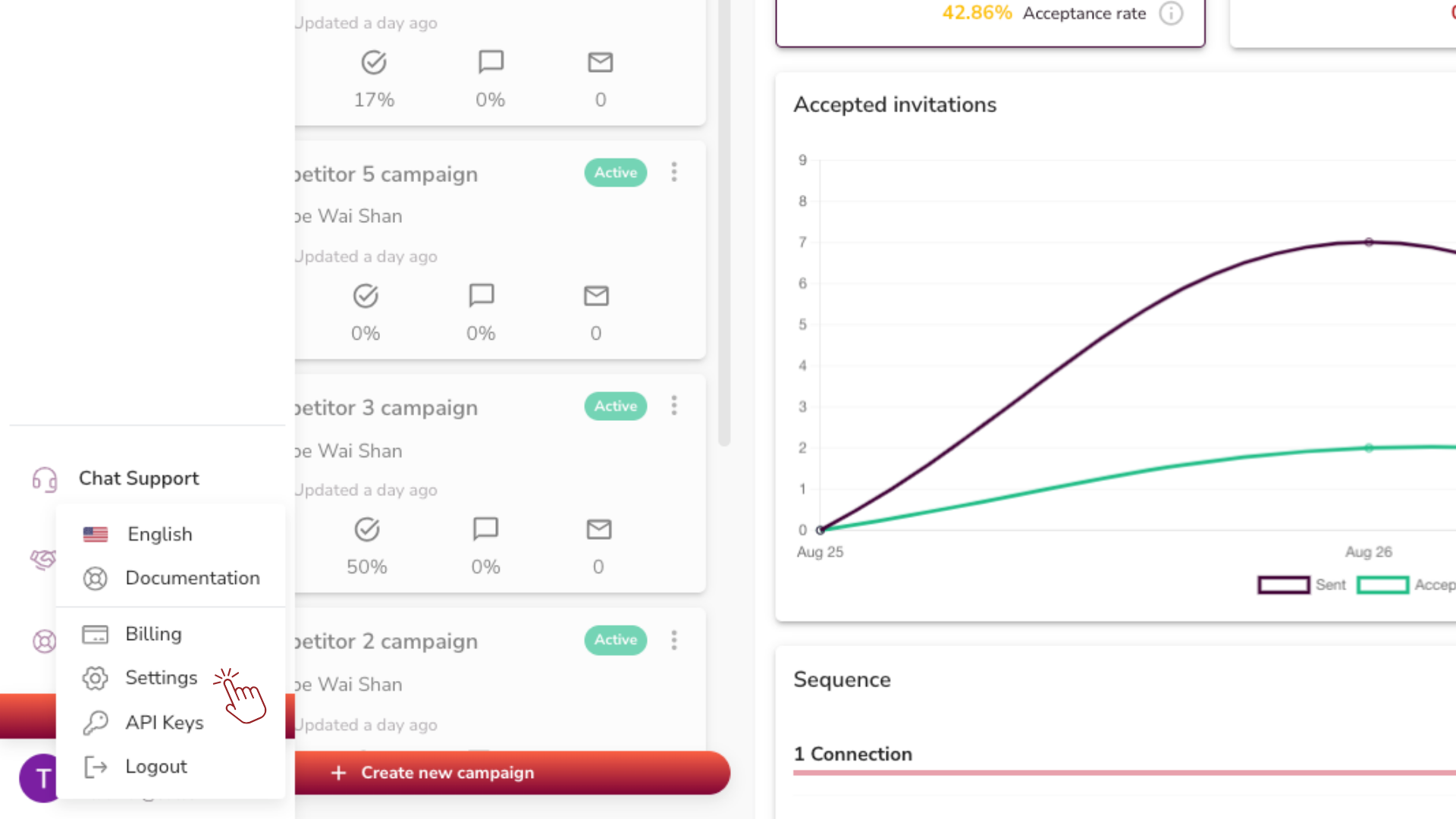
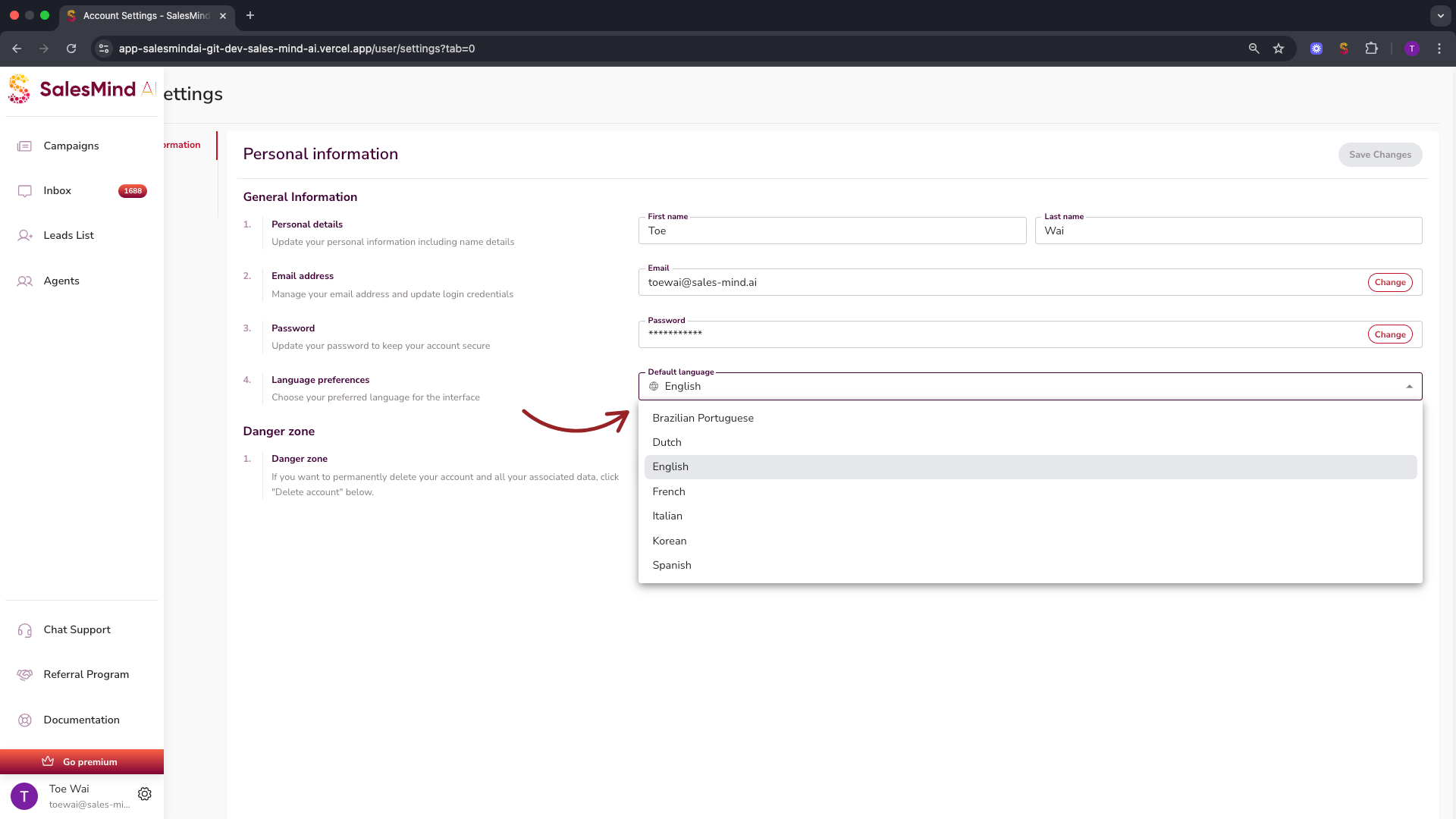
- The platform is now fully translated into Brazilian Portuguese.
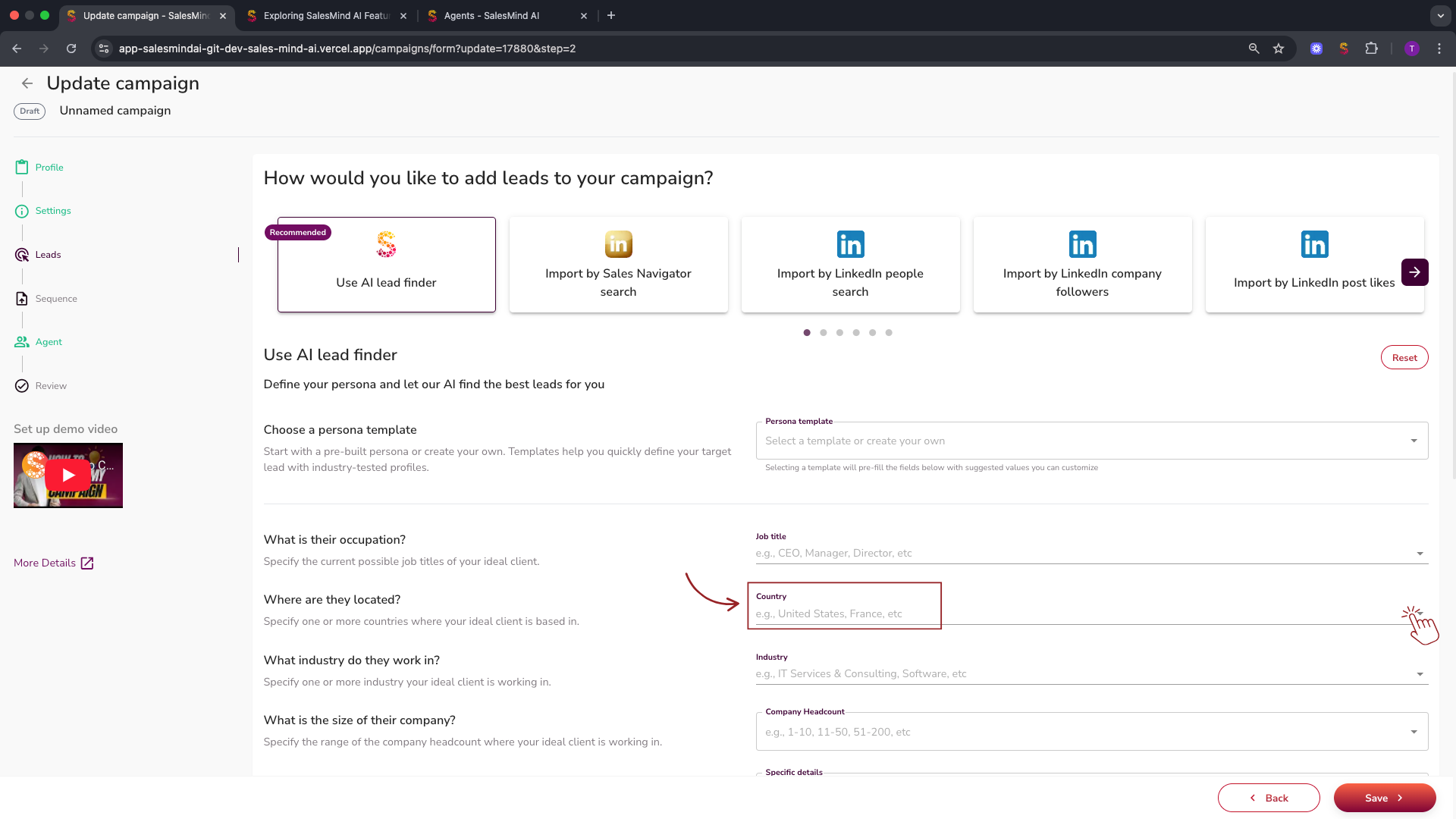
- The AI Lead Finder now supports over 100 new cities and regions in Brazil and the UK for more precise targeting.
Campaign Management Improvements
- Campaign conflict management: SalesMind AI prevents you from contacting the same lead across multiple campaigns. The first campaign to schedule an activity with a lead secures it. All others are automatically blocked.
- LinkedIn warm-up: The warm-up period is now 2 weeks, with gradual and randomized activity increases. Pending connection requests are auto-cleaned daily, and new connections are auto-accepted.
Keyboard Shortcuts for Inbox Efficiency
| Action | Mac | Windows |
|---|---|---|
| Schedule Send | Cmd + Option + Enter | Ctrl + Alt + Enter |
| Send | Cmd + Enter | Ctrl + Enter |
| Send Now & Continue | Cmd + Shift + Enter | Ctrl + Shift + Enter |
What's Next
- Configure your AI's writing style: see How to Make Your AI Sound Like You: Apply Tone of Voice
- Connect your CRM: see your HubSpot or Pipedrive integration settings in Agent > Integrations