
1. Sign Up and Log In
- You will receive an invitation email.
- Sign up using the same email address the invitation was sent to.
- Once logged in, you’ll see your sender accounts.

2. Explore Your Account
- Company Profile: Your description and services are already added.
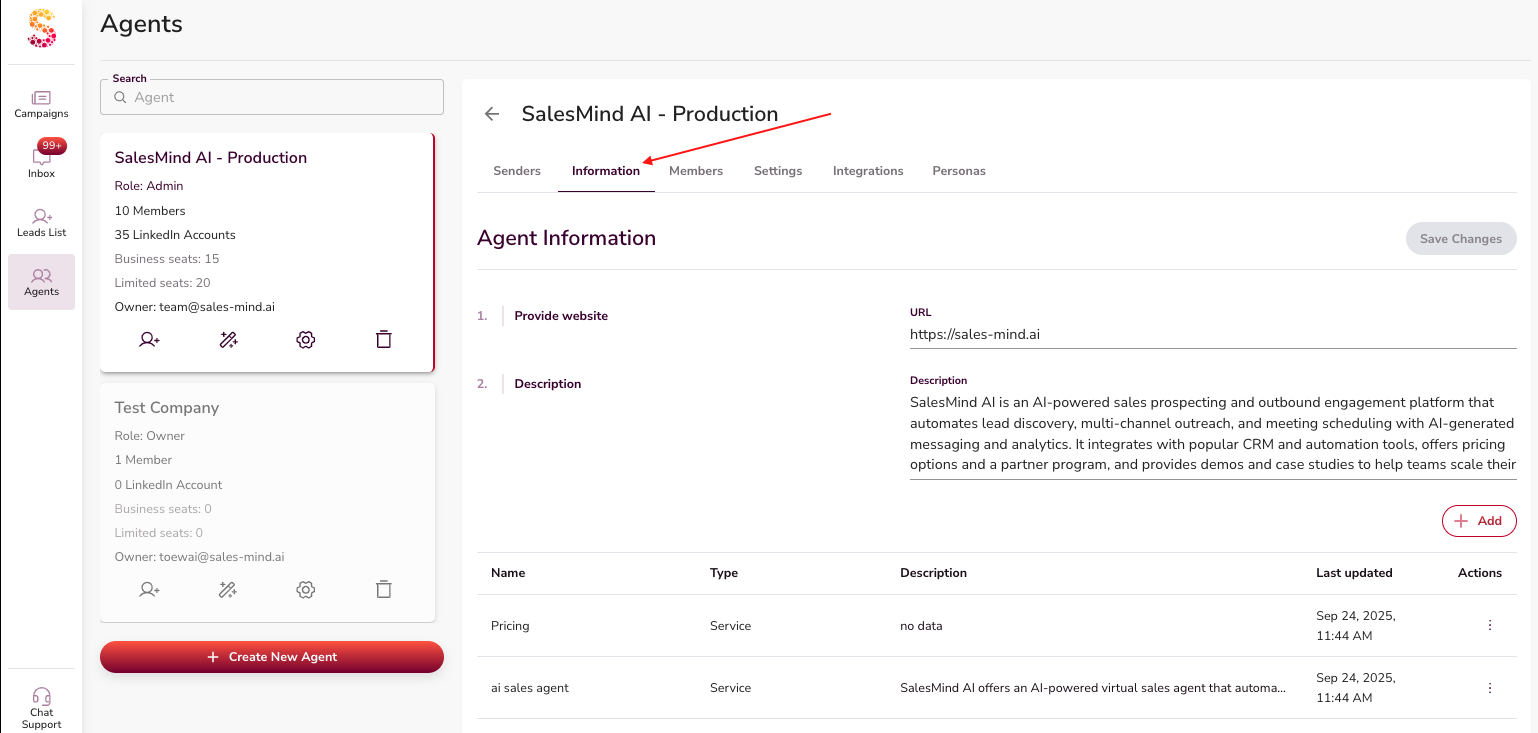
- Personas: Pre-created buyer personas are available in the Personas section.
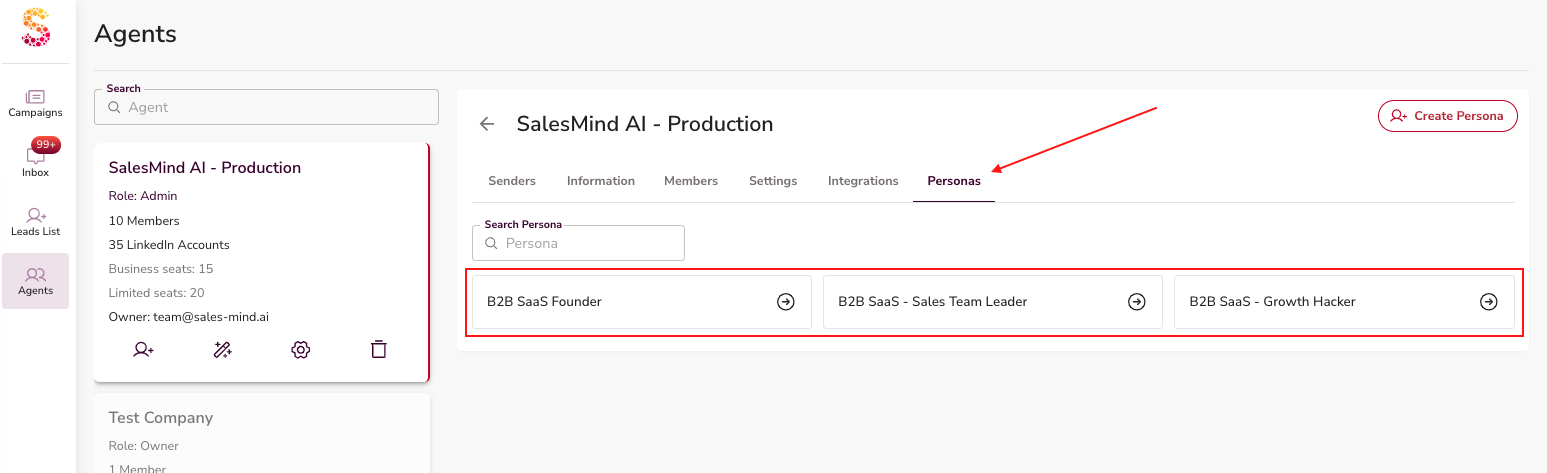
- Campaigns: All campaigns are ready and running.
-
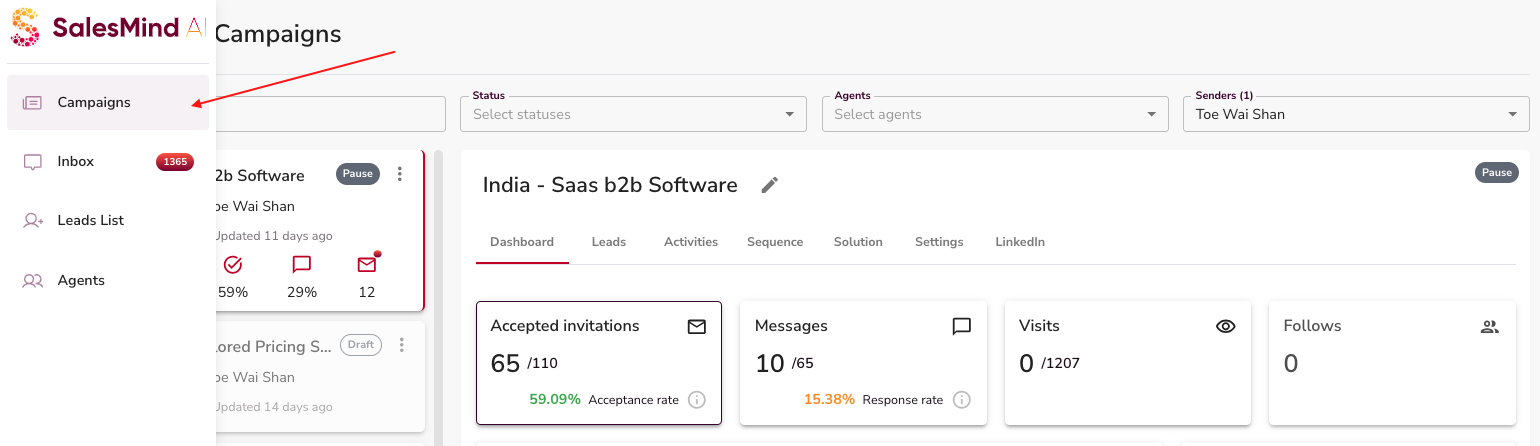
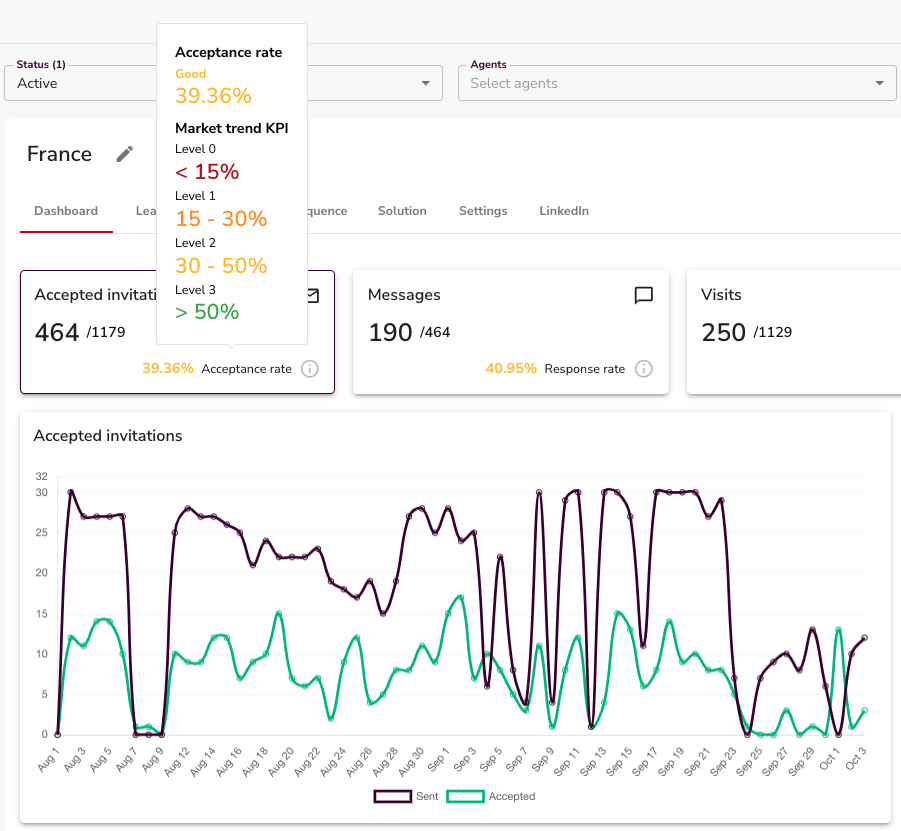
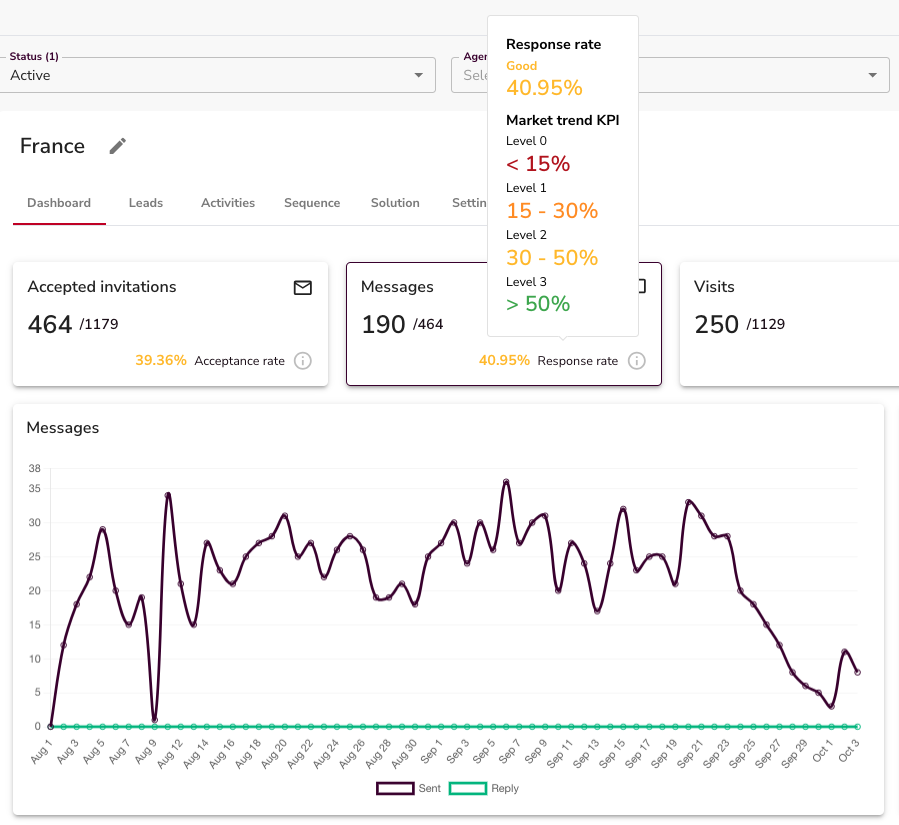
Key metrics you’ll see:
-
Acceptance rate – how many prospects accepted.
- Messages – total responses received.
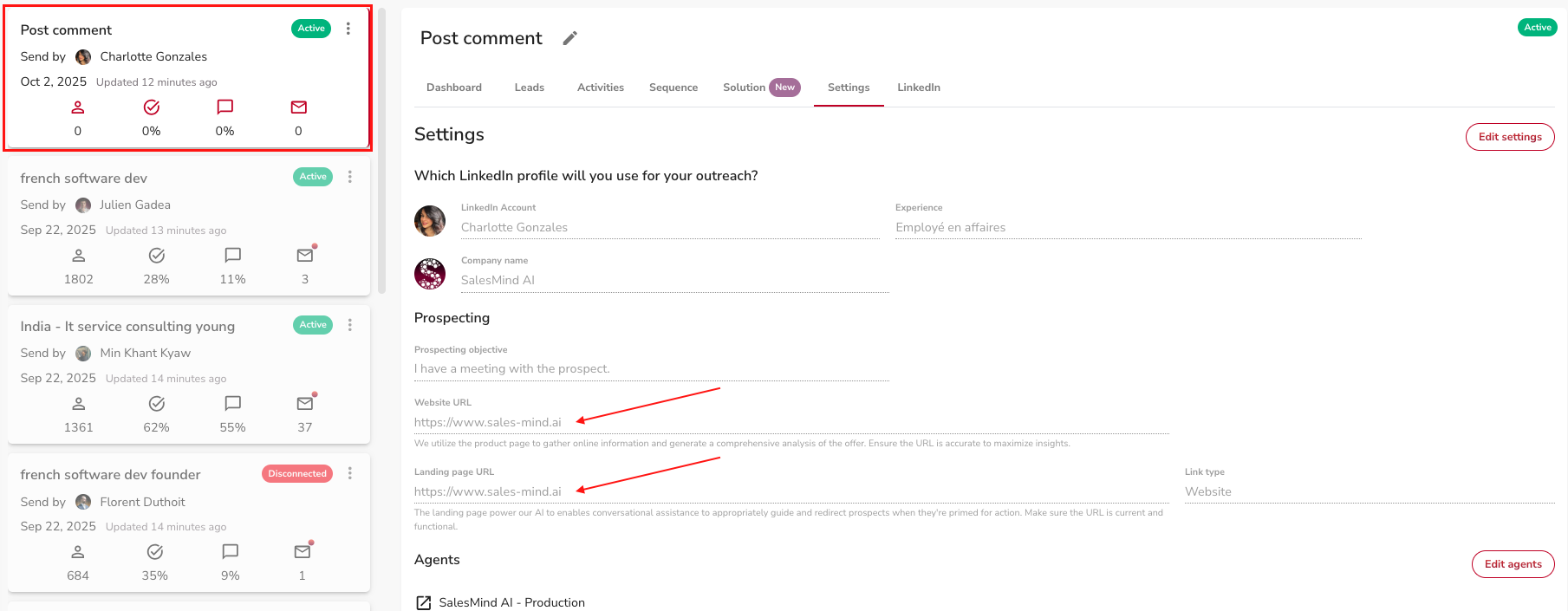
- Links & Redirections: Each campaign has its own links. Prospects are automatically shown the right link for their industry.
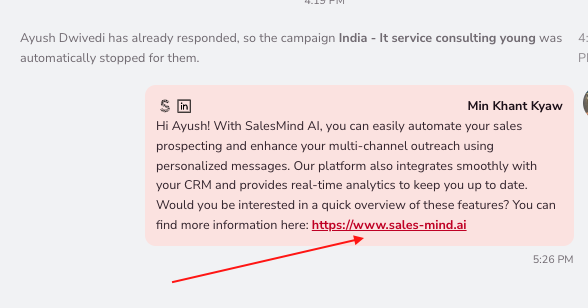
- Statuses show the stage where a prospect is.
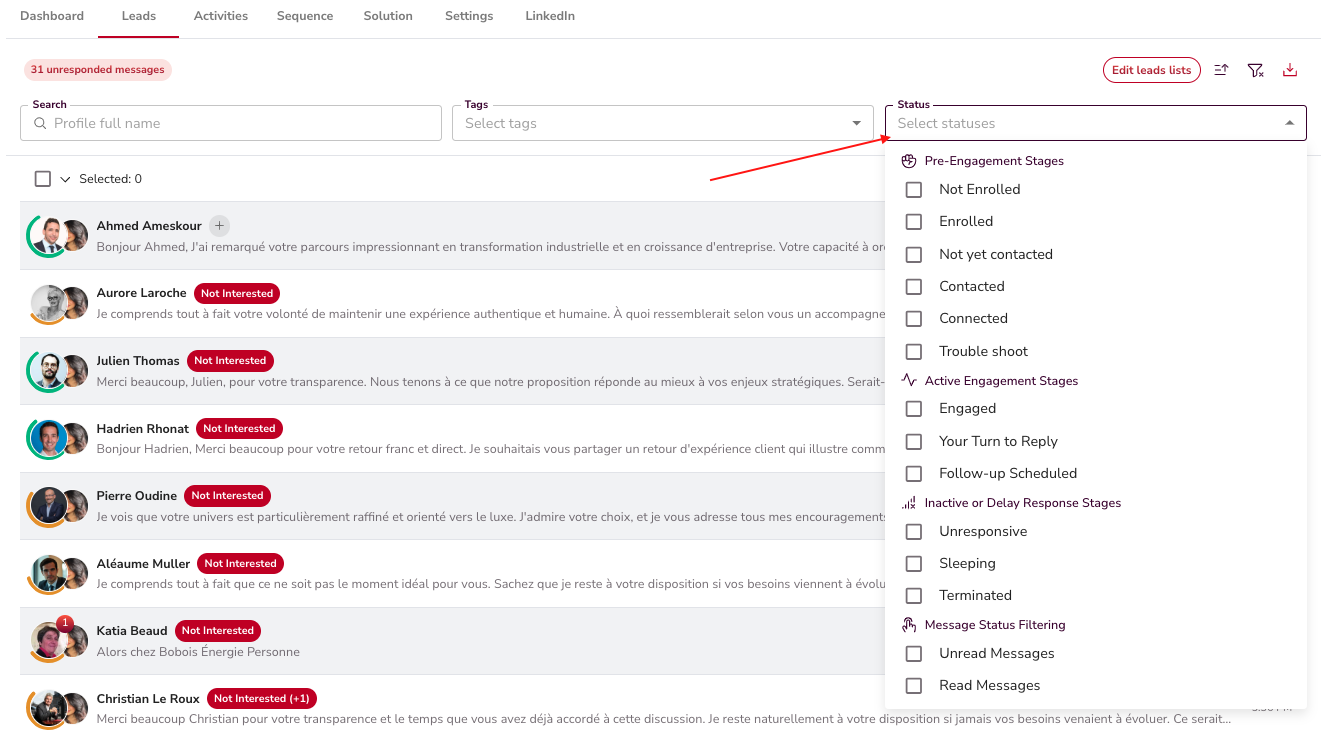
- Qualification: “Interested” leads are identified automatically.
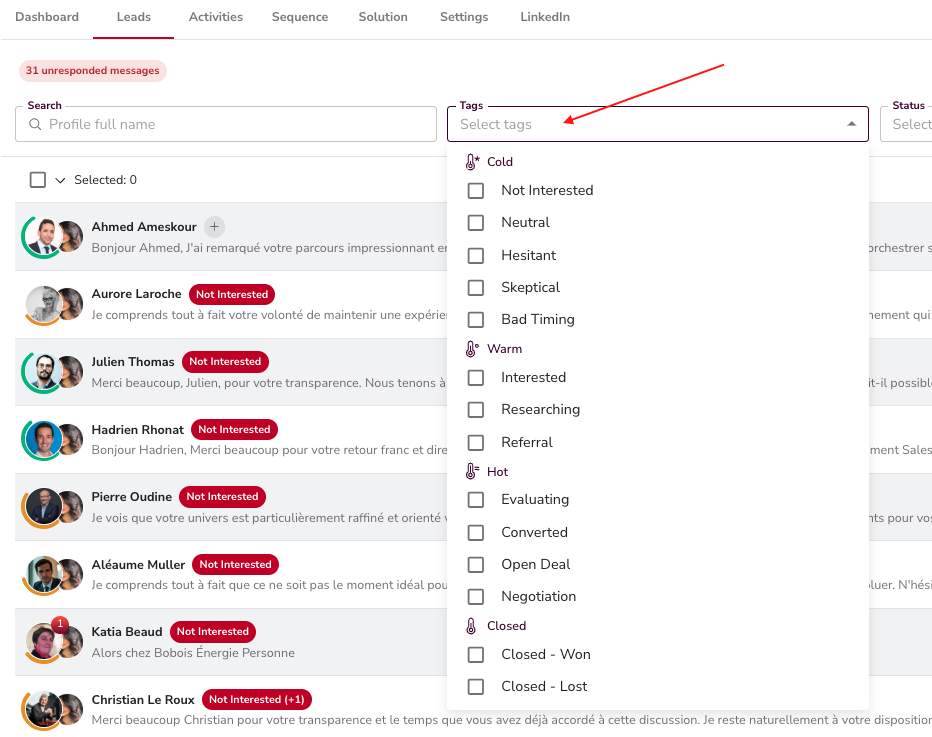
3. Manage Inbox
- Go to the Inbox to review ongoing conversations.
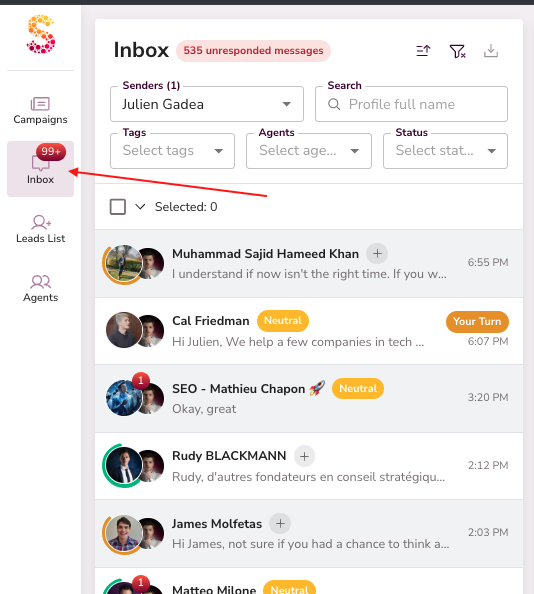
- You can filter the chats by Tags or Status.


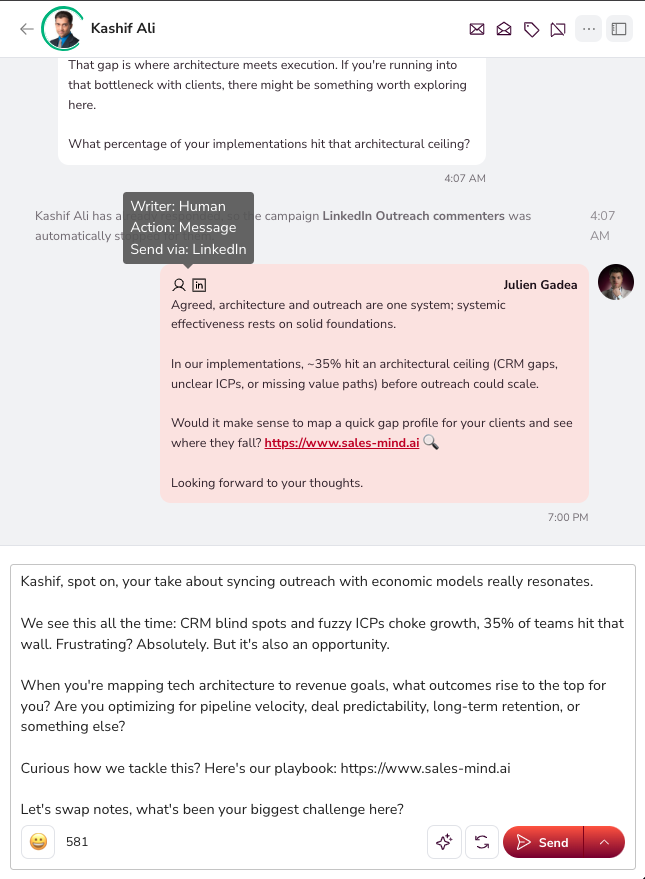
- You can open any conversation and see the full history.
- Messages written and sent by AI or yourself.
4. What To Do
✅ Check your inbox regularly.
✅ Respond to leads tagged with “Your Turn”.
✅ Everything else, campaign setup, outreach, targeting, and autopilot replies, is already running.
That’s it! Your campaigns are live. Just handle the conversations flagged for you and watch the leads come in.
Happy Prospecting!