
Your message is the key to every conversation. With the Tone of Voice feature, SalesMind AI learns your natural writing style and applies it across all outreach and replies, so prospects feel like they're talking to a real person, not a bot.
Prerequisites
- An active SalesMind AI agent with at least one sender configured
- At least a few LinkedIn messages sent from that account (the AI analyzes your last 70)
How to Set Up Your Tone of Voice
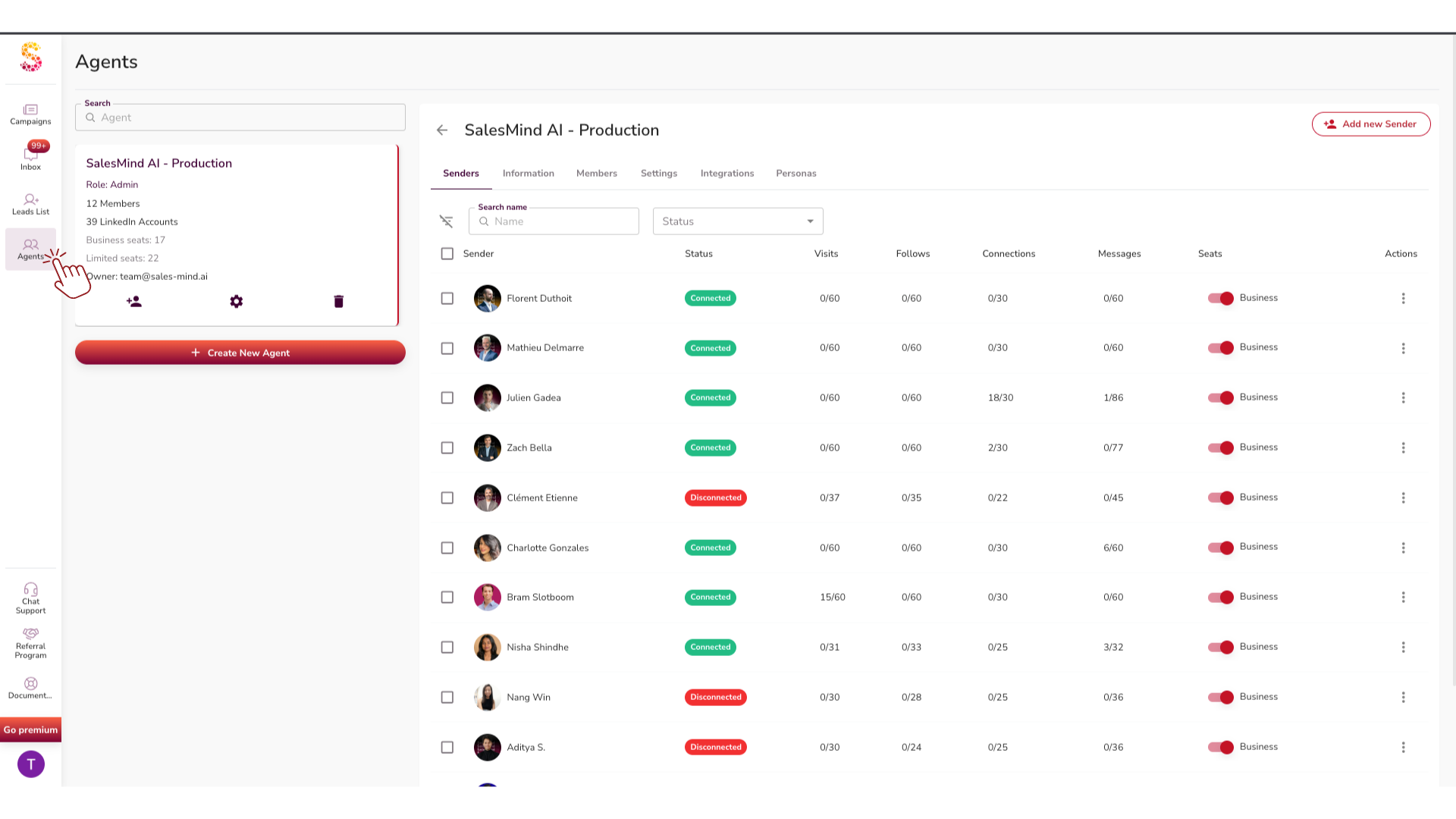
- Go to Agent settings in the left-hand menu.
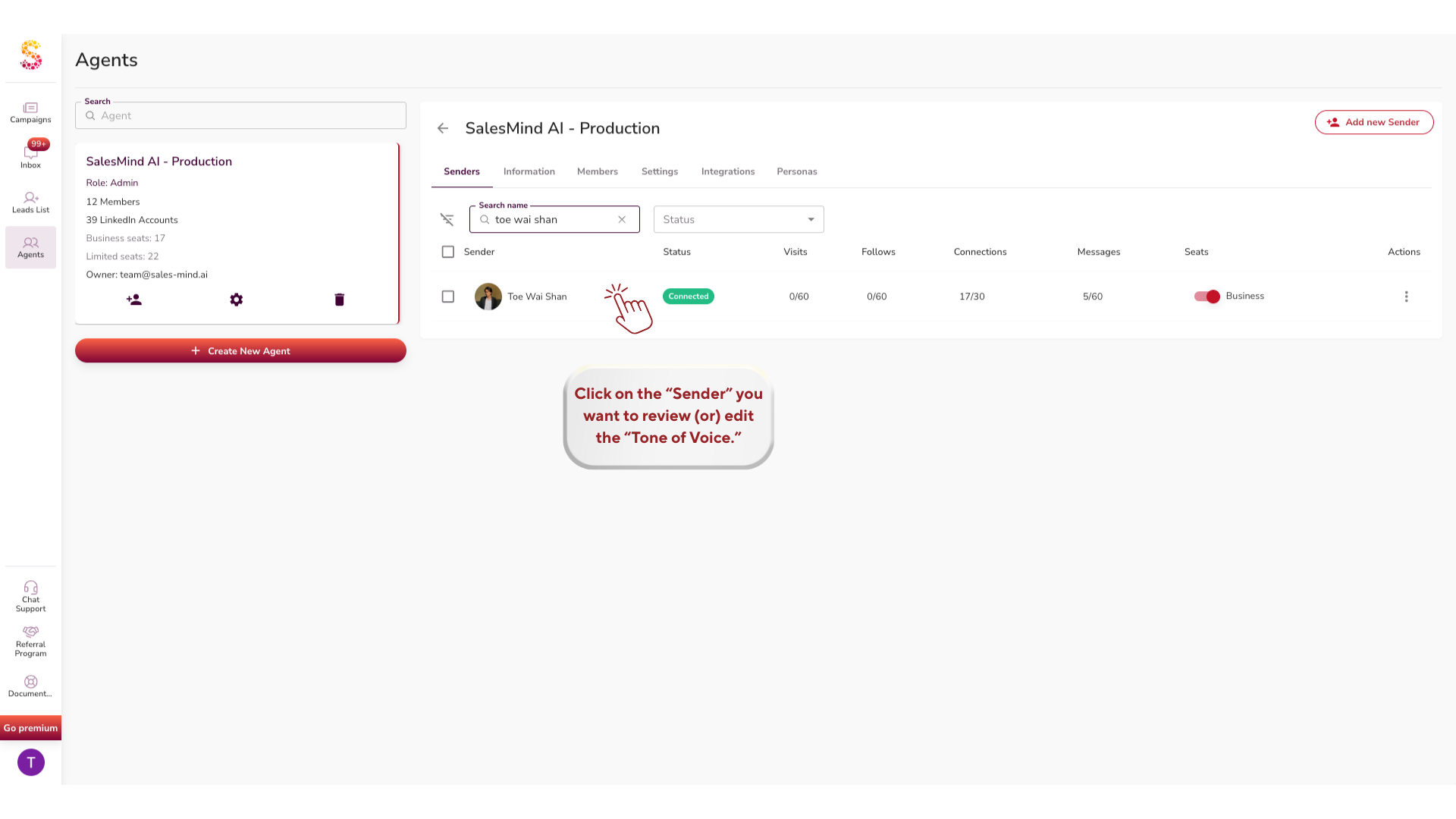
- Click on the sender you want to configure.
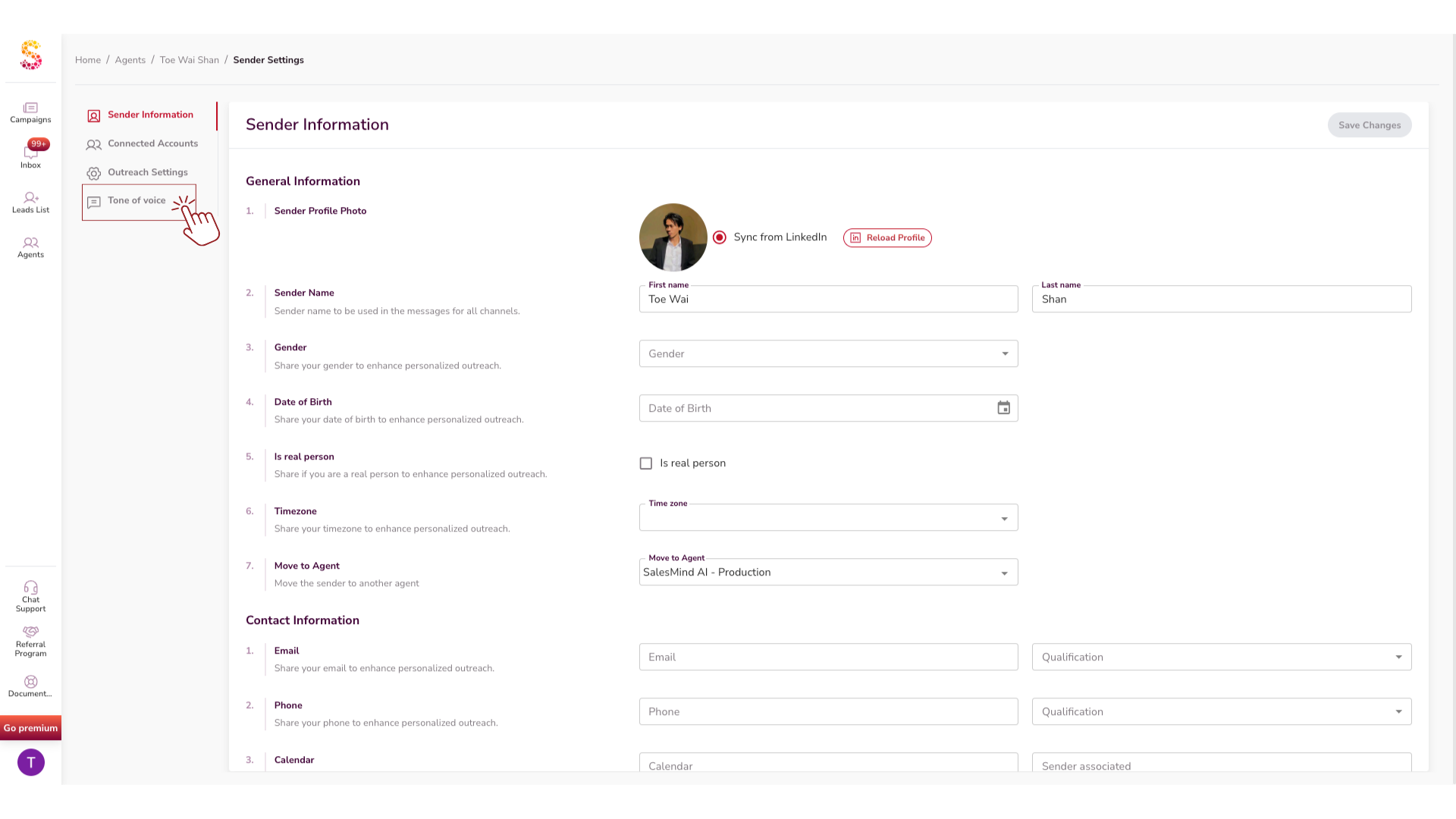
- Scroll to the Tone of Voice section.
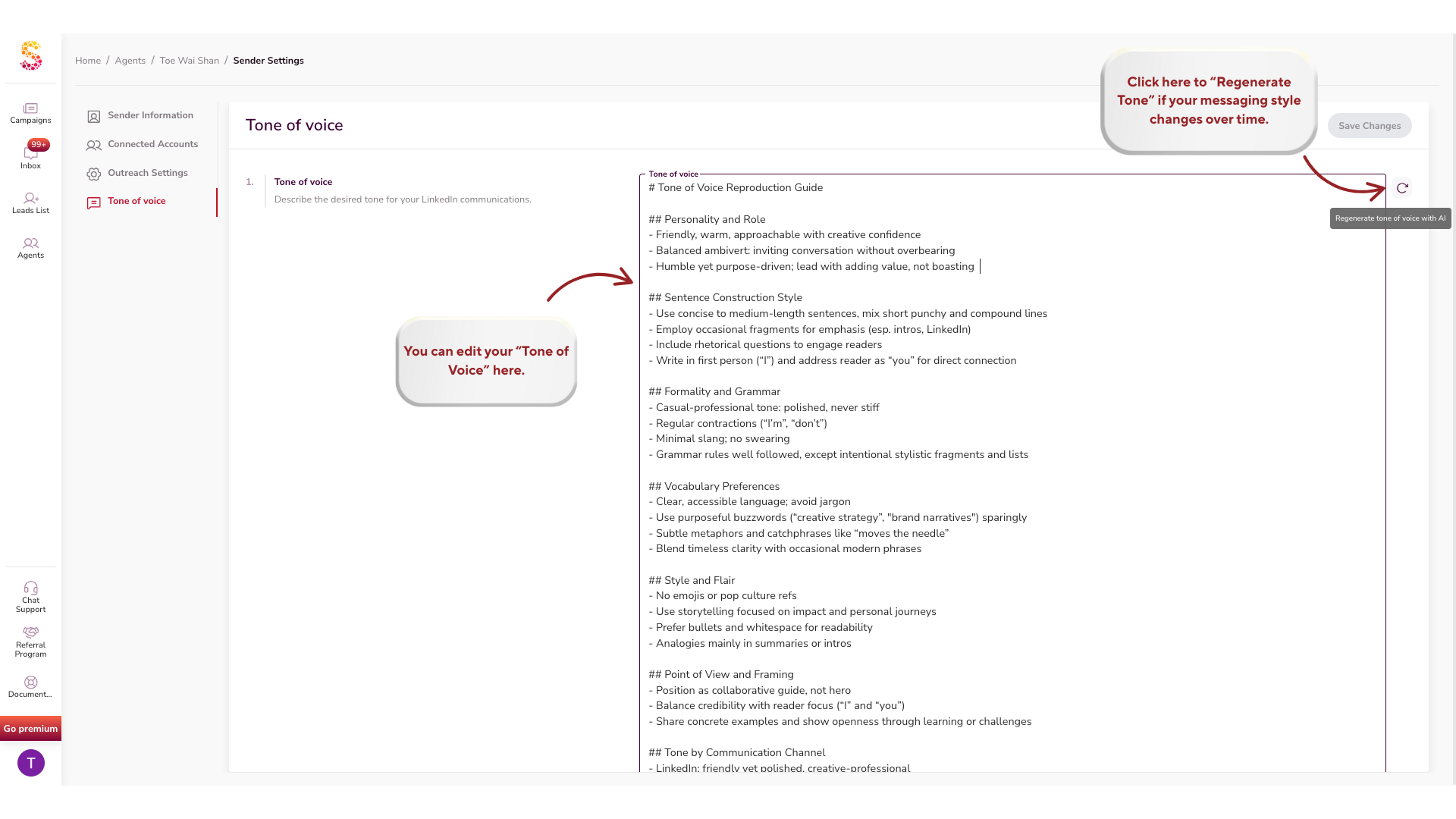
You'll see:
- An editable text area showing your current tone profile
- A Regenerate Tone button to refresh or improve it
- The option to edit manually at any time
How It Works
Tone of Voice runs in the background on every message SalesMind AI sends.
- Analyzes your past messages — scans your last 70 LinkedIn messages to learn your natural communication style.
- Generates your tone profile — gives you a starting point you can review and edit.
- Applies it automatically — used in outreach, follow-ups, and replies.
- Updates on demand — click Regenerate Tone anytime your style evolves.
💡 Tip: Review your generated tone before launching a campaign. If it doesn't sound like you, edit it before going live.
Why It Matters
| Benefit | What it means |
|---|---|
| More replies | Prospects engage when messages feel real |
| Consistency at scale | Your whole team sounds aligned |
| Save time | No more rewriting every message by hand |
| Credibility | A consistent voice builds trust faster |
Best Practices
- Keep edits short and natural. Small tweaks make a big difference.
- Hit Regenerate Tone if your messaging style changes over time.
- Apply the same tone across multiple campaigns for consistency.
- Share your edited tone with teammates to keep your brand voice unified.
⚠️ Warning: If engagement is low, try regenerating your tone or editing it manually before assuming the campaign targeting is the issue.
What's Next
- Learn how the AI personalizes messages beyond tone: see How AI Assists in Personalization
- Set up Autopilot to let the AI send replies automatically: see Start Using the New Autopilot & CRM Features