
Prerequisites
Before inviting a teammate, make sure you have Admin access to the agent. Only Admins can manage members.
How to Invite a Teammate
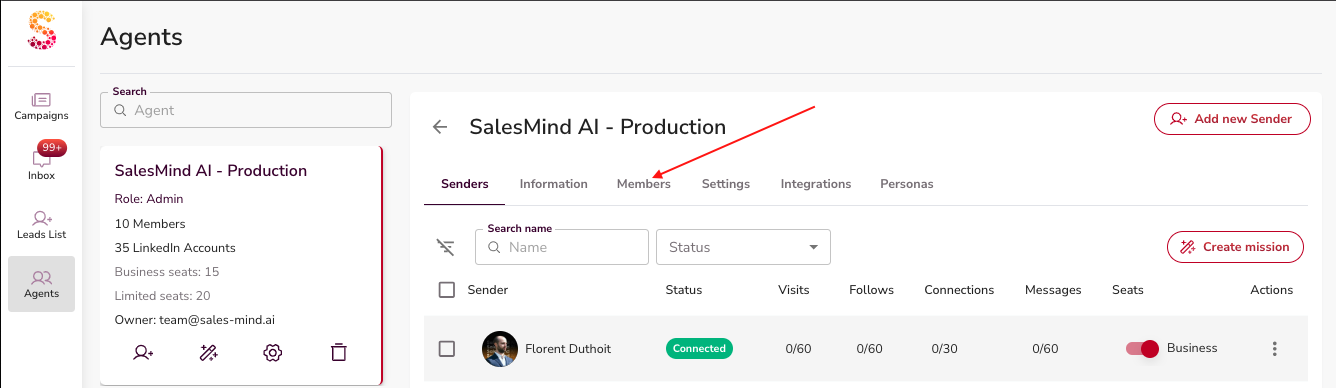
- Open your Agent and click the Members tab.
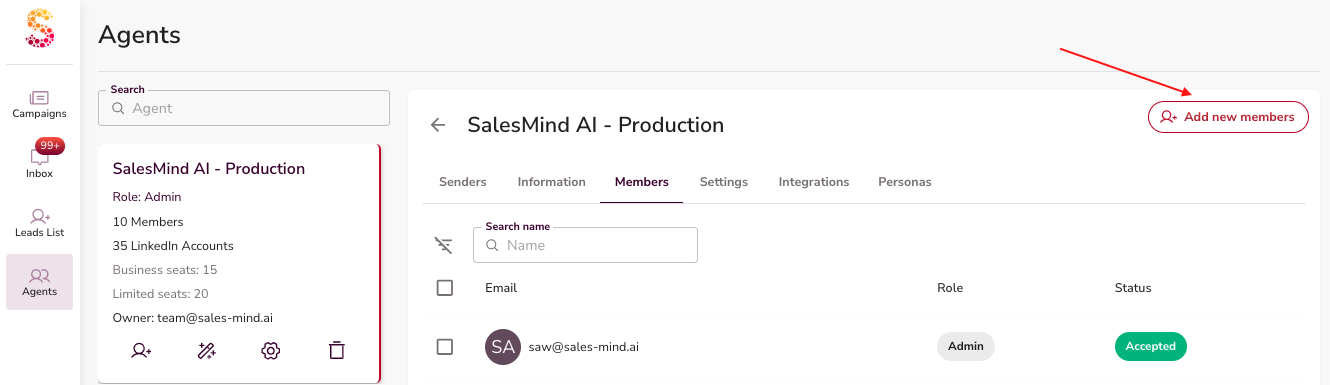
- Click Add Member.
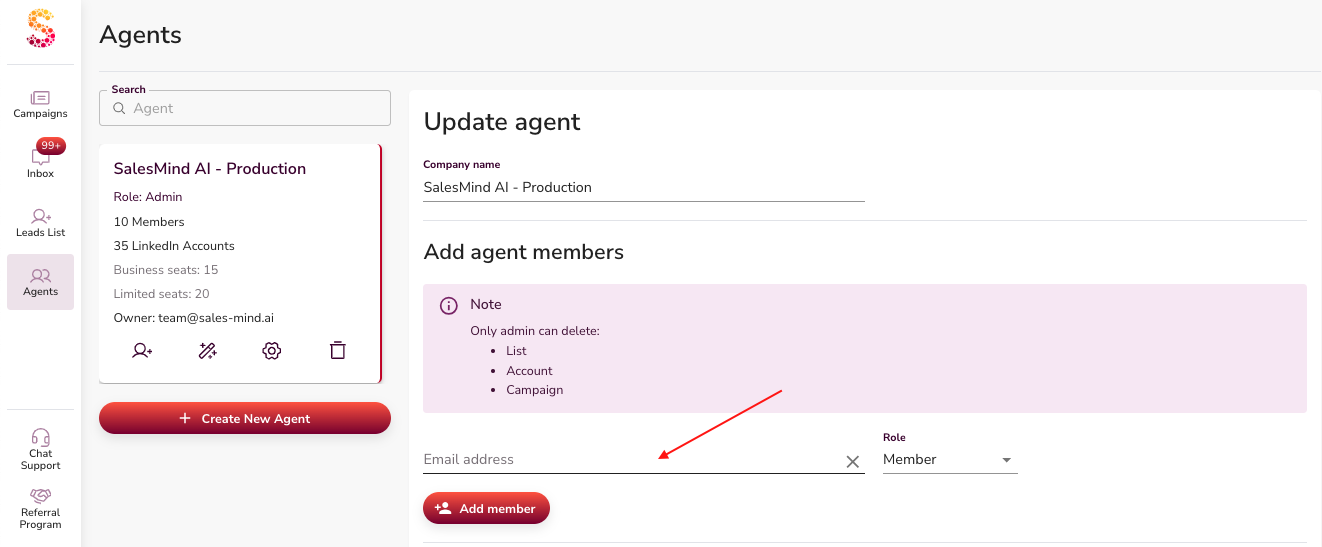
- Enter your teammate's email address.
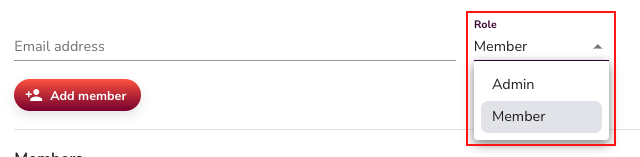
- Choose their role: Admin or Member.
- Click Add Member to confirm.
Your teammate gets an email invitation and can join immediately after accepting.
Understanding Roles
| Role | What they can do |
|---|---|
| Member | Create and manage campaigns, lists, and conversations |
| Admin | Everything a Member can do, plus delete lists, accounts, and campaigns |
⚠️ Warning: Deletion is permanent. Only assign Admin to teammates who genuinely need it.
💡 Tip: When in doubt, start teammates as Members. You can always upgrade their role later.
What's Next
- See the Member Roles and Permissions in Agents article for a full breakdown of what each role can and can't do.
- To manage your agent's settings, see the Managing an Agent article.