
1. Account Setup
Create Your Account
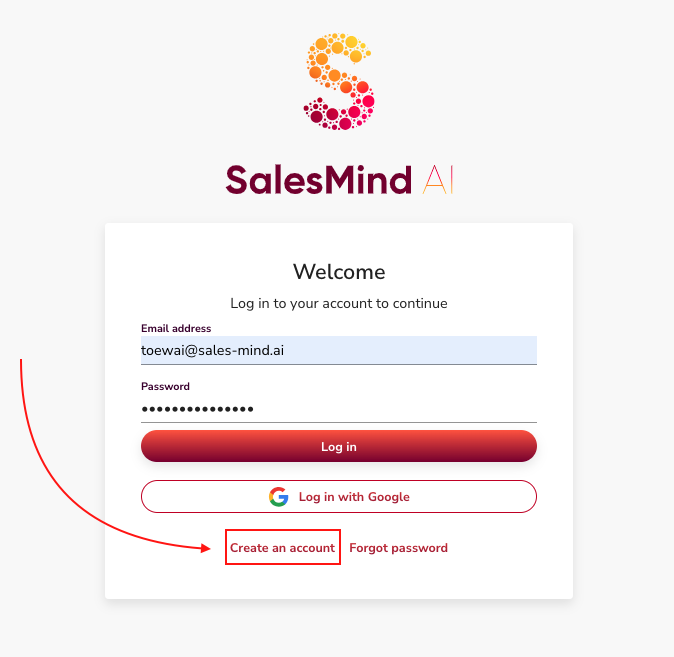
- Go to the SalesMind AI registration page and create your account.
- Once your account is created, you can start setting up your agents.
2. Agents
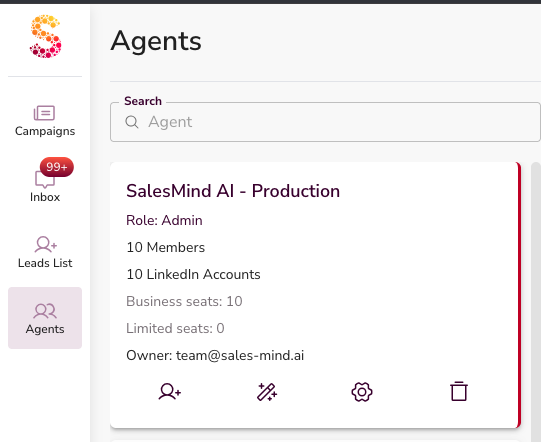
An Agent is your main workspace in SalesMind AI.
Everything lives inside an agent:
- LinkedIn senders
- personas
- missions
- campaigns
👉 Create one agent per company, brand, or client.
2.1 Agent Information
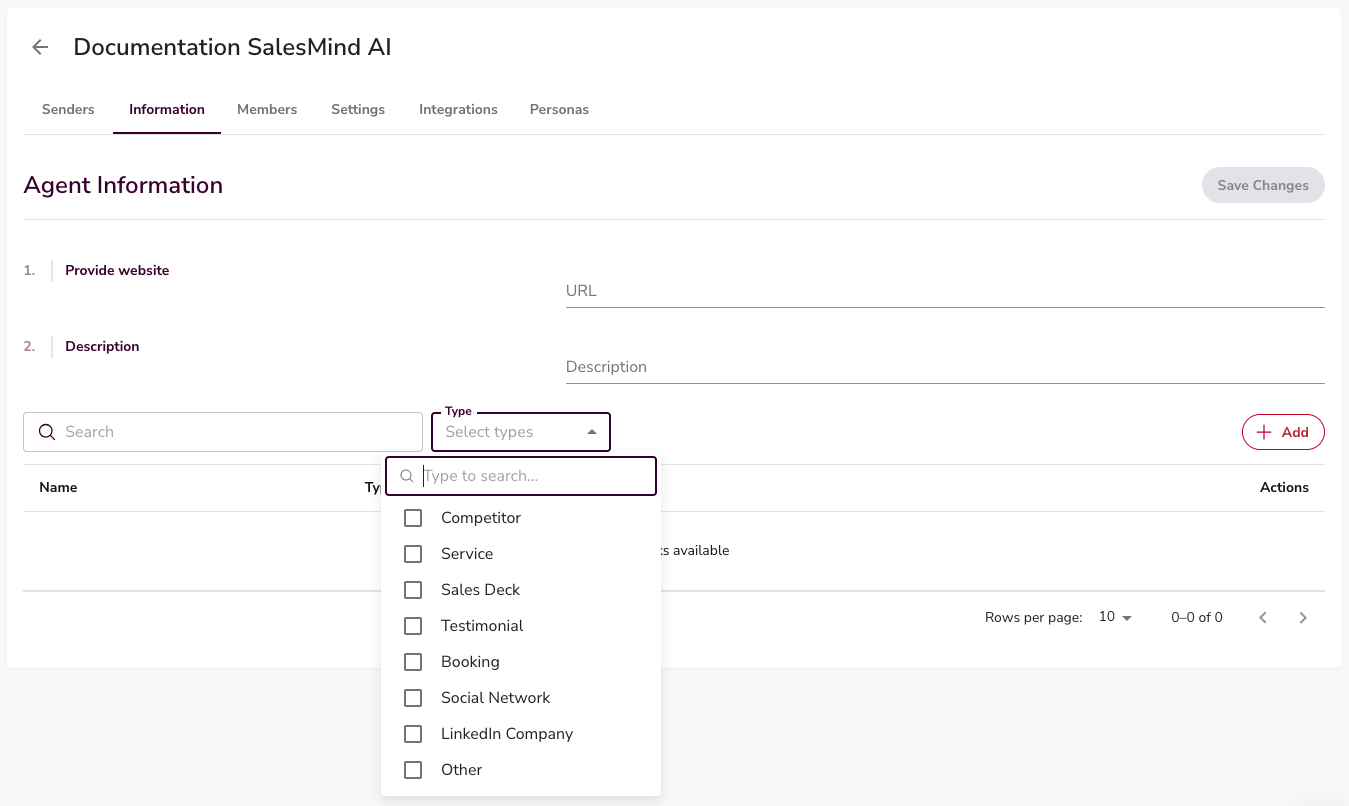
Open your agent and go to Information.
Make sure the following are filled in:
- Company website
- Company description
- Services/ offers
- Competitors to avoid targeting
This information helps the AI understand your business and generate accurate outreach.
👉 Always review this before creating campaigns.
2.2 Outreach Settings
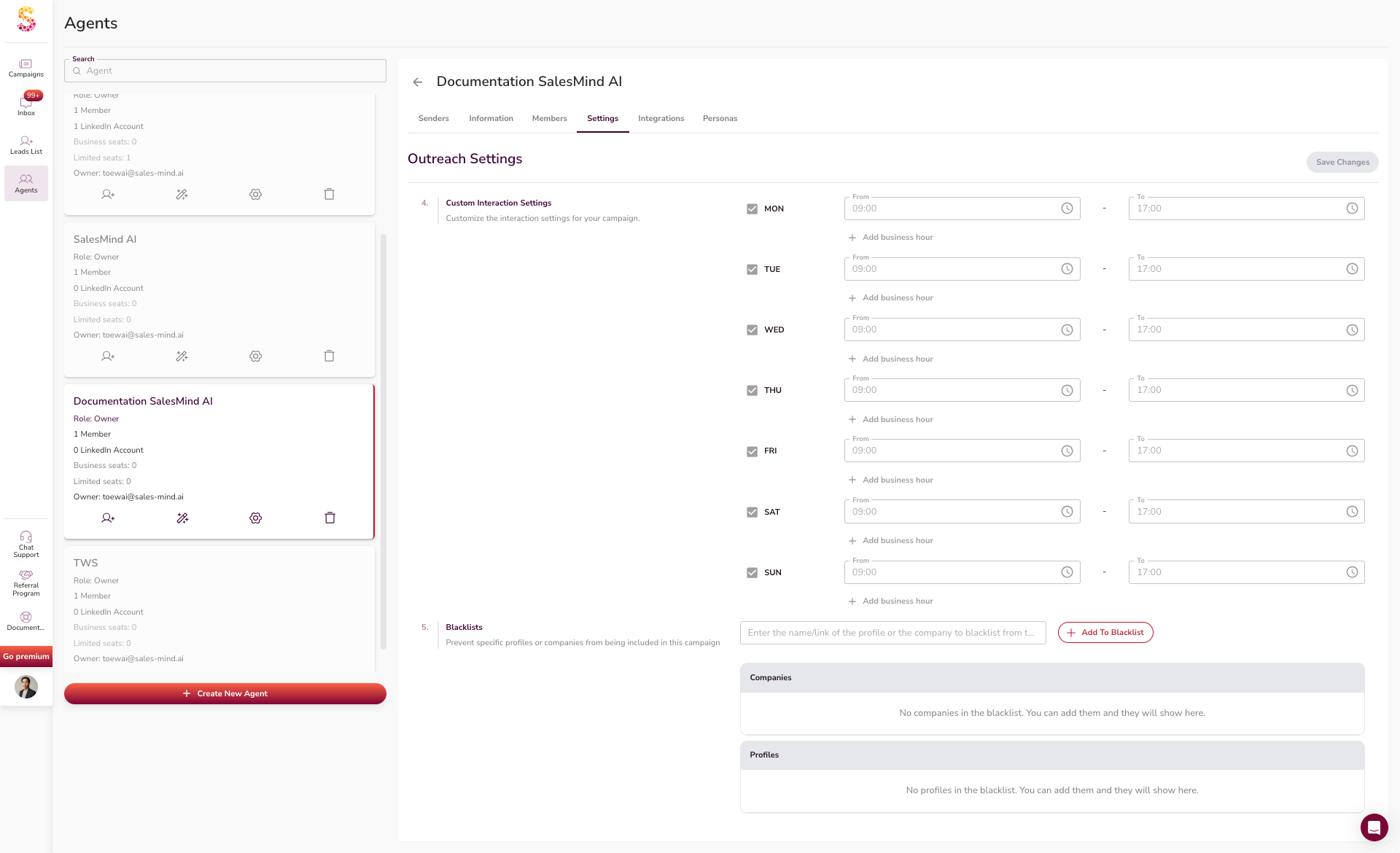
Go to the Settings tab inside the agent.
Set:
- inactive days and holidays
- business hours or time zone
- interaction times
- Blacklists to prevent specific profiles or companies from being included in this campaign
👉 These apply to all outreach under this agent.
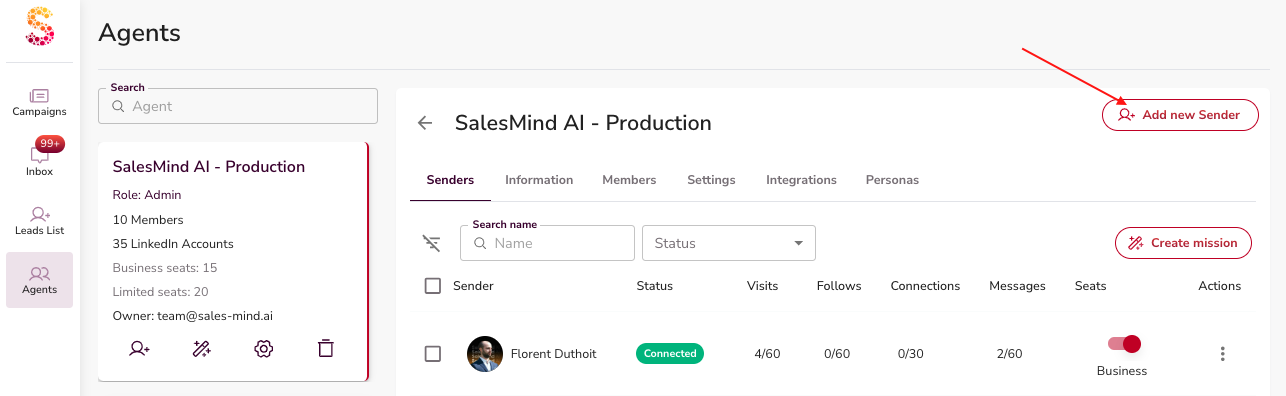
3. Add LinkedIn Senders
- Go to the Senders tab
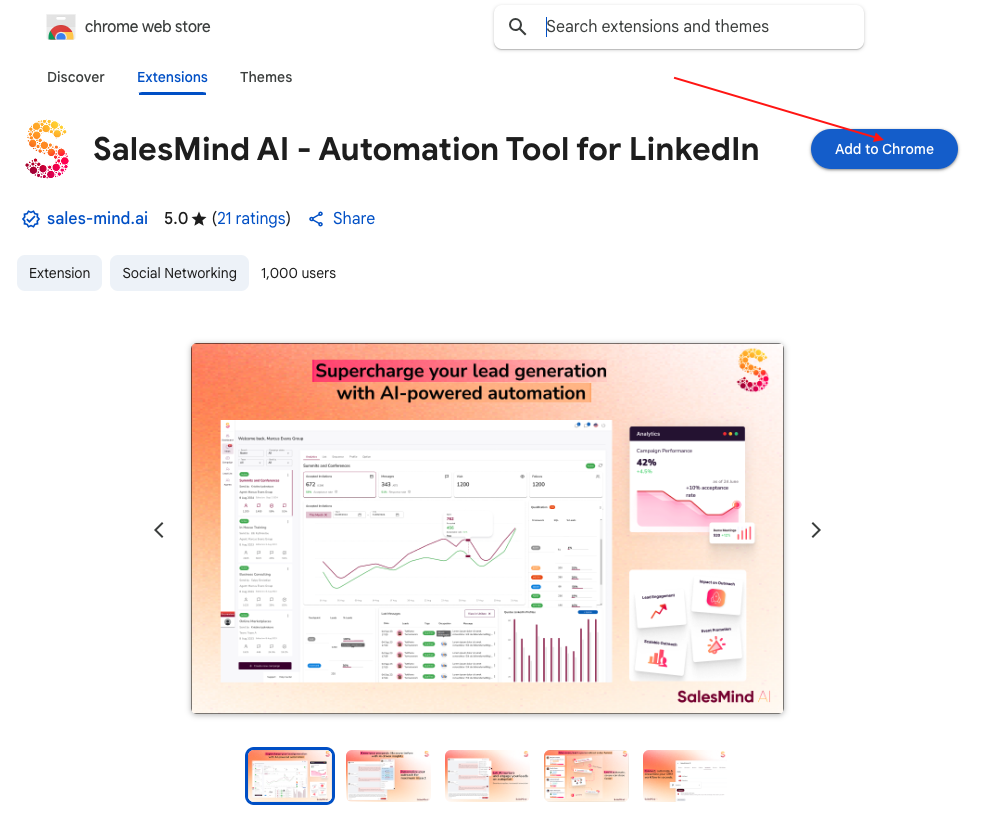
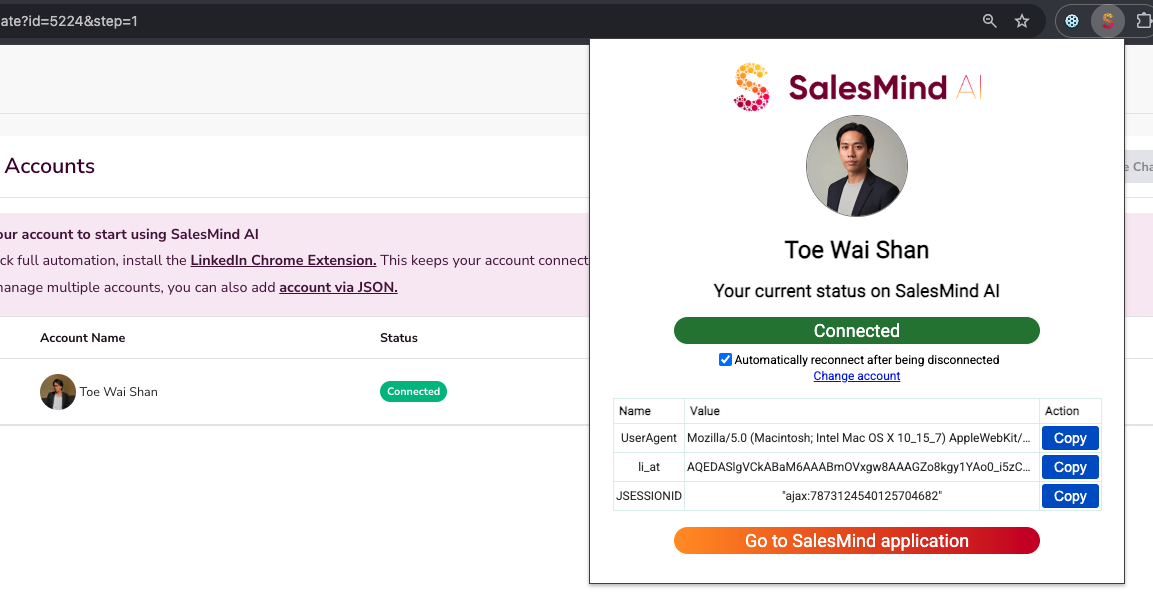
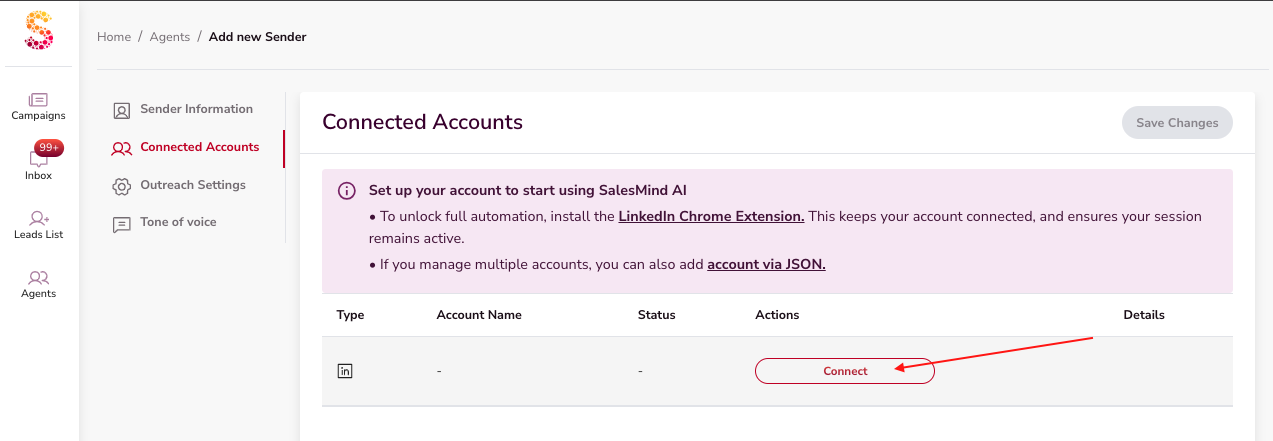
- Install theSalesMind AI Google Chrome Extension to connect your LinkedIn account.
- Verify that your sender is in your agent (it should be automatically plugged in).
4. Personas
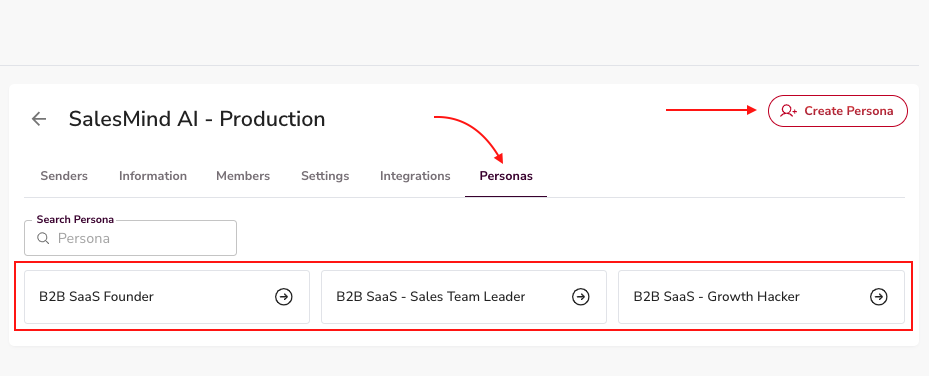
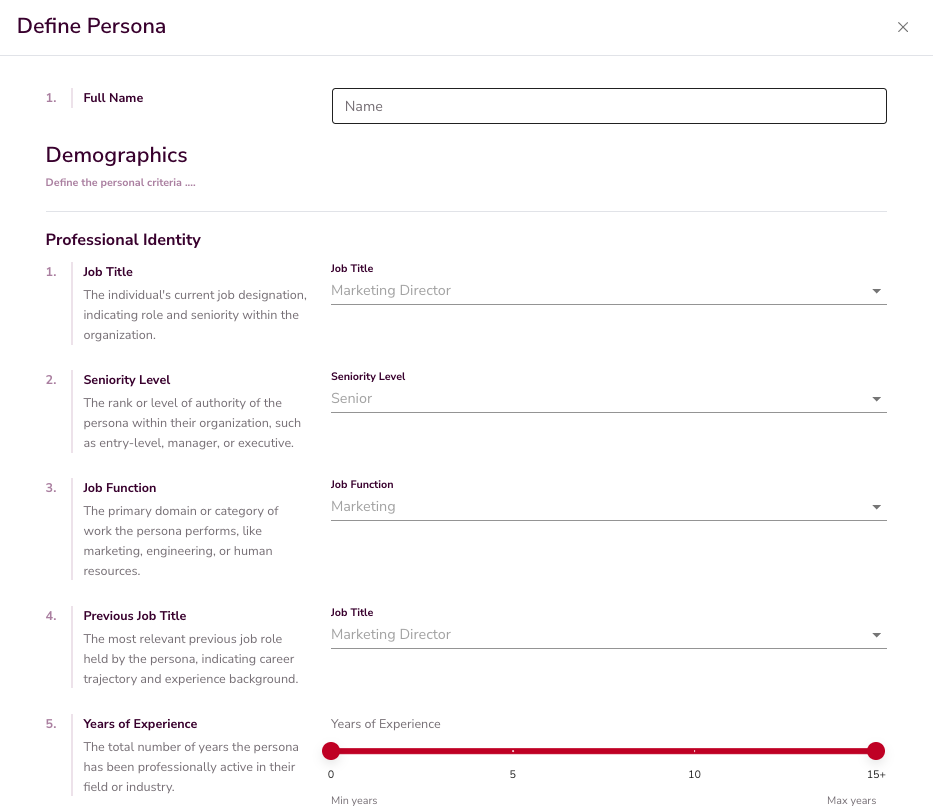
- Personas describe who you want to target.
- Check the AI-suggested personas (types of leads you want to target).
- Update or create new personas if needed.
- Correct personas help campaigns target the right audience efficiently.
5. Missions
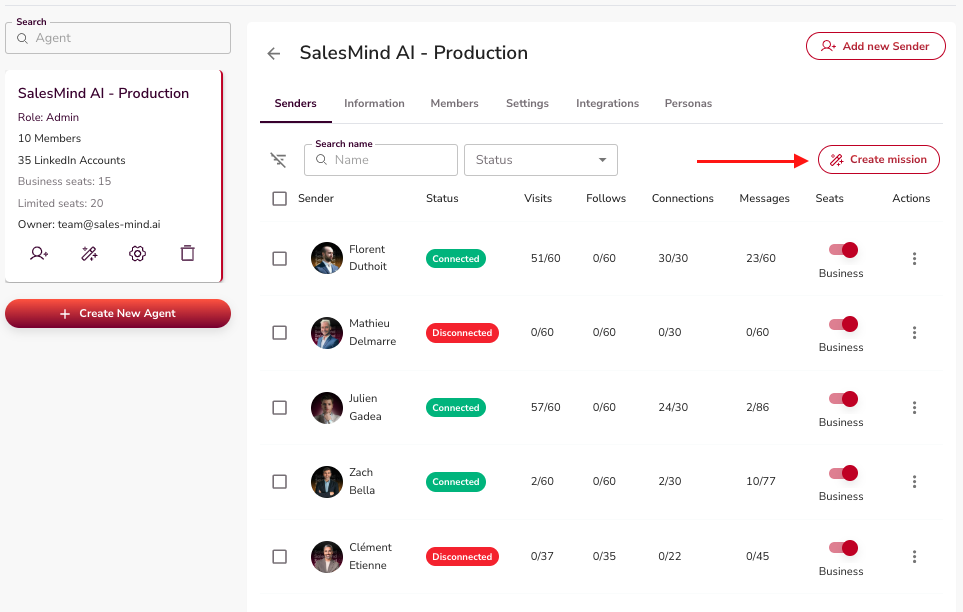
- A mission is a strategy container that sets the foundation for campaigns.
- It combines senders, personas, and services to quickly generate multiple campaigns.
- Learn more about "Missions and How to Create One" here."
6. Campaigns
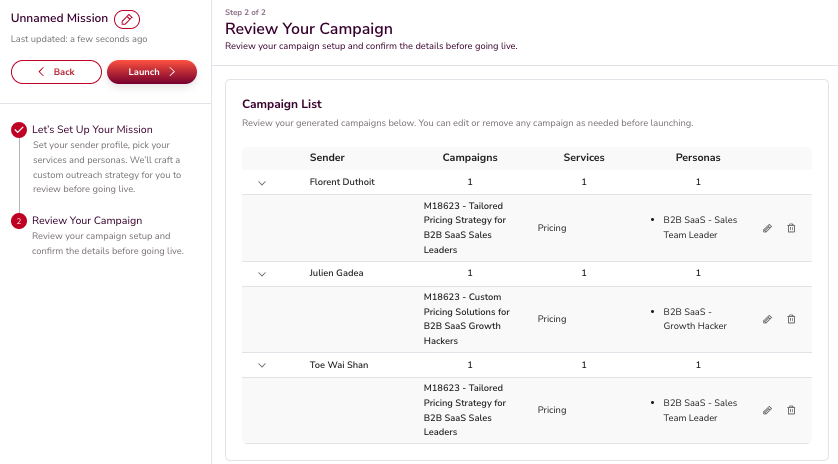
- Review and update the AI-generated campaigns for the mission.
- Click Launch to start campaigns.
- AI distributes prospects according to sender, persona, and service.
- Campaign initialization may take a few minutes.
👉 A Campaign is where outreach happens. Campaigns can be created manually or generated through a mission. Both methods are supported.
Learn how to create a campaign here.
Key Takeaways
- Start with Account Setup
- Create and configure an Agent
- Outreach rules are set at the agent level
- Personas define who you target
- Missions are designed to generate insights that help both the user and the system better understand the audience, services, and targeting.
- Review the generated campaigns and make changes before launching.
Here, you can learn more about the First 7 days Roadmap and apply it.
Happy Prospecting!