
Why and When to Use LinkedIn Sales Navigator


LinkedIn's free search is limited. You hit search caps quickly, filters are basic, and you can't save leads or track buying signals. Sales Navigator removes all of those constraints.
If you're doing serious outbound prospecting, Sales Navigator isn't optional. It's the difference between guessing who to contact and knowing exactly who's ready to hear from you.
What Sales Navigator Does
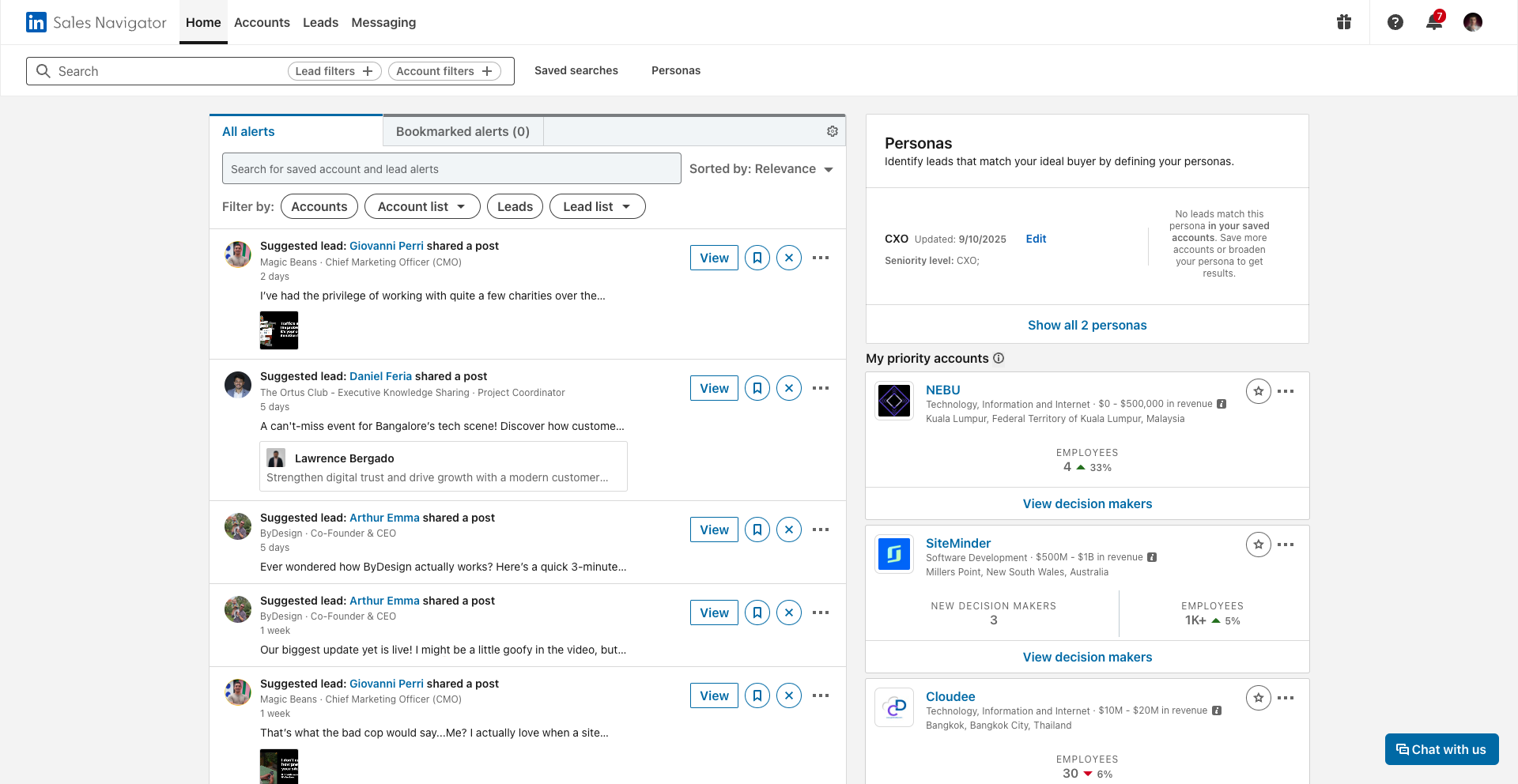
Sales Navigator gives you a significantly more powerful version of LinkedIn's search and intelligence tools:
- Advanced filters to find decision-makers by role, seniority, company size, industry, geography, and more
- Lead lists to save and organize your target prospects
- Buying signals like job changes, company growth, and recent LinkedIn activity
- Real-time alerts when a saved lead or account does something relevant
- InMail credits to message people outside your network directly
When to Use It
Sales Navigator is worth it when:
- You're targeting a specific ICP and need precise filtering beyond what free LinkedIn offers
- You want to track buying signals and reach out at the right moment
- You're building large, curated lead lists for outreach campaigns
- You need to message 2nd and 3rd-degree connections without waiting for a connection request to be accepted
👉 Note: If you're just starting out with a small, well-defined target list, free LinkedIn search may be enough. Sales Navigator pays off at scale.
How SalesMind AI Works With Sales Navigator
Sales Navigator finds the right people. SalesMind AI turns that intelligence into action.
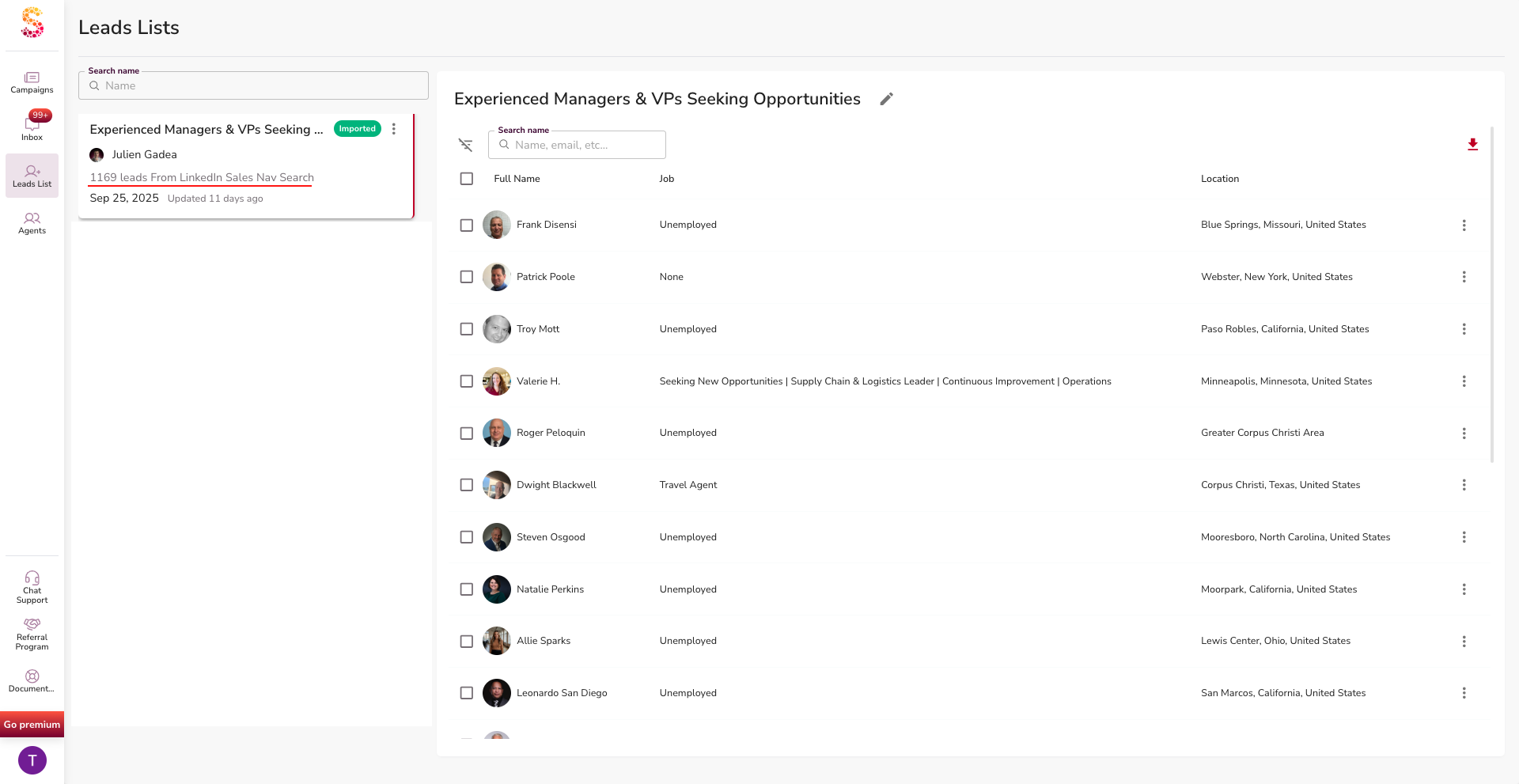
Here's how the two tools work together:
- Import directly from Navigator searches into SalesMind AI lead lists, no manual export needed
- Act on buying signals instantly — when Navigator shows a prospect changed jobs or their company raised funding, SalesMind AI can trigger a personalized outreach sequence
- Manage all conversations in one place — Navigator insights feed into your SalesMind AI inbox so you're not switching between tools
💡 Tip: Use Sales Navigator's job change alerts as a trigger for outreach. A prospect who just started a new role is actively building their stack and open to new solutions. That's your window.
The Combination in Practice
Navigator finds the who and the when. SalesMind AI handles the what to say and the follow-through.
Together, they let you run a high-volume, high-personalization outreach operation without the manual overhead.
What's Next
- See how to import Sales Navigator leads into SalesMind AI in Import Leads by Sales Navigator
- Learn about safe outreach limits in LinkedIn Restrictions: What You Need to Know to Stay Safe