
Overview
Most B2B deals don't hinge on one person. Buying decisions involve multiple stakeholders — executives, managers, end users, procurement, and sometimes legal. If you're only talking to one contact, you're one departure or one "no" away from losing the deal.
Multithreading means building relationships across the entire buying committee. Sales Navigator's Relationship Explorer and Relationship Map give you the tools to do it systematically.
Prerequisites
- Target account saved to an Account List
- Personas defined so Navigator can surface relevant leads
- Sales Navigator Advanced or Advanced Plus
Accessing the Relationship Tools
- Click Accounts in the top navigation bar
- Open a saved account from Account Hub
- Scroll down to find two sections:
- Relationship Explorer
- Relationship Map
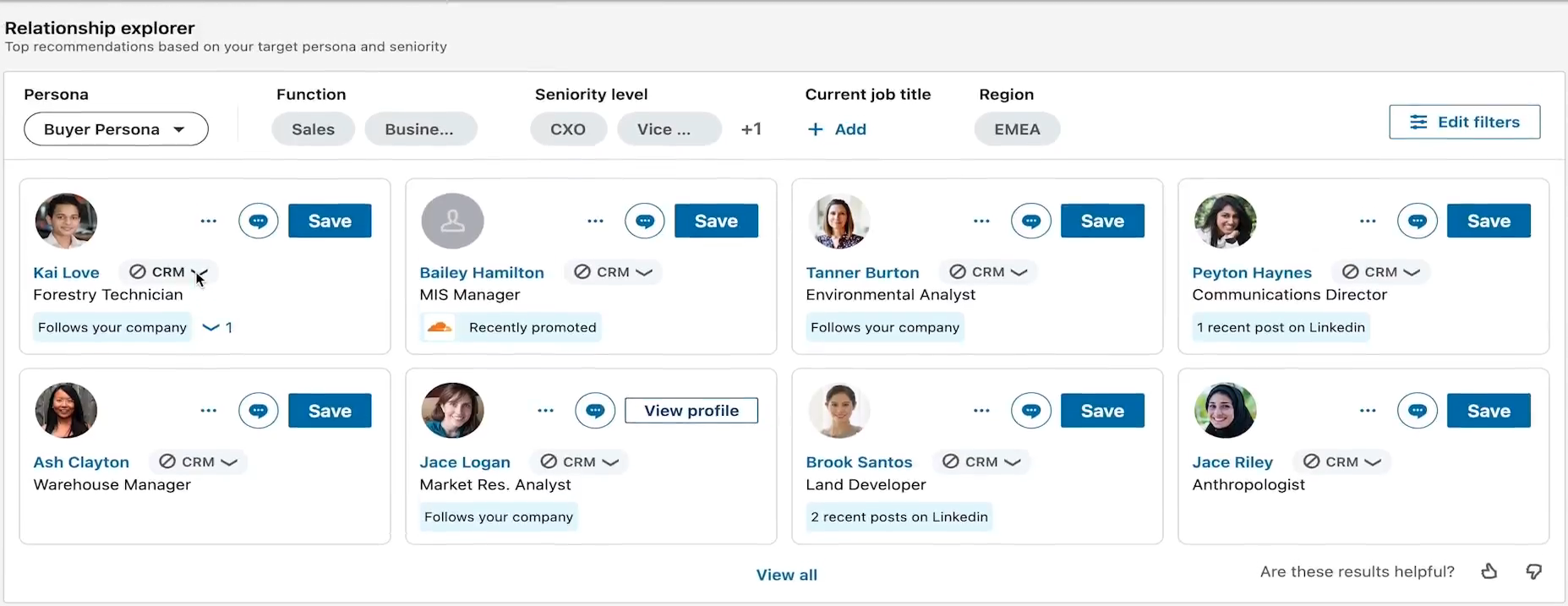
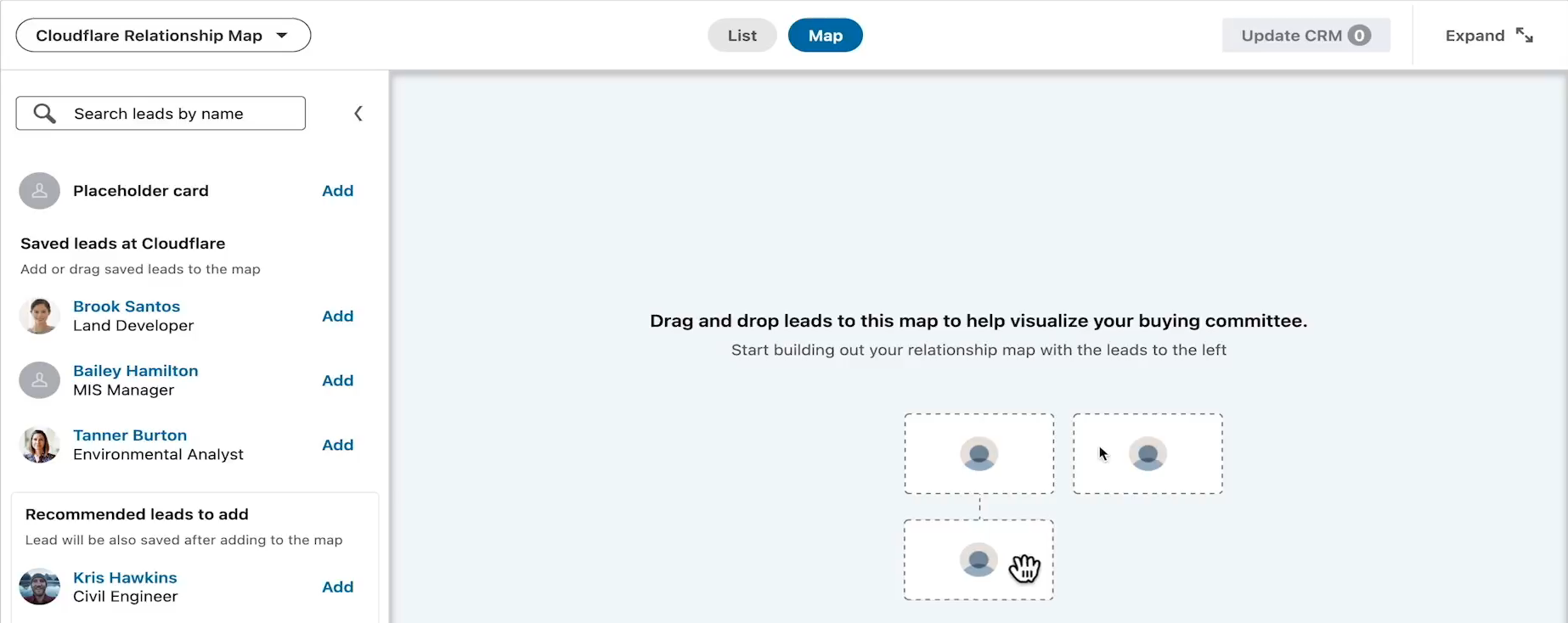
Using Relationship Explorer
Relationship Explorer surfaces leads within the account that match your defined Personas. Switch between Personas or apply filters to refine results.
Each suggested lead shows:
- Job title and function
- Recent activity (job changes, posts, interactions)
- Connection path (whether you or a teammate can get a warm intro)
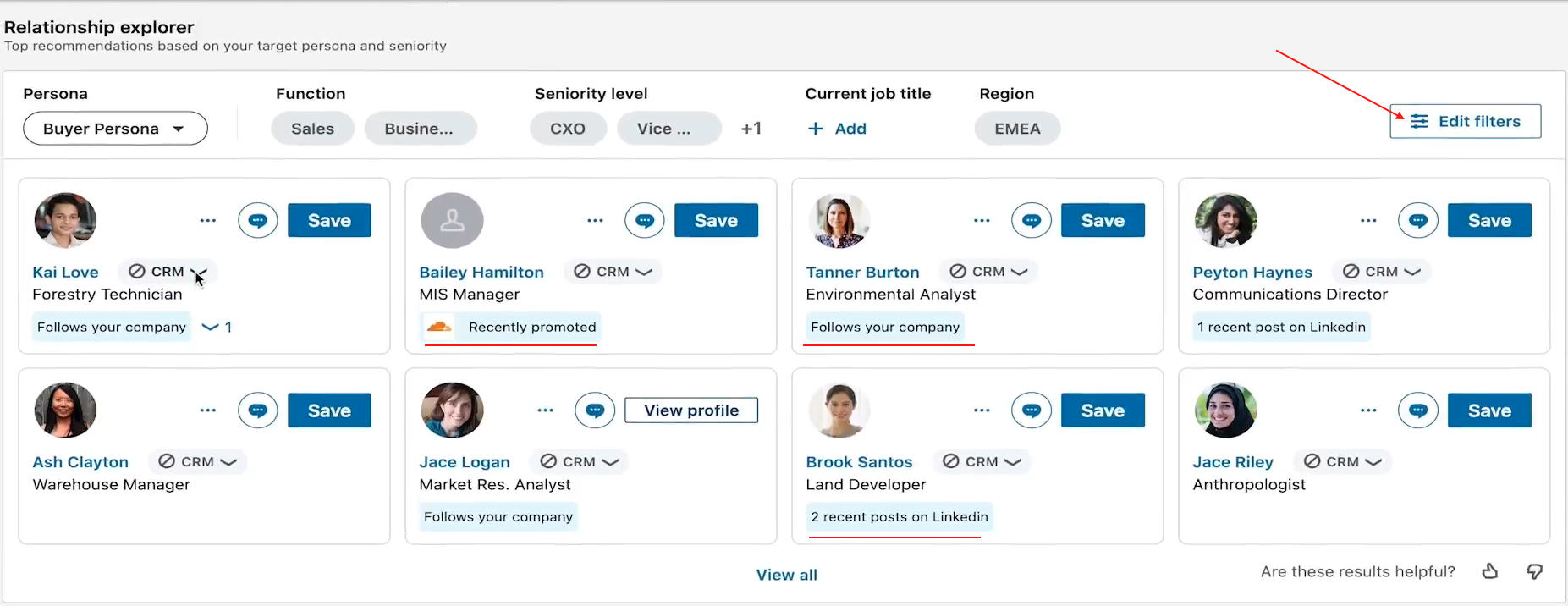
💡 Tip: Prioritize recently hired or promoted leaders. They're often change agents actively looking for new solutions — and they haven't built loyalty to your competitors yet.
Building a Relationship Map
Once you've identified the right people, use Relationship Map to visualize the full buying committee.
- Click Add to Relationship Map below any lead's profile
- Arrange leads by hierarchy — drag and drop to reflect the company's internal structure
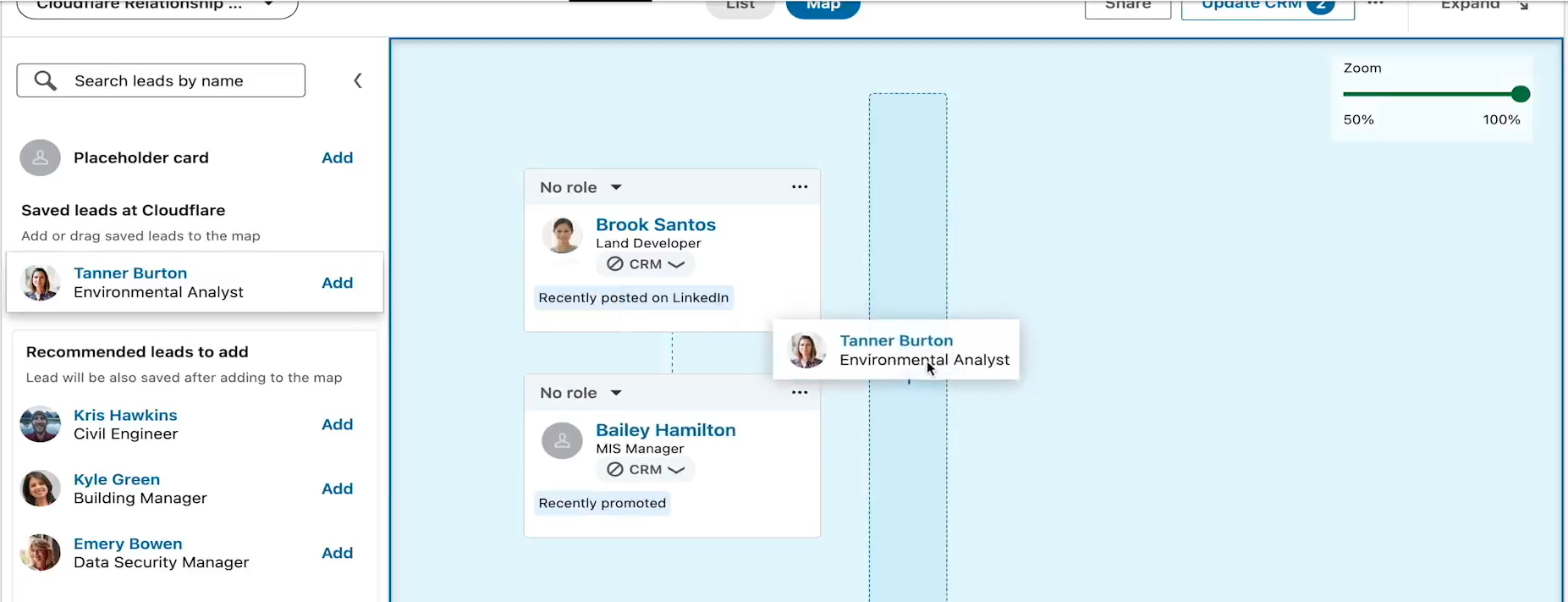
- Add placeholders for key roles not yet connected on LinkedIn (e.g., "Procurement Head")
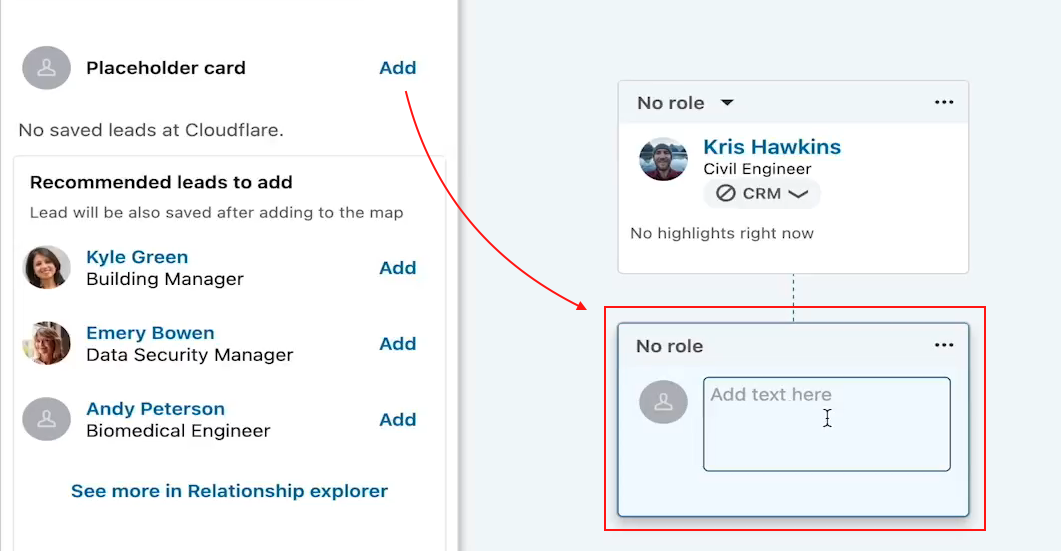
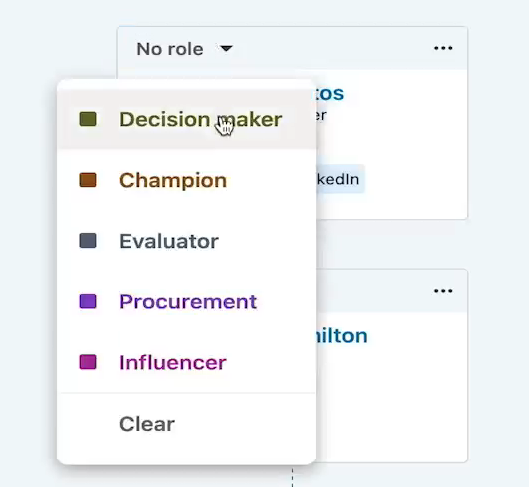
- Assign roles to each contact: Decision Maker, Influencer, Budget Holder, Champion, etc.
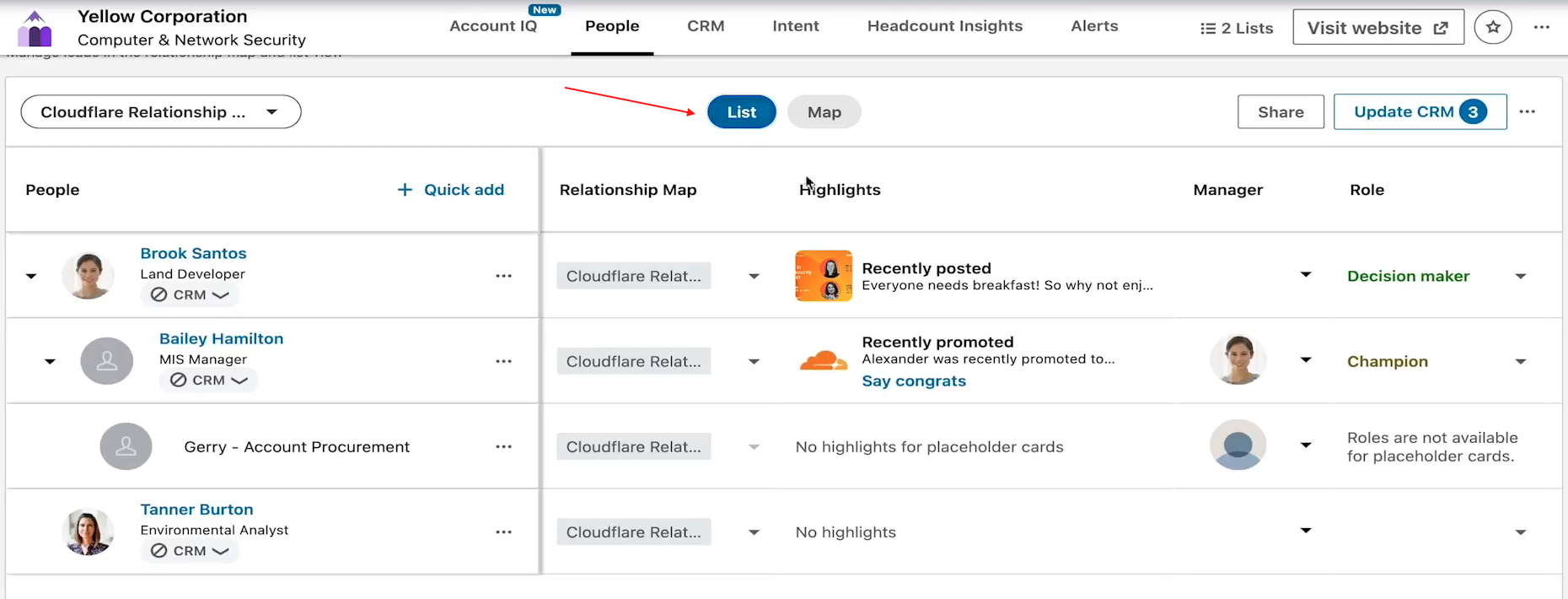
You can add up to 30 leads per map and toggle between visual and list views.
Keeping Your Map Current
Sales Navigator automatically updates your Relationship Map when:
- A lead changes roles or leaves the company
- New relevant leads are discovered based on your Personas
You'll see alerts prompting you to replace departed contacts and keep your buyer map accurate.
👉 Note: Review your Relationship Maps monthly. Organizational changes happen fast — a champion who leaves can stall a deal if you don't have other relationships in place.
Collaborating with Your Team
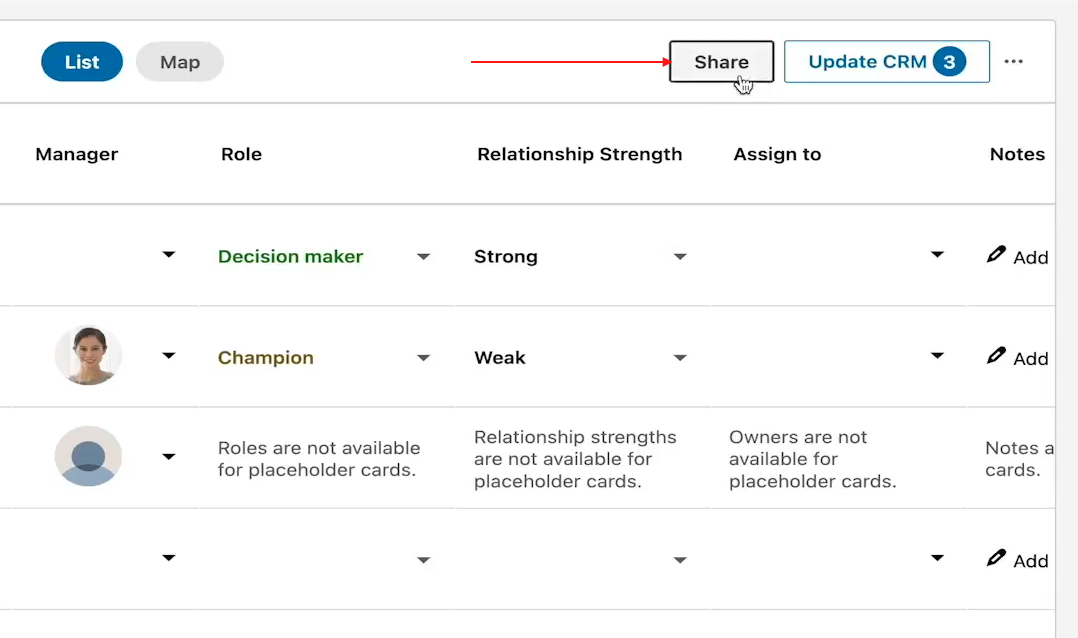
- Share Relationship Maps with colleagues to coordinate outreach across the buying committee
- Assign primary relationship owners to specific team members (requires Sales Navigator licenses for each)
⚠️ Warning: Don't let two reps reach out to the same contact independently. Coordinate ownership in the map before launching any outreach.
What's Next
- Launch multi-threaded outreach — bring your Relationship Map contacts into SalesMind AI to run coordinated sequences
- Track engagement — monitor which stakeholders are responding and adjust your approach
- Revisit Account Pages — use growth and intent signals to time your follow-ups