
Overview
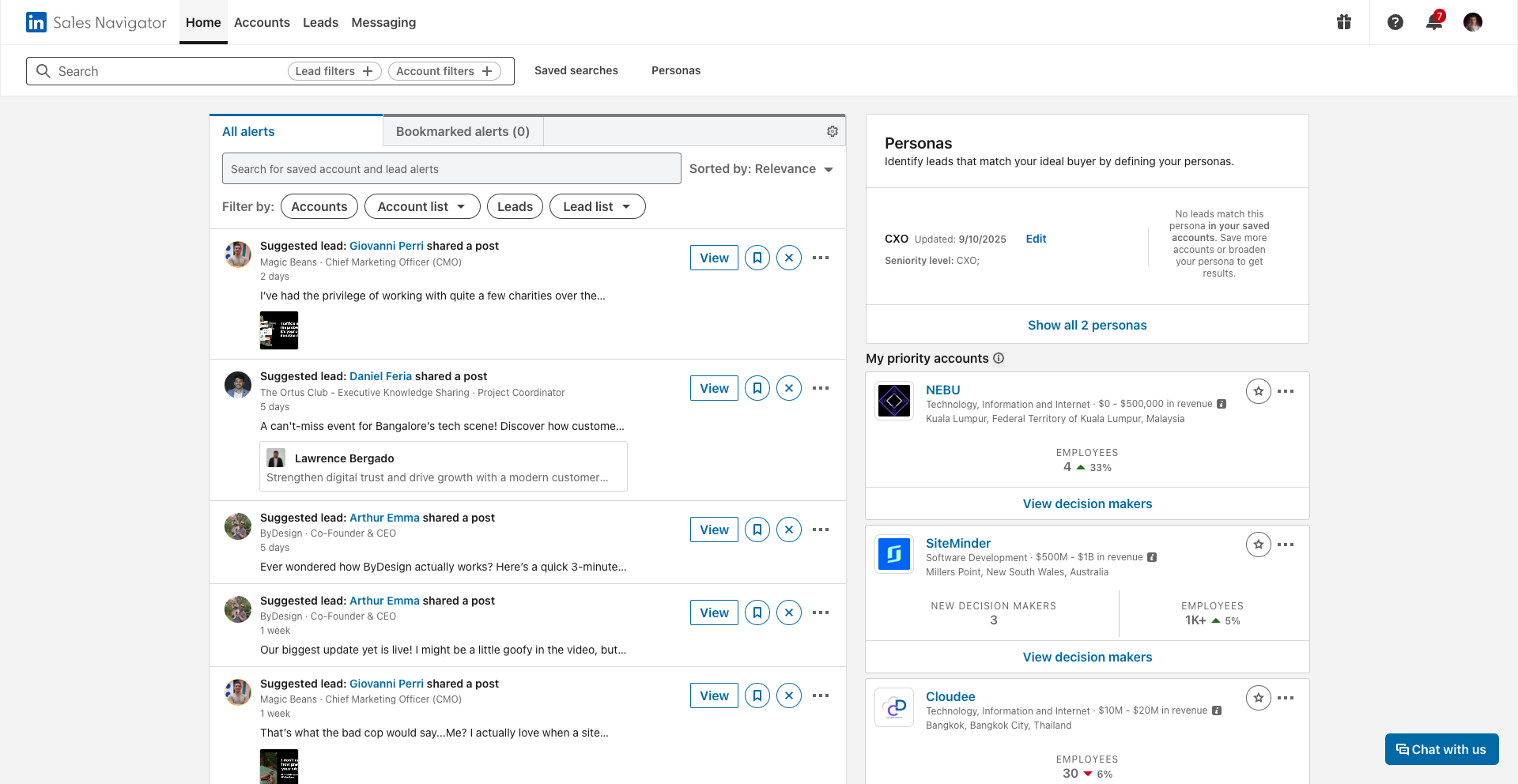
Your Sales Navigator homepage is your command center for real-time pipeline intelligence. Instead of manually hunting for updates, it surfaces what matters most: job changes, company growth signals, new hires, and content engagement across all your saved accounts and leads.
Pair those signals with SalesMind AI and they become action. A new VP of Sales just joined your target account? SalesMind AI turns that alert into a personalized outreach message in seconds.
What You'll See on the Homepage
Alerts Feed
The central feed shows all important updates from your saved accounts and leads. Filter by:
- Account Updates — company-level changes (headcount, news, growth)
- Lead Updates — individual changes (job moves, posts, promotions)
Sort by Relevance or Latest depending on your workflow.
Smart Filters
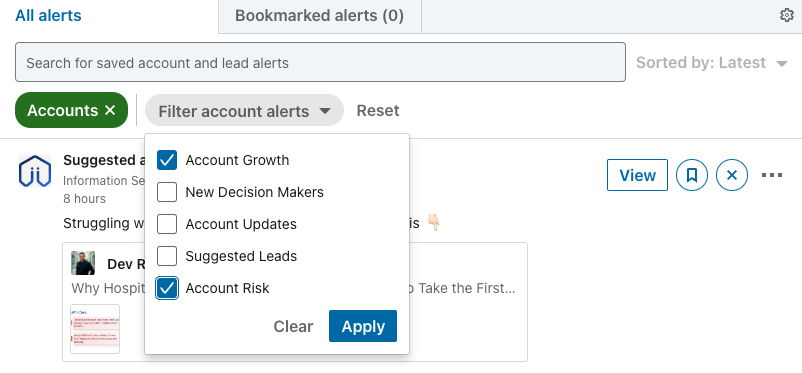
Narrow your alerts by type to cut through the noise:
- Account Growth / Risk — spot expanding or contracting teams
- New Decision Makers — recently promoted or hired leaders
- Suggested Leads — people within saved accounts who've engaged with your profile or content
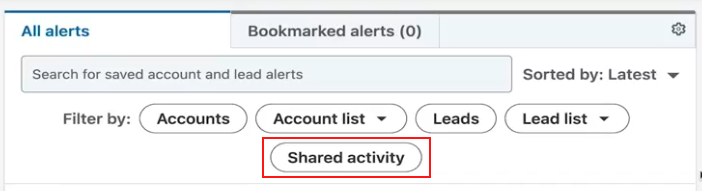
Shared Activity
If you're on a team plan, the Shared Activity section shows collaborative updates across shared account and lead lists — keeping everyone aligned without extra meetings.
Reading the Signals
Here's what a strong buying signal looks like in practice:
You're tracking a target account. On your homepage you notice:
- Their sales team headcount grew 15% (growth alert)
- A new VP of Sales was just hired (new decision-maker alert)
- Buyer intent signals show they're researching your solution category
That's your window. Reach out now, not next week.
💡 Tip: Check your homepage every morning before prospecting. Five minutes of signal-reading saves hours of cold outreach.
Using Alerts with SalesMind AI
Don't just watch alerts — act on them. Connect your homepage insights to SalesMind AI and it generates personalized outreach based on the trigger event. A job change becomes a congratulations message. A growth alert becomes a relevant value proposition. The timing is built in.
👉 Note: SalesMind AI works best when you've already saved the relevant accounts and leads in Navigator. The richer your saved lists, the more targeted the outreach.
What's Next
- Define your ideal buyers — set up Personas to filter the right leads from your alerts
- Build Account Lists — organize your targets so alerts are always relevant
- Use Buyer Intent — prioritize accounts already showing interest in your category