
Overview
A growing pipeline is only useful if you can navigate it. Sales Navigator's Account Lists and Account Hub give you one place to manage, prioritize, and act on all your target companies.
Think of Account Lists as your playbook. They tell you where to focus, what's changed, and which accounts deserve attention right now.
What Account Lists Let You Do
- Create lists from searches, CSV uploads, or CRM imports
- Save target accounts to monitor key signals over time (growth, hiring, news)
- Filter in Account Hub to surface changes like headcount growth, new decision-makers, or risk alerts
- Share lists with teammates for coordinated outreach
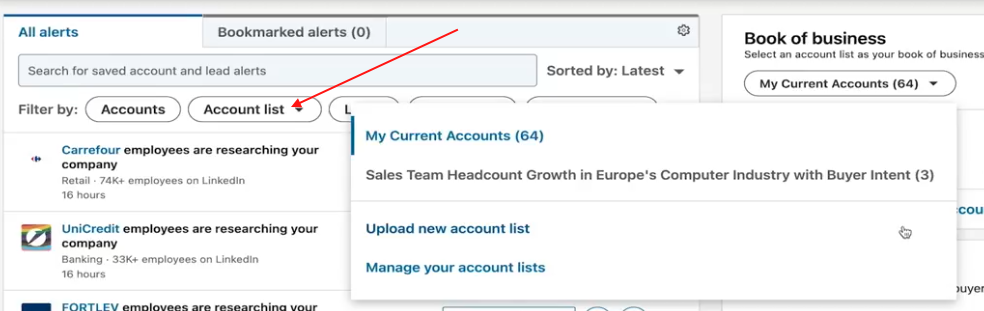
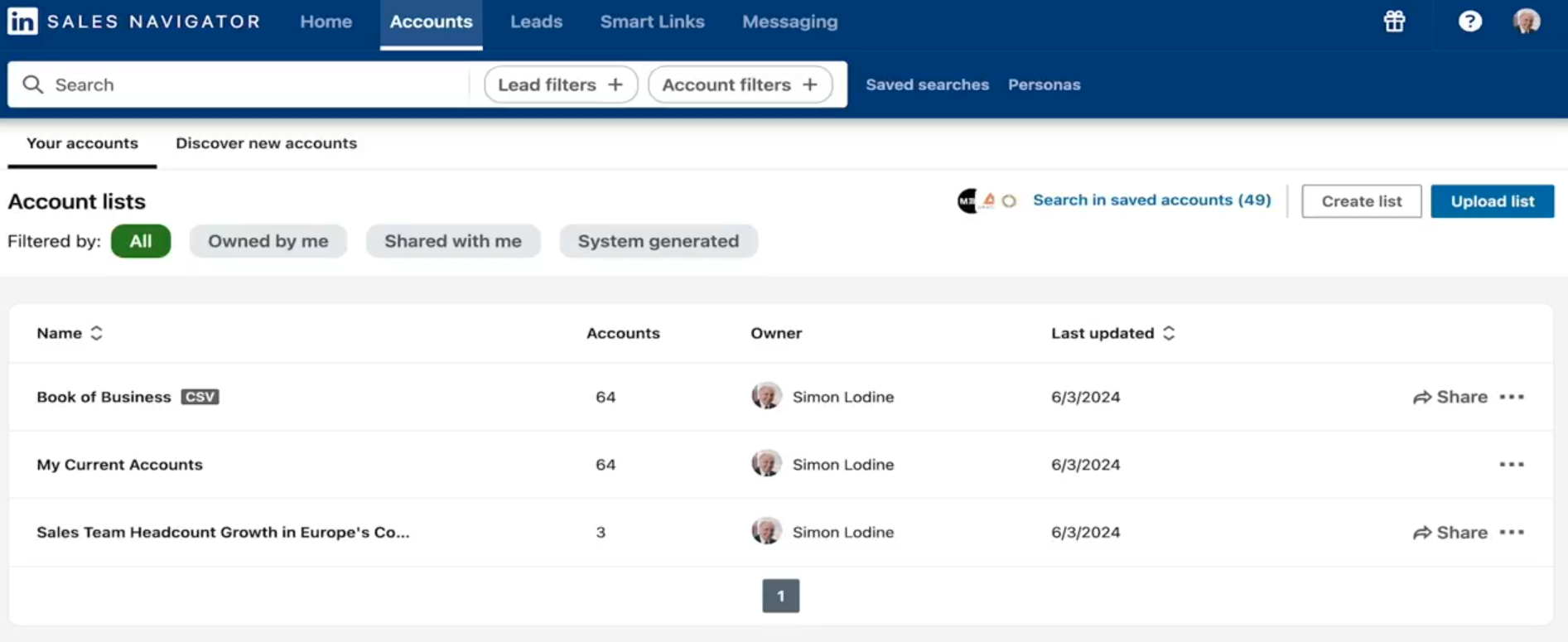
Using Account Hub
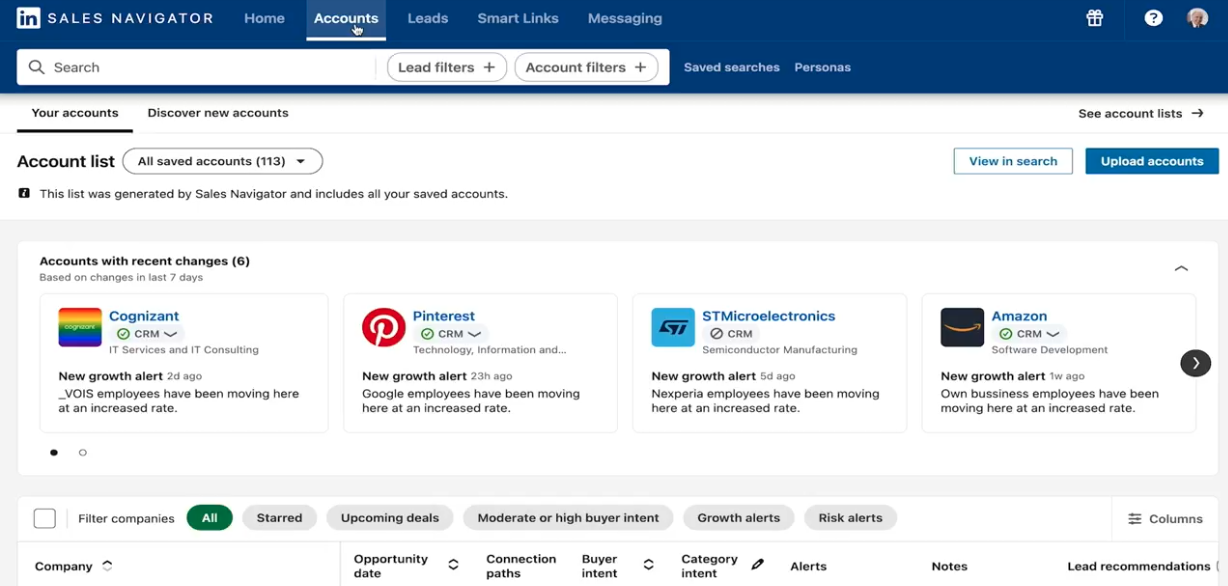
Account Hub is the command view for all your lists. In one table, you can see:
- Buyer Intent scores
- Growth and risk alerts
- Recommended leads matching your Personas
- Recent account activity
This makes it easy to decide where to invest time each day — without opening individual account pages one by one.
💡 Tip: Create separate lists for different segments — by industry, deal stage, or campaign. It keeps your Account Hub clean and makes filtering much faster.
How to Create an Account List
- Run an account search using your filters (industry, headcount, geography, etc.)
- Select the accounts you want to save
- Click Save to List and either create a new list or add to an existing one
- Open Account Hub to view and manage your saved accounts
👉 Note: You can also import accounts from a CSV or sync directly from your CRM if you're on an Advanced Plus plan.
Using Account Lists with SalesMind AI
Saving accounts is just the start. Import your Account Lists into SalesMind AI to launch targeted campaigns, generate personalized messaging for each segment, and track engagement automatically. Your Navigator research feeds directly into your outreach.
⚠️ Warning: Don't let lists go stale. Accounts change — people leave, companies pivot, budgets shift. Review your lists monthly and remove accounts that no longer fit your ICP.
What's Next
- Monitor Buyer Intent — see which saved accounts are actively researching your category
- Research accounts deeply — use Account Pages before reaching out
- Build your buying committee — use Relationship Explorer to find all the right contacts