
Prerequisites
- You have an active SalesMind AI account
- You're inside an agent and ready to add leads
What Is AI Lead Finder?
AI Lead Finder is SalesMind AI's built-in prospecting tool. It combines proprietary data with your persona filters to build targeted lead lists without leaving the platform. No LinkedIn search needed.
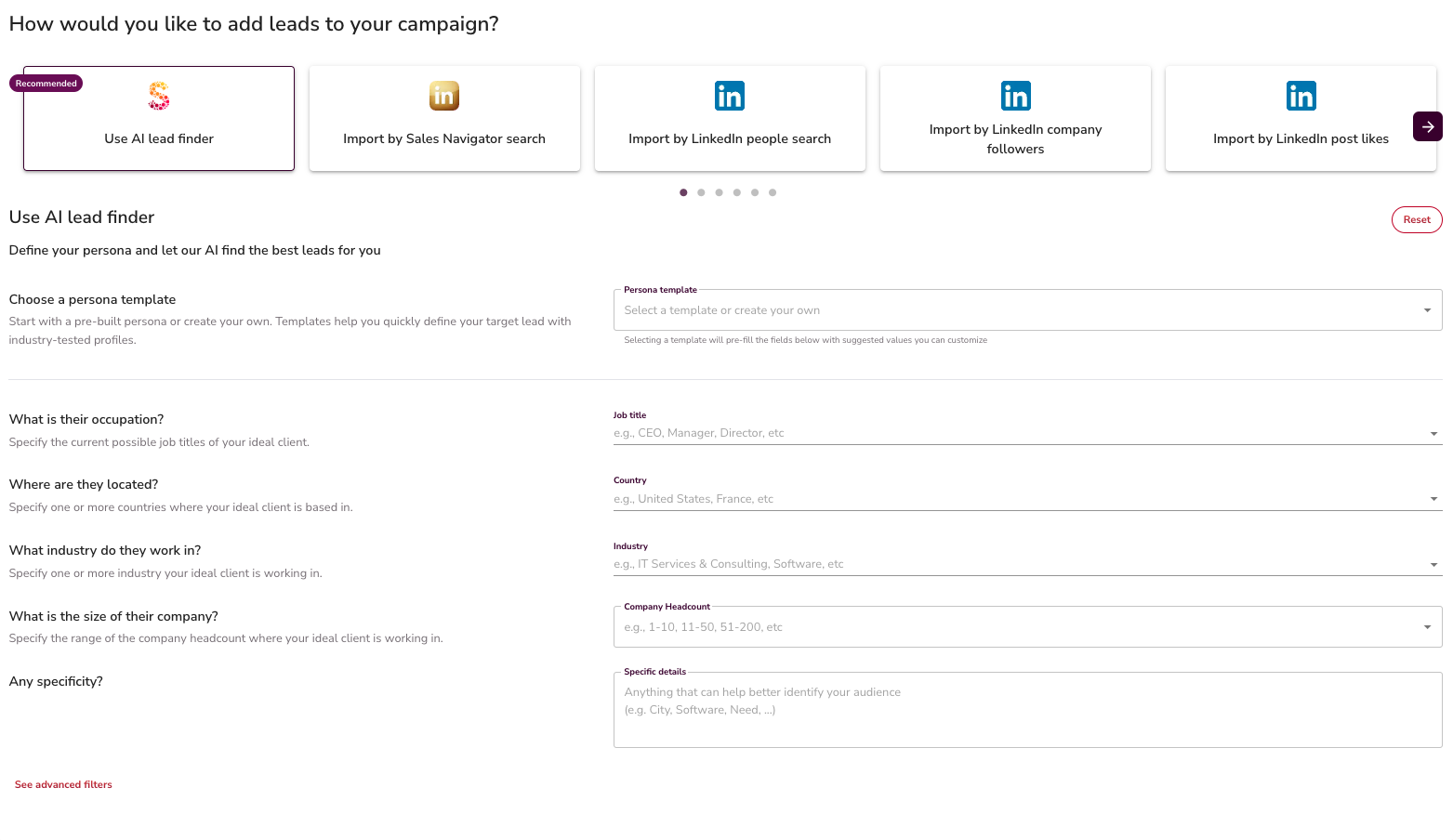
Step 1: Pick a Persona Template
- Open AI Lead Finder inside your agent
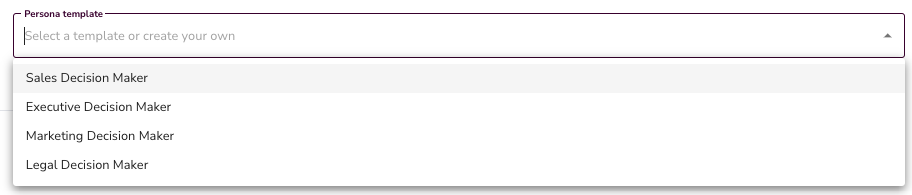
- Select a persona template to pre-fill job titles, seniority levels, and other filters
- Edit the defaults to match your target, or reset and start from scratch
👉 Note: You can type job titles directly. For example, add "CEO" and "Co-owner" as separate entries to narrow to those roles only.

Step 2: Set Location
- Choose a country to cast a wide net, or drill down to specific cities
- SalesMind AI covers more than 5,000 cities worldwide
💡 Tip: Small cities often return very few results. If you need a city that's missing from the list, contact support to have it added.

Step 3: Filter by Industry and Company Size
- Select one or more industries relevant to your target market
- Set a company size range (number of employees) to focus on the right business segment

Step 4: Add Advanced Filters (Optional)
For tighter targeting, you can also filter by:
- Technologies the company uses
- Skills your prospects are likely to have
👉 Note: These fields are optional. Leaving them empty tells the AI to broaden the search and include all matching results.

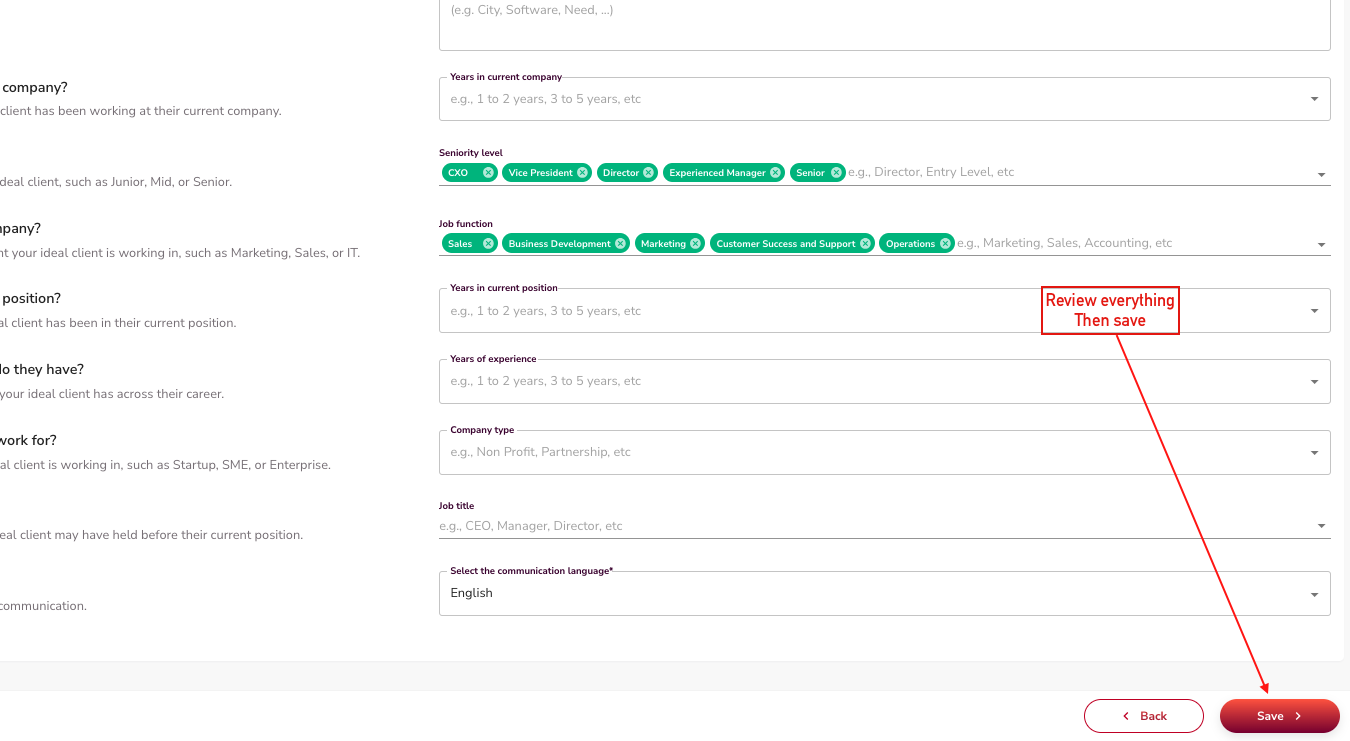
Step 5: Review and Save Your List
- Once your filters are set, AI Lead Finder generates your lead list automatically
- Review the results and confirm they match your target persona
- Save the list to use it in a campaign
💡 Tip: Empty filter fields don't block results. They just widen the search. Use them intentionally to control list size.
What's Next
- Learn about other import methods in the Import My Leads section
- Add your new list to a campaign and set up your outreach sequence