
The Event Search method lets you import attendees from a LinkedIn event. People who register for events are actively interested in the topic — which makes them far more receptive to relevant outreach than a cold list.
Prerequisites
- An active SalesMind AI campaign in progress
- A LinkedIn event URL you want to target
- You must be a registered participant in the event to access its attendee list
Steps
1. Find the LinkedIn event
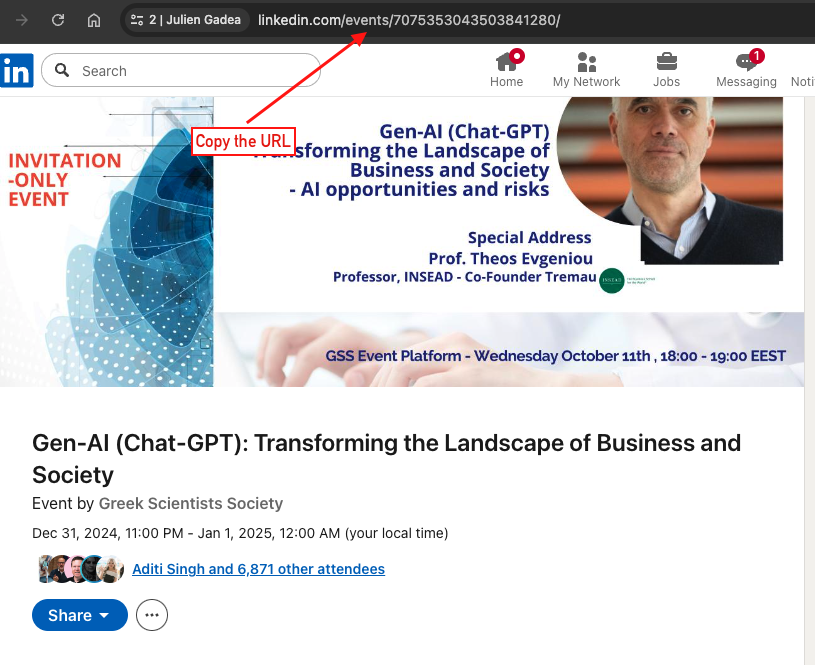
Go to LinkedIn and open the event page. Copy the full URL from your browser's address bar.
⚠️ Warning: You must have joined the event yourself. SalesMind AI can only retrieve attendees for events you're participating in.
2. Paste the URL into SalesMind AI
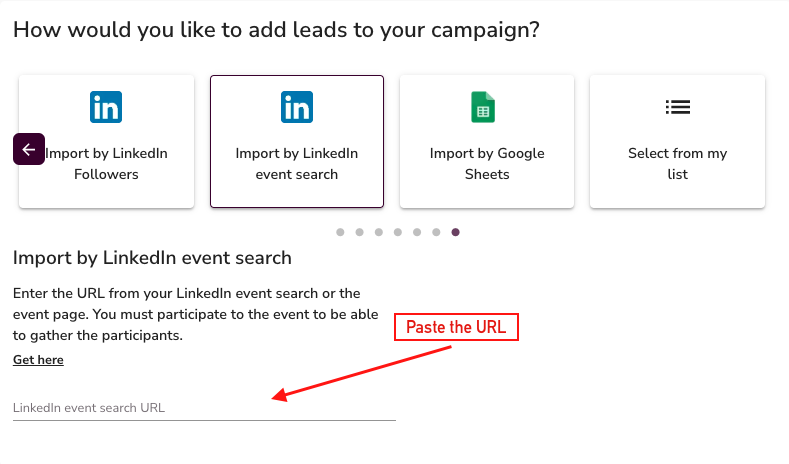
In your campaign's Import Leads step, select Event Search. Paste the event URL into the input field.
3. Handle large events
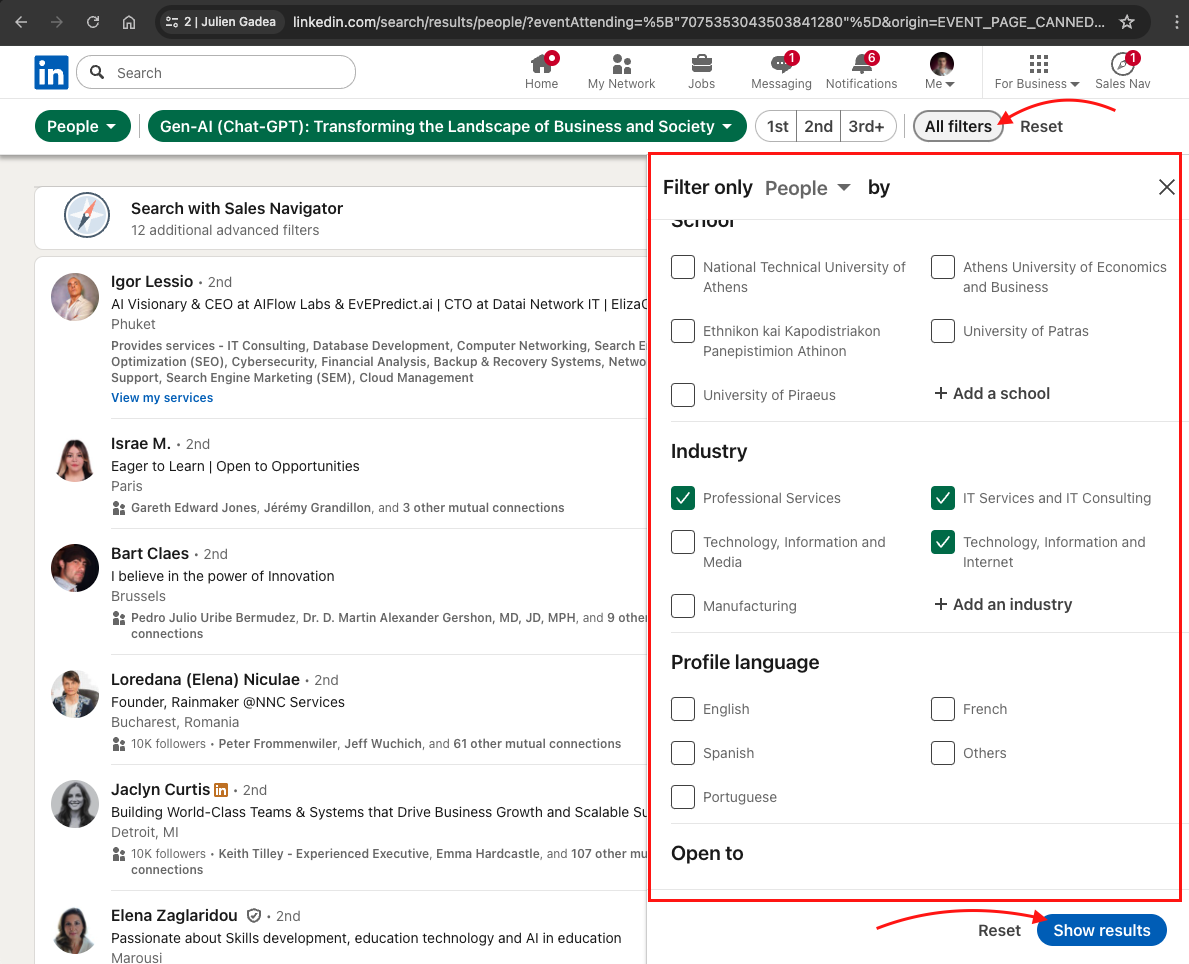
SalesMind AI imports up to 1,500 attendees per import. If the event has more than 1,500 attendees, use LinkedIn's built-in filters to segment the list before importing.
Useful filters:
- Industry — narrow to a specific sector
- Location — focus on a region or city
- Job title — target a specific role
Import each filtered segment separately to cover the full audience.
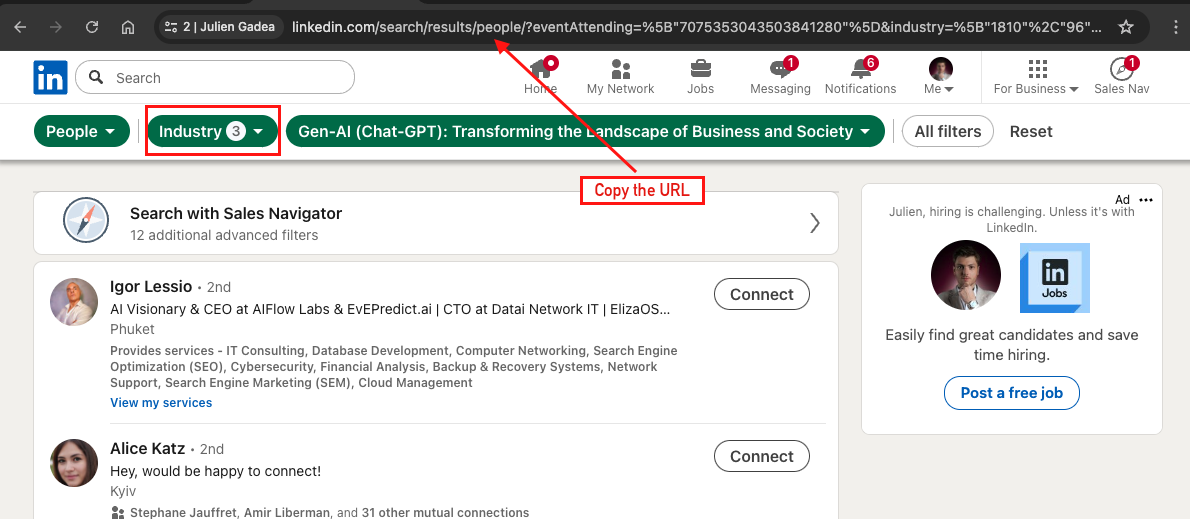
💡 Tip: Filtering by industry or role before importing gives you a tighter, more relevant list — and better reply rates.
Why it works
Event attendees self-selected into a topic. They showed up because they care about the subject — which means your outreach lands in a context they're already thinking about. These leads convert better than generic searches.
What's Next
- Add more leads using other import methods (Profile Followers, Sales Navigator, Google Sheets)
- Personalize your message sequence around the event topic for higher relevance
- Review your campaign settings before launching