
Prerequisites
- You have an active SalesMind AI account
- You have the LinkedIn URL of the company page you want to target
- You're inside an agent and ready to add leads
What Is Company Followers Import?
This method lets you target people who follow a specific company on LinkedIn. Competitor followers, partner audiences, and niche industry pages are all fair game. These prospects already know the space you're selling into.
Step 1: Copy the Company Page URL
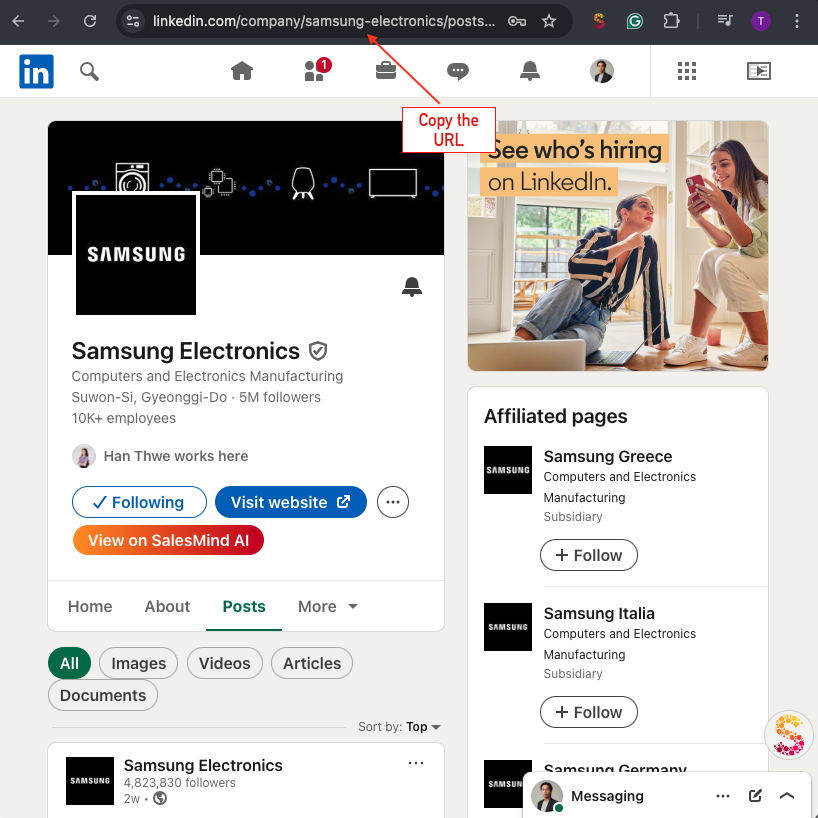
- Open LinkedIn and navigate to the company page you want to target
- Copy the URL from your browser's address bar
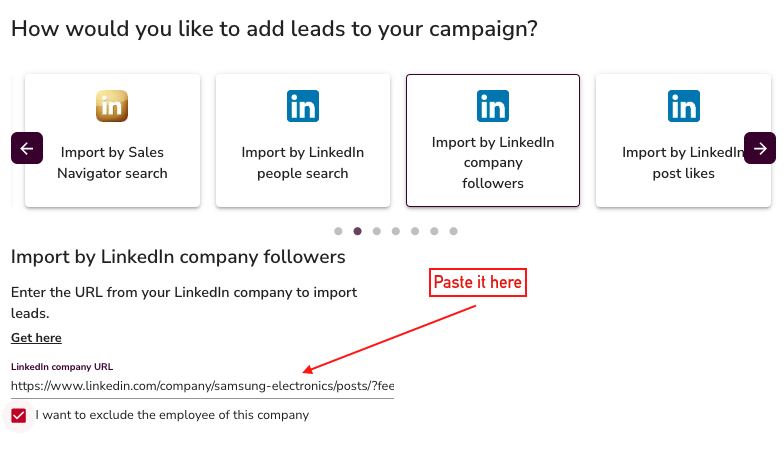
- In SalesMind AI, open the Company Followers import option
- Paste the URL into the field
⚠️ Warning: The URL must be a LinkedIn company page, not a personal profile. Profile URLs won't work here.
Step 2: How the Import Works
SalesMind AI handles this differently depending on your relationship to the page:
If you're an admin of the company page
- SalesMind AI pulls the follower list directly
- Up to 1,500 followers can be imported per list
If you're not an admin
- SalesMind AI collects people who liked, commented on, or reposted the company's content
- You still get active, engaged prospects even without admin access
Step 3: Exclude Company Employees (Recommended)
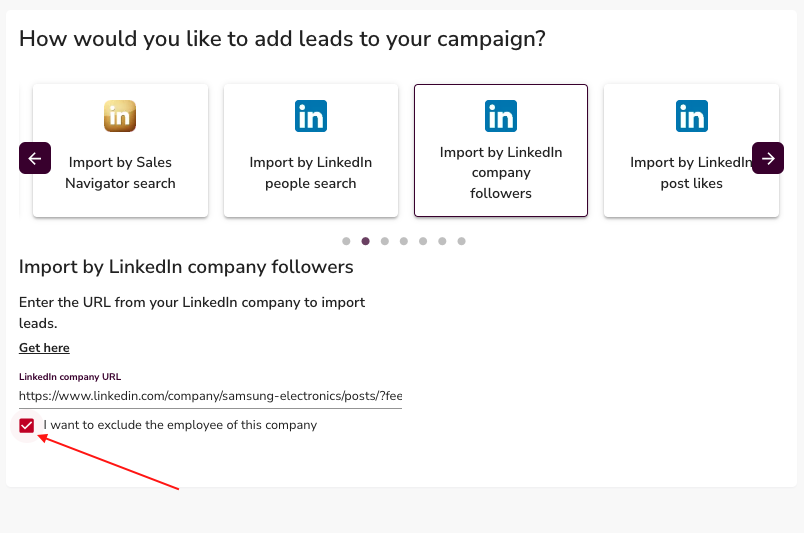
- Enable the Exclude Employees toggle before importing
- This filters out current staff from the company, so your list contains only external prospects
💡 Tip: Always enable Exclude Employees when targeting competitor pages. You want buyers, not their team.
Why This Method Works
Followers of a competitor or industry company are already familiar with the problem you solve. They're active on LinkedIn, they understand the market, and some are actively looking for alternatives. That makes them far warmer than a cold list built from scratch.
What's Next
- Explore other import methods in the Import My Leads section
- Add your imported list to a campaign and configure your outreach sequence